
Minecraft 1.12.2 için Hardcore Darkness Mod
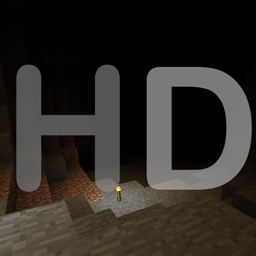
Bu mod Minecraft'ta her zaman var olan minimum ışığı kaldırır
Description
You have probably noticed it yourself but its never actually pitch black in minecraft. Even if you are in a cave with no torches you will still be able to see something independent of your gamma setting. This mod changes this, it removes the minimum block & sky light so if there is no light source its actually dark.
Usage
After you install this mod it will be in mode 0, there are 3 different modes and they can be changed in the config file:
- There is no minimum block & sky light
- There is no minimum block light
- There is no minimum block light & the sky light is dependent on the moon phase
There are also some other options in the config file:
- "Dark Nether" : "Whether the minimum light of the nether should also be removed"
- "Dark End" : "Whether the minimum light of the end should also be removed"
- "Dark Twilight Forest" [1.7.10] : "Whether the time in the Twilight Forest should be fixed to midnight instead of dusk"
- "AlternativeNightSkylight" : "In Mode 1 & 2 the skylight has a slightly blue tint, this option replaces that with a slightly green/yellow tint"
- "Dimension Blacklist" : "A list of dimension ids separated by "," in which Hardcore Darkness will not take effect"
If you install this mod on a server all clients will have to have Hardcore Darkness installed. Clients will also be forced to use the config file you specify on your server.
Feel free to use this mod in a modpack
Hardcore Darkness nasıl kurulur
With Millida Launcher
Install Millida Launcher
The launcher is free: download it at millida.net/launcher and sign in with any nickname.
Click “Install” on this page
The launcher opens and installs the mod for Minecraft 1.12–1.12.2 automatically.
Launch the game
A profile with it appears in the launcher: click “Play”.
Manually
Download the file for your version
In the version list above, pick the file HardcoreDarkness-MC1.12.2-2.0.jar (32 KB) for your game version.
Put it in the mods folder
The folder is inside .minecraft (Windows: %appdata%\.minecraft\mods). If it does not exist, create it.
Launch the loader profile
Open “Mods” in the main menu: Hardcore Darkness should be in the list.
Minecraft 1.12.2 runs on Java 8: with a different Java version the game may close right after launch.
Sürümler
Bağımlılıklarla
| Minecraft | Yükleyici | Dosya | Tarih | İşlemler |
|---|---|---|---|---|
| 1.12.1 | — | HardcoreDarkness-MC1.12.2-2.0.jar31.6 KB 1 |
SSS
Which Minecraft versions does Hardcore Darkness work on?
There are files for 1.12.2, 1.12.1, 1.12. The newest is 1.12.2.
Which Java does Hardcore Darkness need?
Minecraft 1.12.2 runs on Java 8. If the game closes right after launch, the usual cause is the wrong Java version in the profile settings.
Where can I download Hardcore Darkness safely?
On this page: the file HardcoreDarkness-MC1.12.2-2.0.jar (32 KB) is stored on Millida’s server, with no link shorteners. SHA-1 checksum: 1bced77c70bbc1442412c397e1ca108627bda282.
Yorumlar
Hardcore Darkness için ilk puanı sen ver


