
Minecraft 1.20.1, 1.19.2 için GravityAPI Mod
Oyuncunun yerçekimini değiştirmesini sağlayan bir API
 Quilt
Quilt Fabric
About
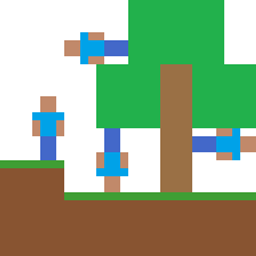
This is a quilt mod and api that lets you change player gravity direction.
Features
This mod adds 6 items that let you change your gravity to any of the 6 axis directions. These items are currently uncraftable and can be found in the tools tab of creative menu. This mod can also be used as an api to let other mods change player gravity.
Required Dependencies
QSL
Optional Dependencies
Mod Menu
Config
This mod has a config located in .minecraft/config/gravitychanger.json. You can edit it manually or in game using modmenu. The config has 2 categories: Client and Server. Client category contains options that only take effect on the client and need to be set on the client. Server category contains options that only take effect on the server and need to be set in the server config. If you are playing in singleplayer your server uses the same config as your client and you can change it from modmenu. If you are playing on a server the server config is not updated when you change it on your client, it can only be edited using the server config file.
Commands
/gravity get <player> - gets entities gravity, returns direction index(0-5) /gravity add <direction> <entities> <priority> <duration> - adds a new gravity source to the queue with a priority and duration /gravity setdefault <direction> <entities> - sets the default gravity for all designated entities /gravity rotate <direction> <entities> - rotates gravity for selected players relative to their look direction /gravity randomise <entities> - randomises gravity for selected players
Credits
Originally made by Gaider10 Ported to 1.18.2 by Qouteall Rewriten and maintained by Fusion Flux
Support Me!
You can directly support me on Ko-Fi!
GravityAPI nasıl kurulur
With Millida Launcher
Install Millida Launcher
The launcher is free: download it at millida.net/launcher and sign in with any nickname.
Click “Install” on this page
The launcher opens and installs the mod for Minecraft 1.19–1.20.1 on Fabric or Quilt automatically.
Launch the game
A profile with it appears in the launcher: click “Play”.
Manually
Install Fabric or Quilt
The loader must match the game version of the mod file, for example Minecraft 1.20.1. After installing it, a separate profile appears in your launcher.
Download the file for your version
In the version list above, pick the file gravity-api-1.0.7-1.20.1.jar (432 KB) for your game version and loader.
Put it in the mods folder
The folder is inside .minecraft (Windows: %appdata%\.minecraft\mods). If it does not exist, create it.
Launch the loader profile
Open “Mods” in the main menu: GravityAPI should be in the list.
Minecraft 1.20.1 runs on Java 17: with a different Java version the game may close right after launch.
Sürümler
Bağımlılıklarla
| Minecraft | Yükleyici | Dosya | Tarih | İşlemler |
|---|---|---|---|---|
| 1.20.1 | Quilt | [1.20.1] Gravity API v1.0.7432 KB 2 | ||
| 1.19.2 | Fabric, Quilt | [1.19.2] Gravity API v0.7.18 FABRIC261 KB 2 |
SSS
Which Minecraft versions does GravityAPI work on?
There are files for 1.20.1, 1.19.2, 1.19.1, 1.19. The newest is 1.20.1.
Is GravityAPI for Forge or Fabric?
There are files for Fabric: 1.19–1.19.2 and for Quilt: 1.19–1.20.1. There are no files for Forge or NeoForge: a mod for another loader will not start.
Does GravityAPI need other mods?
The author lists no required dependencies: the Fabric or Quilt loader is enough.
Which Java does GravityAPI need?
Minecraft 1.20.1 runs on Java 17. If the game closes right after launch, the usual cause is the wrong Java version in the profile settings.
Where can I download GravityAPI safely?
On this page: the file gravity-api-1.0.7-1.20.1.jar (432 KB) is stored on Millida’s server, with no link shorteners. SHA-1 checksum: 224fc2be24c11155e7b94bb0816aa4be16dd0ce2.
Yorumlar
GravityAPI için ilk puanı sen ver


