

 NeoForge
 Forge
Game Menu Mod Option [Forge] modu hakkında
Oyun Menüsü Mod Seçeneği
1.12.2 öncesinde olduğu gibi oyun menüsüne MOD ayarları eklendi
Bu bir Forge MOD'udur
1.12.2 öncesindeki MOD düğmesinden bir değişiklik olarak Forge güncelleme bildirimi işlevi eklendi
Bu işlev yapılandırmadan açılıp kapatılabilir.
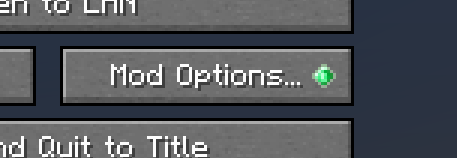
v2.0.0'dan itibaren ModMenu Tarzı eklendi
Yapılandırmada etkinleştirilebilir
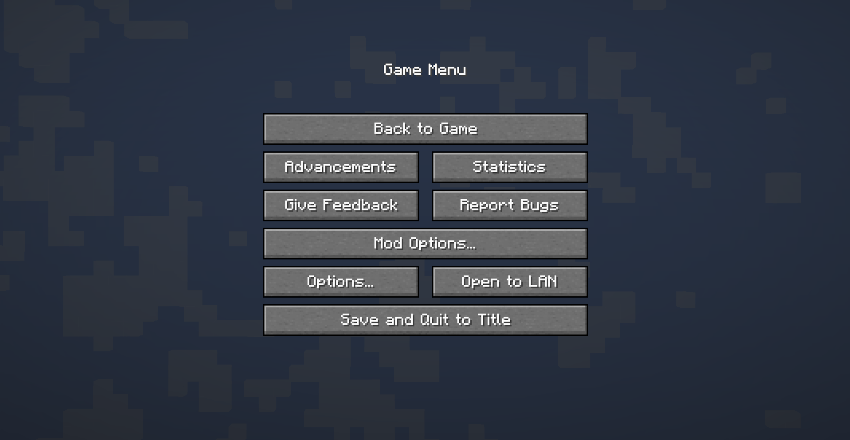
Aşağıdaki sürümlerden sonra Forge, bu modu yüklemeden mod düğmesini ekleyecektir.
MC1.20.1 - 47.1.25
MC1.19.4 - 45.1.15
MC1.19.2 - 43.2.20
Bu modun ana işlevine artık ihtiyaç duyulmuyor, ancak mod güncelleme bildirimi gösterimi ve mod düğmesini eskisi gibi aynı konuma döndürme özelliği mevcut olduğundan güncellemeye devam edeceğiz.
ModPaketi
Lütfen serbestçe kullanın.
Game Menu Mod Option [Forge] nasıl kurulur
With Millida Launcher
Install Millida Launcher
The launcher is free: download it at millida.net/launcher and sign in with any nickname.
Click “Install” on this page
The launcher opens and installs the mod for Minecraft 1.17.1–1.20.4 on Forge or NeoForge automatically.
Launch the game
A profile with it appears in the launcher: click “Play”.
Manually
Install Forge or NeoForge
The loader must match the game version of the mod file, for example Minecraft 1.20.4. After installing it, a separate profile appears in your launcher.
Download the file for your version
In the version list above, pick the file gamemenumodoption-neoforge-mc1.20.2-2.3.0.jar (242 KB) for your game version and loader.
Put it in the mods folder
The folder is inside .minecraft (Windows: %appdata%\.minecraft\mods). If it does not exist, create it.
Launch the loader profile
Open “Mods” in the main menu: Game Menu Mod Option [Forge] should be in the list.
Minecraft 1.20.4 runs on Java 17: with a different Java version the game may close right after launch.
Sürümler
Bağımlılıklarla
| Minecraft | Yükleyici | Dosya | Tarih | İşlemler |
|---|---|---|---|---|
| 1.20.2 | NeoForge | GameMenuModOption-1.20.2-2.3.0-NeoForge242 KB 2 | ||
| 1.20.2 | Forge | GameMenuModOption-1.20.2-2.3.0-Forge242 KB | ||
| 1.17.1 | Forge | GameMenuModOption-1.17.1-1.986.5 KB 1 |
SSS
Which Minecraft versions does Game Menu Mod Option [Forge] work on?
There are files for 1.20.4, 1.20.2, 1.17.1. The newest is 1.20.4.
Is Game Menu Mod Option [Forge] for Forge or Fabric?
There are files for Forge: 1.17.1–1.20.4 and for NeoForge: 1.20.2–1.20.4. There are no files for Fabric: a mod for another loader will not start.
Does Game Menu Mod Option [Forge] need other mods?
The author lists no required dependencies: the Forge or NeoForge loader is enough.
Which Java does Game Menu Mod Option [Forge] need?
Minecraft 1.20.4 runs on Java 17. If the game closes right after launch, the usual cause is the wrong Java version in the profile settings.
Where can I download Game Menu Mod Option [Forge] safely?
On this page: the file gamemenumodoption-neoforge-mc1.20.2-2.3.0.jar (242 KB) is stored on Millida’s server, with no link shorteners. SHA-1 checksum: 2aa0c107a050464a4a6412f068c552b058e5aafe.
Yorumlar
Game Menu Mod Option [Forge] için ilk puanı sen ver


