
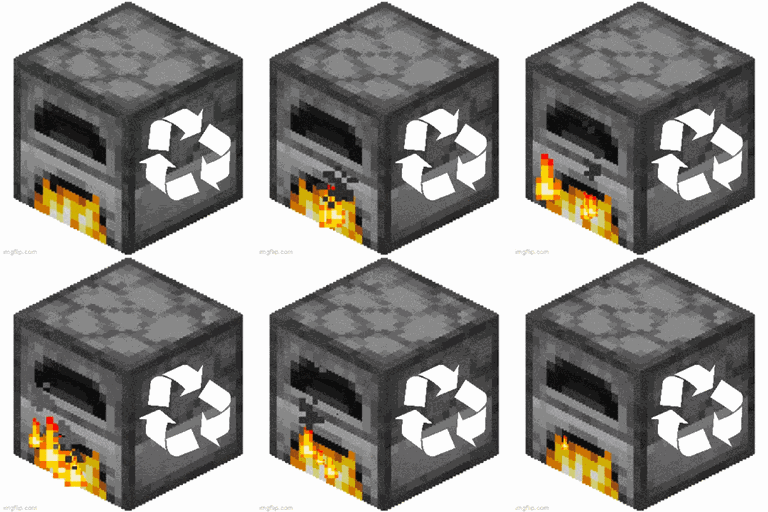
Minecraft 26.3 için Furnace Recycle Mod
🔨 Metal içeren tüm eşyalar fırında geri dönüştürülebilir ve ham maddeleri geri verir.
 Fabric
 Forge
Forge NeoForge
 Quilt
QuiltFurnace Recycle modu hakkında
Furnace Recycle adds smelt recipes to all metal-containing vanilla items. You won't get as much back as it costs to construct the item, but the little iron and gold adds up. Smelt the rails from mineshafts or steal the bell from a village. You probably don't even have to go mining anymore! As each item returns less, there is no risk of duplication.
The full list of smelting recipes is below. Smelting each item takes 200 ticks and gives 0.1 experience.
Anvil:
Bell:
Cauldron:
(Soul) Lantern:
Stonecutter:
Complete smelting recipe list: Activator rail -> iron nugget Anvil -> iron block Bell -> gold ingot Blast furnace -> iron ingot Bucket -> iron ingot Cauldron -> iron ingot Chain -> iron ingot Crossbow -> iron ingot Detector rail -> iron nugget Flint and Steel -> iron ingot Heavy weighted pressure plate -> iron ingot Hopper -> iron ingot Iron bars -> iron nugget Iron door -> iron ingot (Soul) Lantern -> iron nugget Light weighted pressure plate -> gold ingot Minecart -> iron ingot (Sticky) Piston -> iron ingot Powered rail -> gold nugget Rail -> iron nugget Shears -> iron ingot Shield -> iron nugget Smithing table -> iron ingot Stonecutter -> iron nugget Tripwire hook -> iron nugget
You may freely use this mod in any modpack, as long as the download remains hosted within the CurseForge or Modrinth ecosystem.
Serilum.com contains an overview and more information on all mods available.
Comments are disabled as I'm unable to keep track of them across so many separate mod pages. For issues, ideas, suggestions or anything else there is the Github repo. Thanks!
Furnace Recycle nasıl kurulur
With Millida Launcher
Install Millida Launcher
The launcher is free: download it at millida.net/launcher and sign in with any nickname.
Click “Install” on this page
The launcher opens and installs the mod for Minecraft 1.19.3–26.3 on Fabric, Forge, NeoForge or Quilt automatically.
Launch the game
A profile with it appears in the launcher: click “Play”.
Manually
Install Fabric, Forge, NeoForge or Quilt
The loader must match the game version of the mod file, for example Minecraft 26.3. After installing it, a separate profile appears in your launcher.
Download the file for your version
In the version list above, pick the file furnacerecycle-26.3.0-2.7.jar (27 KB) for your game version and loader.
Put it in the mods folder
The folder is inside .minecraft (Windows: %appdata%\.minecraft\mods). If it does not exist, create it.
Launch the loader profile
Open “Mods” in the main menu: Furnace Recycle should be in the list.
Sürümler
Bağımlılıklarla
| Minecraft | Yükleyici | Dosya | Tarih | İşlemler |
|---|---|---|---|---|
| 26.3 | Fabric, Forge, NeoForge, Quilt | [Fabric/Forge/Neo] 26.3.0-2.7 | Furnace Recycle26.6 KB 6 | ||
| 1.19.3 | Forge | furnacerecycle_1.19.3-1.4.jar12.3 KB |
SSS
Which Minecraft versions does Furnace Recycle work on?
There are files for 26.3, 1.19.3. The newest is 26.3.
Is Furnace Recycle for Forge or Fabric?
There are files for Fabric: 26.3, for Forge: 1.19.3–26.3, for NeoForge: 26.3 and for Quilt: 26.3.
Does Furnace Recycle need other mods?
The author lists no required dependencies: the Fabric, Forge, NeoForge or Quilt loader is enough.
Where can I download Furnace Recycle safely?
On this page: the file furnacerecycle-26.3.0-2.7.jar (27 KB) is stored on Millida’s server, with no link shorteners. SHA-1 checksum: 8d49bbb6fca5a74337d1459a15d3f42a9fa2d6a0.
Yorumlar
Furnace Recycle için ilk puanı sen ver


