

Funky Locomotion modu hakkında
FL, normal pistonların item varlıkları, obsidyen gibi 'ağır bloklar' ve meşale ile toz gibi 'yumuşak bloklar' dahil olmak üzere taşıyamadığı çok çeşitli blokları itebilen gelişmiş bir piston varyantı ekler. Hareket etmesi için yalnızca bir redstone sinyali ve bir blok güncellemesi (redstone sinyalinden kaynaklanabilir) gerekir. Blokları kendine doğru 'çekebilen' bir varyantı da vardır (ancak yapışkan pistonun aksine itemez). Bir kenara sağ tıklayarak iticiyi o yöne döndürebilirsiniz.
Ayrıca birbirine bağlanabilen ve bitişik bloklara 'yapışabilen' 'Çerçeveler' ekler. Bir çerçeve itildiğinde/çekildiğinde, bağlı olduğu tüm yapı (yer olduğu sürece) itilir. Bir kenara İngiliz anahtarıyla sağ tıklayarak onu 'kapatabilir' ve çerçevelerin o taraftaki bloğa veya çerçeveye yapışmasını önleyebilirsiniz. Not: bu iki yönlü çalışmaz ve 'açık' kenarı olan bir çerçeve, 'kapalı' kenarı olan bir çerçeveye bağlanır. 'Açık/kapalı' ayarları blok kırıldığında korunur.
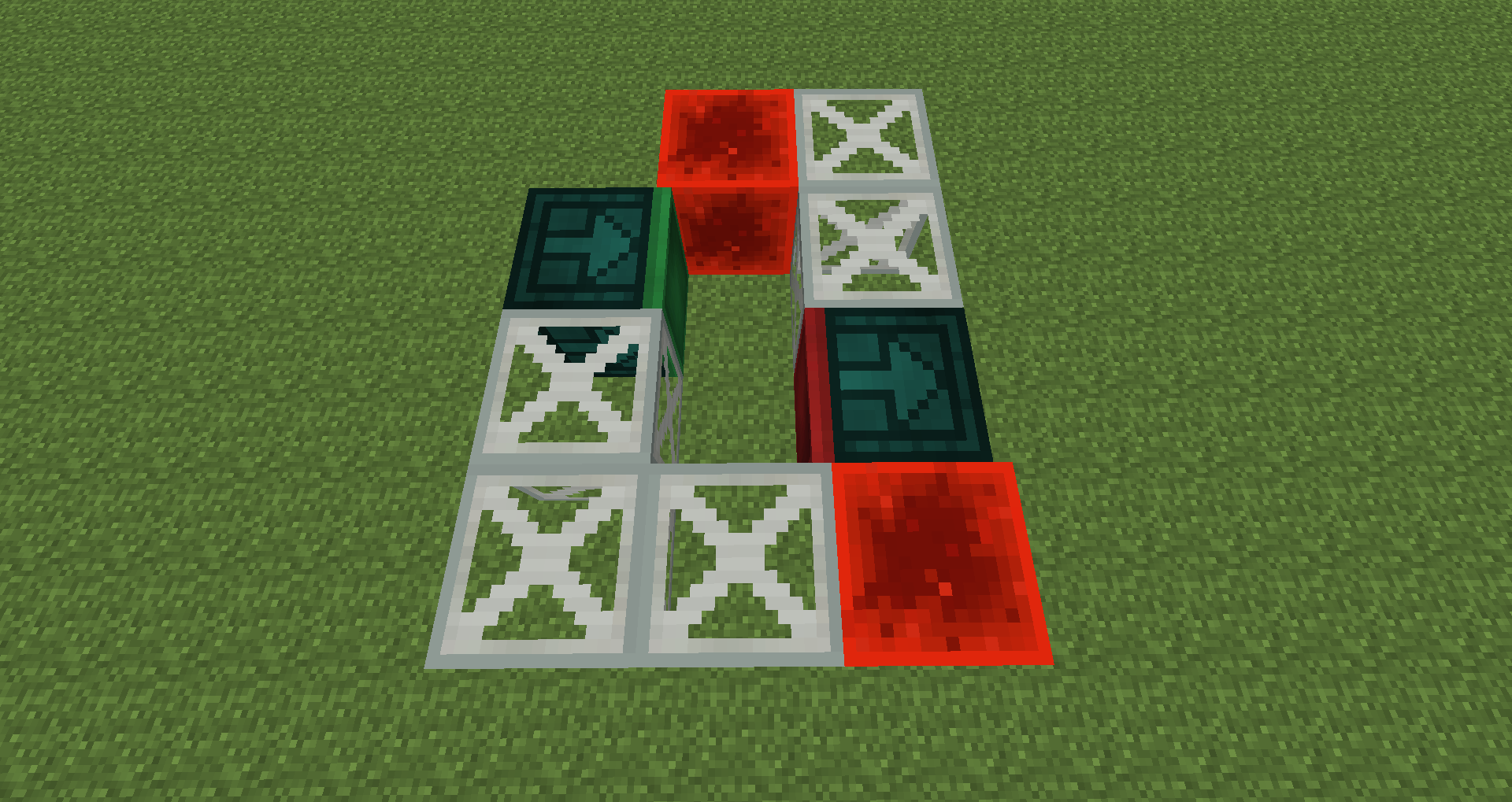
Not: Bir Çerçeve itici/çekici kendini hareket ettiremez ancak diğer İtici/Çekicileri hareket ettirebilir. Ayrıca Çerçeveler bir itici/çekicinin ön yüzüne bağlanamaz.
Tüm dahil edilen modlar için uygun atıf verildiği, ücretsiz olarak sunulduğu ve kaynak dosyaların hiçbir şekilde değiştirilmediği sürece Funky Locomotion'ı herhangi bir genel veya özel mod paketinde kullanmakta ve dağıtmakta özgürsünüz. Bu izni herhangi bir nedenle geri alma hakkımı saklı tutarım.
Bu mod, Patreon'daki herkesin cömert bağışları sayesinde mümkün olmuştur.
Funky Locomotion nasıl kurulur
With Millida Launcher
Install Millida Launcher
The launcher is free: download it at millida.net/launcher and sign in with any nickname.
Click “Install” on this page
The launcher opens and installs the mod for Minecraft 1.7.10–1.12.2 automatically.
Launch the game
A profile with it appears in the launcher: click “Play”.
Manually
Download the file for your version
In the version list above, pick the file funky-locomotion-1.12.2-1.1.2.jar (259 KB) for your game version.
Put it in the mods folder
The folder is inside .minecraft (Windows: %appdata%\.minecraft\mods). If it does not exist, create it.
Launch the loader profile
Open “Mods” in the main menu: Funky Locomotion should be in the list.
Minecraft 1.12.2 runs on Java 8: with a different Java version the game may close right after launch.
Sürümler
Bağımlılıklarla
| Minecraft | Yükleyici | Dosya | Tarih | İşlemler |
|---|---|---|---|---|
| 1.12.2 | — | Funky Locomotion 1.12.2 - 1.1.2259 KB | ||
| 1.11.2 | — | Funky Locomotion 1.11.2 Alpha 0.0.1220 KB | ||
| 1.7.10 | — | Funky Locomotion Beta 7157 KB |
SSS
Which Minecraft versions does Funky Locomotion work on?
There are files for 1.12.2, 1.11.2, 1.7.10. The newest is 1.12.2.
Which Java does Funky Locomotion need?
Minecraft 1.12.2 runs on Java 8. If the game closes right after launch, the usual cause is the wrong Java version in the profile settings.
Where can I download Funky Locomotion safely?
On this page: the file funky-locomotion-1.12.2-1.1.2.jar (259 KB) is stored on Millida’s server, with no link shorteners. SHA-1 checksum: e3cd380517ed2d22902e541937dbf630e5ab0cf1.
Yorumlar
Funky Locomotion için ilk puanı sen ver


