
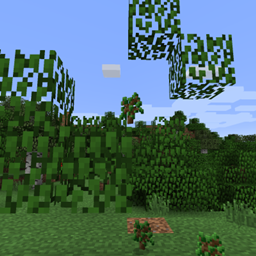
Minecraft 1.21.10 için Fast Leaf Decay Mod
Bir ağaç kesildiğinde yaprakların daha hızlı çürümesini sağlar.
 Fabric
 NeoForge
 Forge
FastLeafDecay
Havada asılı kalan o sinir bozucu yapraklardan kurtulan, yalnızca sunucu tarafında çalışan orijinal mod!
Bir ağacın odununu kestikten sonra yaprak dökülmesini hızlandıran basit bir Minecraft Forge modu. Varsayılan olarak tüm yaprakların yok olması yalnızca yaklaşık beş saniye sürer.
Yapılandırma gerekmez, istemciye kurulum da gerekmez! Jar dosyasını mods klasörünüze (bir sunucuda oynuyorsanız sunucuya) bırakmanız veya CurseForge istemcisiyle kurmanız yeterli, hazırsınız.
Yapraklardan kurtulmak için özel hileler denemediği, yalnızca Minecraft'ın normal dökülme kodunu izlediği için fark edilir bir gecikme yaratmaz.
Neden bu modu diğerlerine tercih etmelisiniz?
- Gecikme yok. Diğer modlar tüm yaprakları aynı anda kaldırmaya çalışırken, bu mod bunu zamana yayar. Son kütüğü kaldırdığınızda takılma olmaz. Ağaçlarınız ne kadar büyükse bu o kadar belirgin olur.
- Son derece basit kod. Çerçeve yok, süs yok. Sadece birkaç olay işleyicisi.
- Orijinali! İlki bizdik ;-)
Mod incelemesi, beardedgoof'a teşekkürler!
Gereksinimler
Bu modun yalnızca sunucularda olması gerekir, yani kurulu olduğu bir sunucuda oynuyorsanız istemciye kurmanız gerekmez. İstemciye kurabilirsiniz de, ancak hiçbir etkisi olmaz.
Uyumluluk
Bu mod, yaprak blok etiketini kullanan veya LeavesBlock'tan türeyen yaprakların dökülmesini hızlandırır. Bu da çoğu modlu ağacın da çalışması gerektiği anlamına gelir. Sorun yaşarsanız lütfen bana bildirin.
Yapılandırma
Dökülme oranlarını yapılandırmak için dünyanızın serverconfigs klasöründeki yapılandırmaya göz atın.
Bilinen (uyumluluk) sorunları
Şu anda bu modla bilinen bir uyumluluk sorunu yok.
Modpaketleri
Bu modu paketinize eklemekten çekinmeyin. İzin gerekmez! Yine de yorumlarda bir satır görmek hoşuma gider.
Fast Leaf Decay nasıl kurulur
With Millida Launcher
Install Millida Launcher
The launcher is free: download it at millida.net/launcher and sign in with any nickname.
Click “Install” on this page
The launcher opens and installs the mod for Minecraft 1.14.4–1.21.10 on Fabric, Forge or NeoForge automatically.
Launch the game
A profile with it appears in the launcher: click “Play”.
Manually
Install Fabric, Forge or NeoForge
The loader must match the game version of the mod file, for example Minecraft 1.21.10. After installing it, a separate profile appears in your launcher.
Download the file for your version
In the version list above, pick the file FastLeafDecay-Fabric-36.jar (18 KB) for your game version and loader.
Put it in the mods folder
The folder is inside .minecraft (Windows: %appdata%\.minecraft\mods). If it does not exist, create it.
Launch the loader profile
Open “Mods” in the main menu: Fast Leaf Decay should be in the list.
Minecraft 1.21.10 runs on Java 21: with a different Java version the game may close right after launch.
Sürümler
Bağımlılıklarla
| Minecraft | Yükleyici | Dosya | Tarih | İşlemler |
|---|---|---|---|---|
| 1.21.8 | Fabric | FastLeafDecay-Fabric-36.jar18.5 KB 60 | ||
| 1.21.8 | NeoForge | FastLeafDecay-NeoForge-36.jar28.9 KB 4 | ||
| 1.21.5 | Forge | FastLeafDecay-34.jar9.5 KB 7 | ||
| 1.14.4 | — | FastLeafDecay-v17.jar8 KB |
SSS
Which Minecraft versions does Fast Leaf Decay work on?
There are files for 1.14.4–1.21.10, 9 versions in total. The newest is 1.21.10.
Is Fast Leaf Decay for Forge or Fabric?
There are files for Fabric: 1.21.6–1.21.10, for Forge: 1.21.3–1.21.5 and for NeoForge: 1.21.6–1.21.10.
Does Fast Leaf Decay need other mods?
The author lists no required dependencies: the Fabric, Forge or NeoForge loader is enough.
Which Java does Fast Leaf Decay need?
Minecraft 1.21.10 runs on Java 21. If the game closes right after launch, the usual cause is the wrong Java version in the profile settings.
Where can I download Fast Leaf Decay safely?
On this page: the file FastLeafDecay-Fabric-36.jar (18 KB) is stored on Millida’s server, with no link shorteners. SHA-1 checksum: 4bbd3a8fa946118f1f945ae1e3fa0d1c325a8f85.
Yorumlar
Fast Leaf Decay için ilk puanı sen ver


