
Minecraft 1.20.1, 1.21.1 için EmbellishCraft Mod
MC 1.13 - 1.21.1 için dekorasyon modu
 NeoForge
 Forge
ForgeEmbellishCraft modu hakkında
EmbellishCraft
A Minecraft 1.13 - 1.21.1 Neo|Forge mod that adds decorative blocks and items.
Announcement
EmbellishCraft for NeoForge 1.21.1 is available!
Notes:
• starting from 1.15.2 EmbellishCraft now requires Mapper Base to be installed!
• for 1.15.2 Forge 31.2.0 seems to be too old, please use 31.2.21 or newer to avoid crashes.
What is EmbellishCraft?
EmbellishCraft is a mod adding many decorative blocks to allow you more creativity in your buildings! Most blocks don't have any specific functionality but some can be interacting with, like the chairs or the doors.
This mod adds a lot of blocks and recipes and making a list of the recipes or a wiki would take too much time. It is highly recommended to install Just Enough Items to quickly access the block list and the recipes.
Biome O'Plenty is supported by this addon (except for MC 1.17 and 1.19+): https://www.curseforge.com/minecraft/mc-mods/embellishcraft-biomes-oplenty-addon
Current additions:
- World generation (with configurable settings) for 6 different rocks that you can find underground as pockets (similar to diorite, granite or andesite):
- basalt: a dark volcanic stone, mostly found near the bottom of the world (in deepslate for 1.18+)
- marble: a bright stone found above sea level (usually in mountains or hills in 1.18+)
- gneiss: a bright found around sea level, more common than marble
- slate: a dark bluish stone mostly found a bit under sea level
- larvikite: a bluish stone found under sea level (only in colder biomes for 1.18+)
- jade: a rare greenish stone found above sea level, less frequent than marble, making it the rarest rock to find
- Bricks blocks with stairs, slabs, walls and pressure plates variants
- Large bricks blocks with with stairs, slabs, walls and pressure plates variants
- Paving blocks with stairs, slabs, walls and pressure plates variants
- Tiles blocks with stairs, slabs, walls and pressure plates variants
- Cobblestone bricks blocks with stairs, slabs, walls and pressure plates variants. They match cobblestone bricks from Quark (credit to their devs for the texture).
- Roof tiles blocks from all the rocks generated by Minecraft and EmbellishCraft (except regular stone).
- Paving stones, useful to create paved streets like in old cities. Also comes with slab, stairs, wall and pressure plate variants.
- Wallpaper blocks with stairs and slabs variants + a variant with a plinth
- Chairs with 6 wood variants: right click on it to seat, sneak to leave it (sitting temporarily disabled in 1.17).
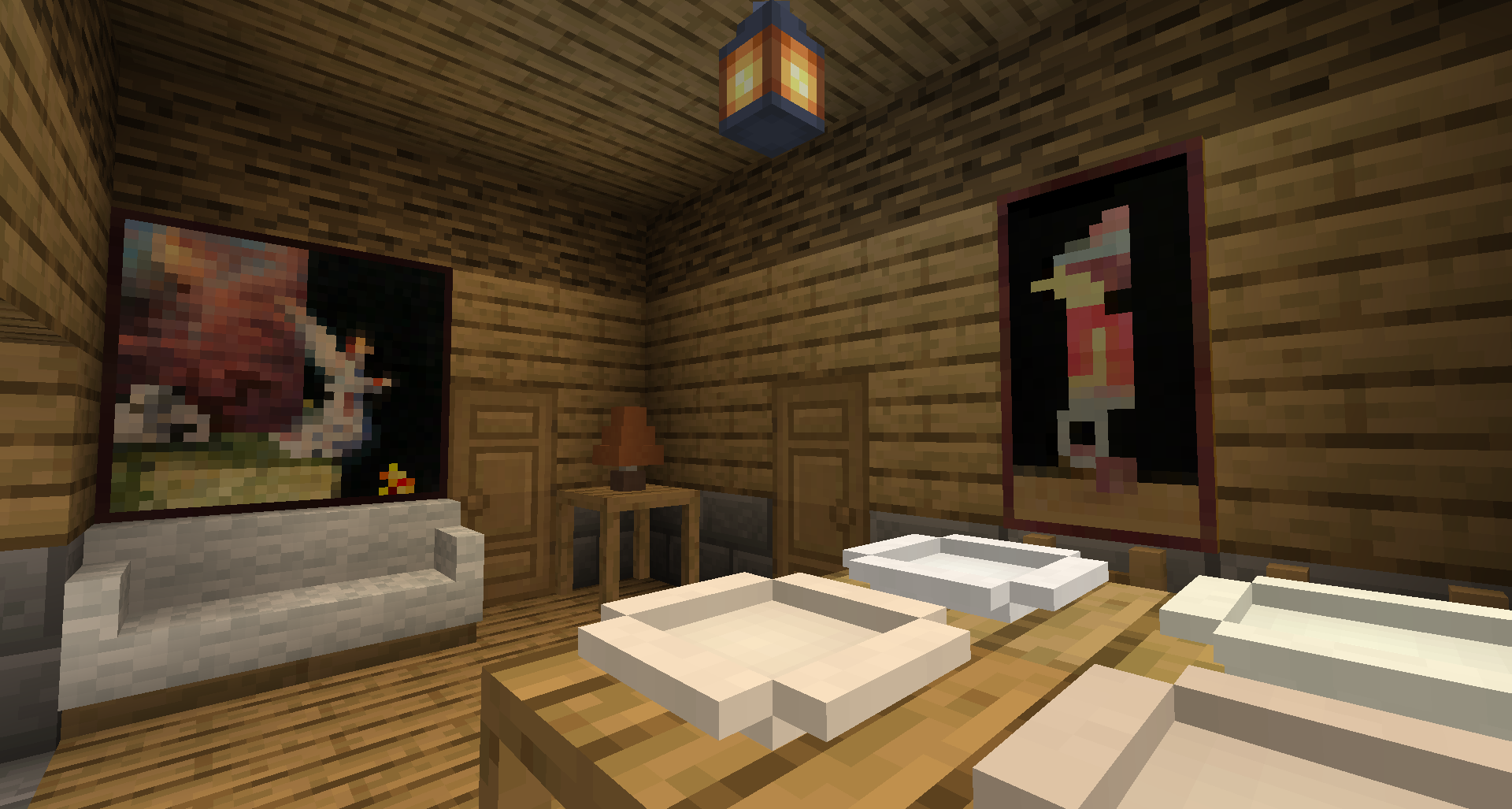
- Couches that connect together like stairs, with 16 color variants. Like chairs, right click to sit (sitting temporarily disabled in 1.17).
- New fancy beds, available in 16 colors and 6 wood variants (not yet for 1.21+)
- Pillows, act like small beds, available in 16 colors.
- (1.16 and older only) New fancy chests, available in 6 wood variants.
- (1.16 and older only) Lockers that can be locked by shift clicking it as the one having placed them to protect their contents. Resist explosions.
- Wooden crates, available in 6 wood variants, that will keep their contents when broken. Like a cheaper version of the Shulker Box. 1.21 version has no storage functionnality yet.
- Table lamps coming in 16 colors, can be lit using redstone or manually toggled depending of the variant used.
- Tables and fancy tables that automatically attach themselves when placed together (except if the tables are made from different wood).
- Plates that can be stacked up to 8 by right clicking on an existing plate with a plate in hand.
- New fancy wooden doors.
- Terrace tables and chairs, with 6 wood variants + iron variant
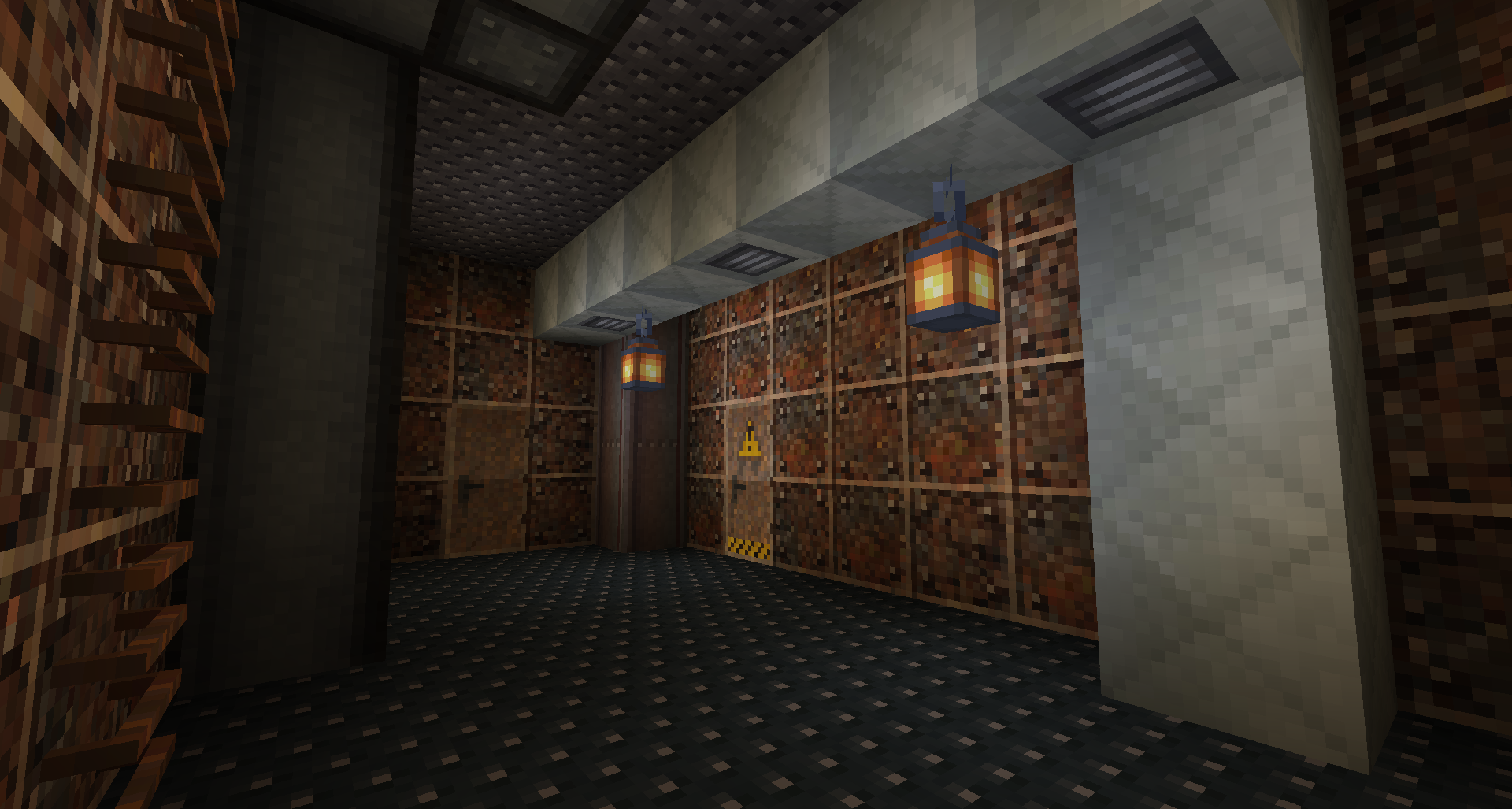
- Metallic blocks: corrugated plates, bulkheads, iron and steel beams, plates, ladders and vent ducts, perfect for industrial builds!
- Suspended stairs, with steel and wooden variants. Two variants exist: small and large steps. It is possible to sit on them (disabled in 1.17, back in 1.18.1 for the large stairs).
- Steel doors, with multiple variants (basic, sturdy or with a warning sign, and in bare steel, white painted steel or rusty steel). Like iron doors, they require redstone signal to be used. Sturdy doors are more resistant and can handle explosions.
Please only download this mod on CurseForge or Modrinth. Other sources like the mod rehost websites may host malicious contents in the provided files, along with wrong or mislabeled versions. They must be avoided for your safety.
Most crafts are done using the crafting grid, but you can also use the stonecutter to slice many blocks (bricks, cobblestones, stones, pavings...) into slab / stair / wall / pressure plate counterparts.
Use Just Enough Items to have a easier access to the crafts. When I'll figure out how to make recipe advancement work the Minecraft crafting book will tell you how to craft the blocks.
Remember to report any problem or bug! Thanks.
F.A.Q:
Q: Can you add X in the mod?
A: Yes, you can suggest ideas with a picture to illustrate and if I find it interesting then I can try adding it.
Q: Can you backport to 1.12.2 / 1.7.10 / another version?
A: No, older versions are way different which would take too much time. Also stop asking modders 1.7.10 versions, this thing is 5+ years old and 7 major release late.
Q: What about a Fabric version? And Forge for 1.21+?
A: I don't have time and motivation to setup and learn another mod loader. So Fabric is not in my plans. As for Forge 1.21+, almost all the Forge team switched to NeoForge so you can forget about the old Forge with the new Minecraft versions.
EmbellishCraft nasıl kurulur
With Millida Launcher
Install Millida Launcher
The launcher is free: download it at millida.net/launcher and sign in with any nickname.
Click “Install” on this page
The launcher opens and installs the mod for Minecraft 1.14.3–1.21.1 on Forge or NeoForge automatically.
Launch the game
A profile with it appears in the launcher: click “Play”.
Manually
Install Forge or NeoForge
The loader must match the game version of the mod file, for example Minecraft 1.21.1. After installing it, a separate profile appears in your launcher.
Download the file for your version
In the version list above, pick the file embellishcraft-1.21.1-8.0.0.4.jar (4.4 MB) for your game version and loader.
Put it in the mods folder
The folder is inside .minecraft (Windows: %appdata%\.minecraft\mods). If it does not exist, create it.
Launch the loader profile
Open “Mods” in the main menu: EmbellishCraft should be in the list.
Minecraft 1.21.1 runs on Java 21: with a different Java version the game may close right after launch.
Sürümler
Bağımlılıklarla
| Minecraft | Yükleyici | Dosya | Tarih | İşlemler |
|---|---|---|---|---|
| 1.21.1 | NeoForge | embellishcraft-1.21.1-8.0.0.4.jar4.4 MB 1 | ||
| 1.21.1 | NeoForge | embellishcraft-1.21.1-8.0.0.0.jar4.4 MB | ||
| 1.20.1 | Forge | embellishcraft-1.20.1-7.0.0.05 MB 1 | ||
| 1.14.4 | Forge | embellishcraft-1.14.4-0.0.4.2.jar1.2 MB | ||
| 1.14.4 | — | embellishcraft-1.14.4-0.0.3.0.jar916 KB | ||
| 1.14.3 | — | embellishcraft-1.14.3-0.0.1.0.jar734 KB |
SSS
Which Minecraft versions does EmbellishCraft work on?
There are files for 1.21.1, 1.20.1, 1.14.4, 1.14.3. The newest is 1.21.1.
Does EmbellishCraft need other mods?
The author lists no required dependencies: the Forge or NeoForge loader is enough.
Which Java does EmbellishCraft need?
Minecraft 1.21.1 runs on Java 21. If the game closes right after launch, the usual cause is the wrong Java version in the profile settings.
Where can I download EmbellishCraft safely?
On this page: the file embellishcraft-1.21.1-8.0.0.4.jar (4.4 MB) is stored on Millida’s server, with no link shorteners. SHA-1 checksum: ec8847ebcb85dab2aaab2d5af47a78c6ef683344.
Yorumlar
EmbellishCraft için ilk puanı sen ver


