

Minecraft 1.20.1, 1.21.1 için Create Cobblestone Mod
SU kullanarak taş üreten bir blok ekler, taş üreticilerinin çerçevelerinizi yemesini engeller.
 NeoForge
 Forge
Forge Fabric
 Quilt
QuiltCreate cobblestone
Create cobblestone is a create mod addon that focusses on reducing the lag generated by cobblestone generators. Ideal for server wanting to keep the tps above 10 without buying a very expensive server. The mod does not only add cobblestone generators, but also stone generators, basalt generators, limestone generators and scoria generators.

Links
Crafting
Mechanical generator
The mechanical generator can be crafted as follows:

Generator types
When the generator is clicked with a valid item, the generator type will be changed to that item. By default, Create Cobblestone offers the following generator types:
- Cobblestone
- Stone
- Basalt
- Limestone
- Scoria
The deepslate generators datapack adds the following generators:
- Deepslate
- Cobbled deepslate
All the generators above can be enabled and disabled using the config. Disabling a generator while it is being used in the world will replace the generator with an empty one.
Custom generators
Custom generators can be added by installing a datapack. Custom generator types can have a custom stress, ratio and storage amount set. For an example pack check out the deepslate generators datapack. An easy way to create a custom generators datapack is using the online generator, which will generate a datapack for the specified block id's.
Technical details
Custom generator files are json files located in the datapack folder data/MOD/generator_types/TYPE.json with the following required content:
{ "block": "minecraft:BLOCK_ID", }
The file can be expanded to contain the following extra configuration (inside the existing brackets):
"stress": STRESS_AMOUNT, "ratio": GENERATOR_RATIO, "storage": GENERATOR_STORAGE,
Please check the configuration for what those values do. The default config will be overridden by the per generator config.
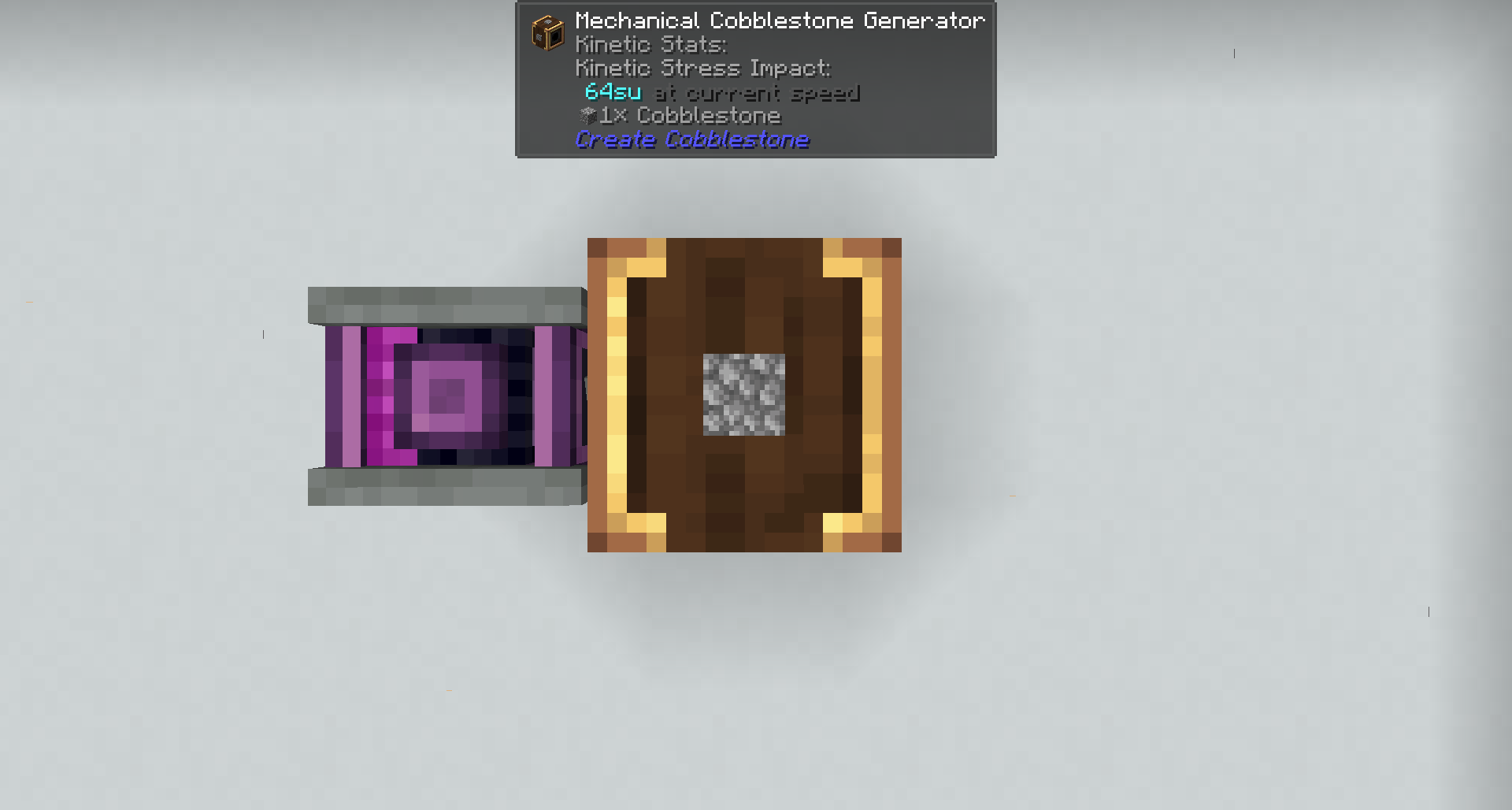
Stress Units to cobblestone ratio
The amount of cobblestone per tick is scaled with the rpm, and the rpm is scaled with stress units. With the default configuration each 8 rpm gives one additional cobblestone per tick, and each rpm increases the stress with 8. In other words: one piece of cobblestone/tick costs 64SU.
Config
rates
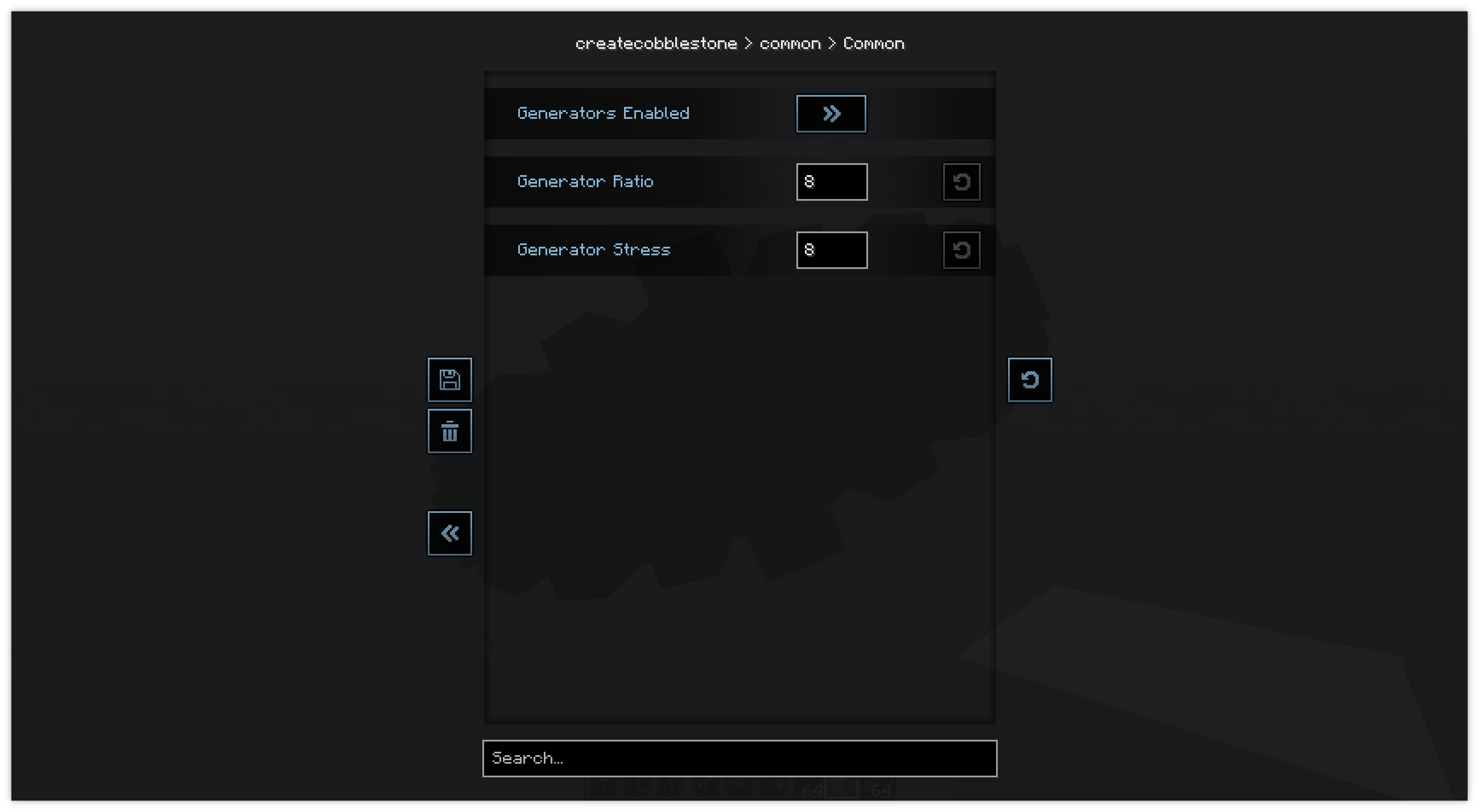
The stress per rpm and the rpm per cobblestone per tick are configurable.
Generator types
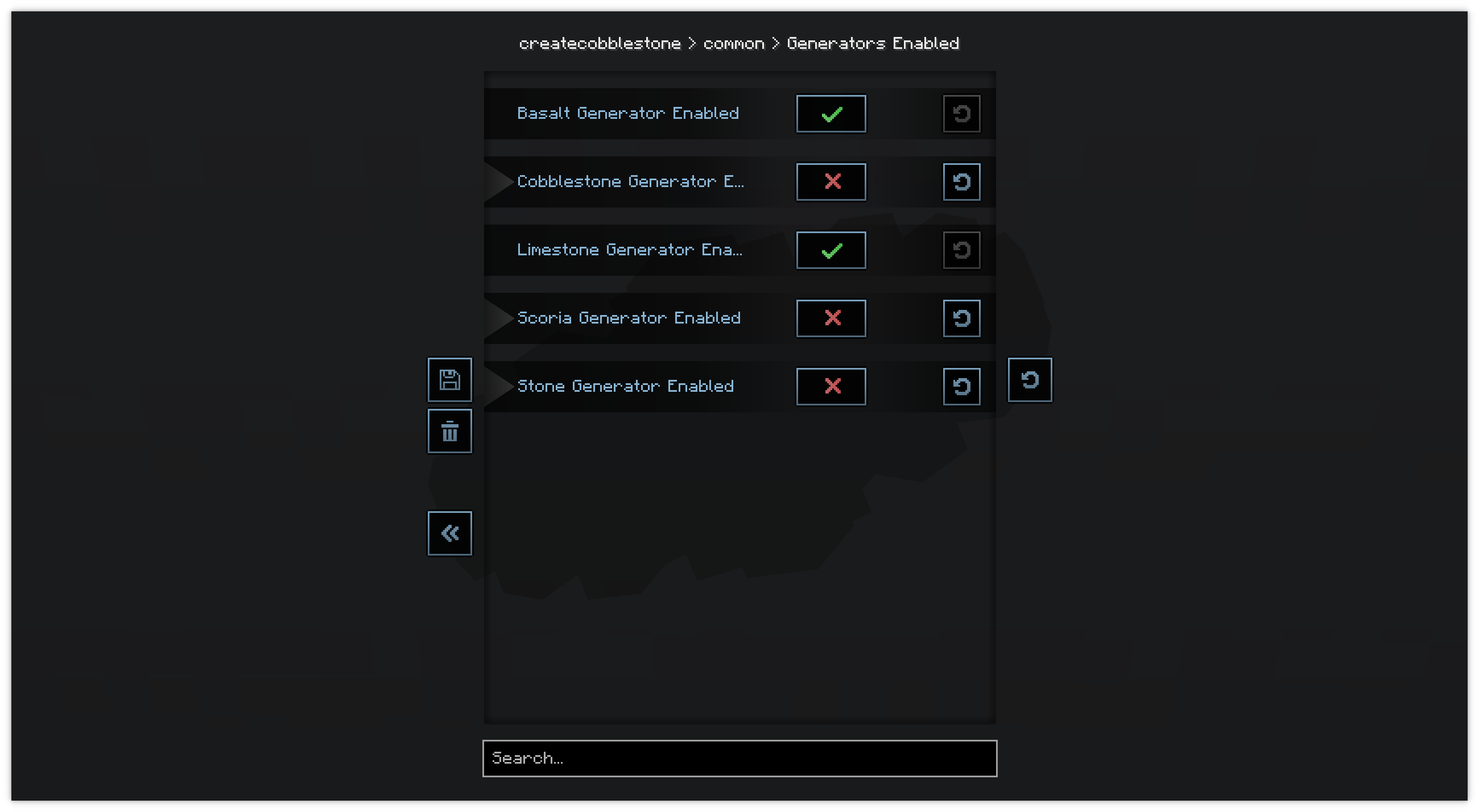
The generator types are also configurable. By default are all enabled, except for deepslate and cobbled deepslate. Those generator types also require a datapack to be installed.
Example usage
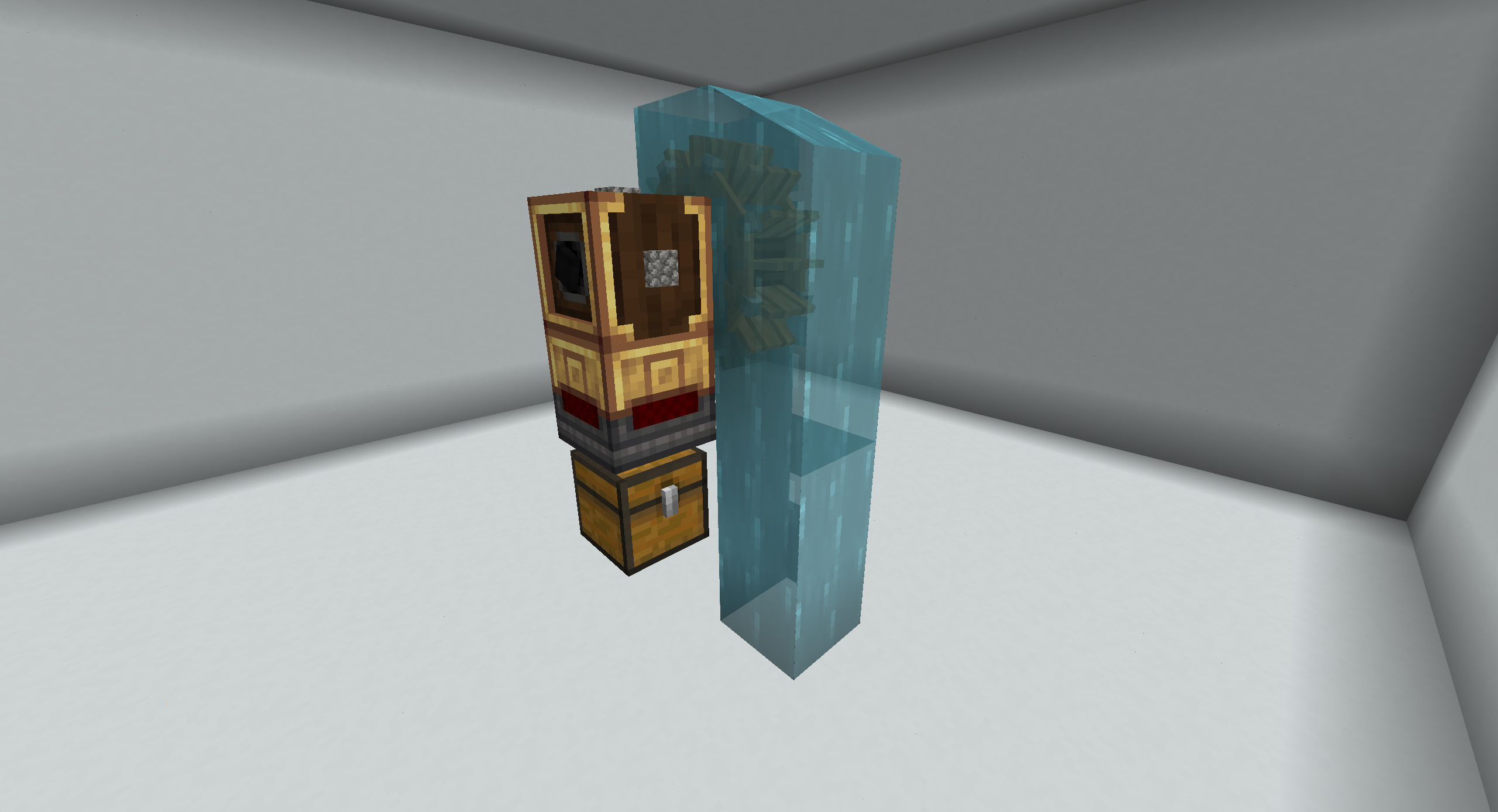
Minimal
Extended drawers:
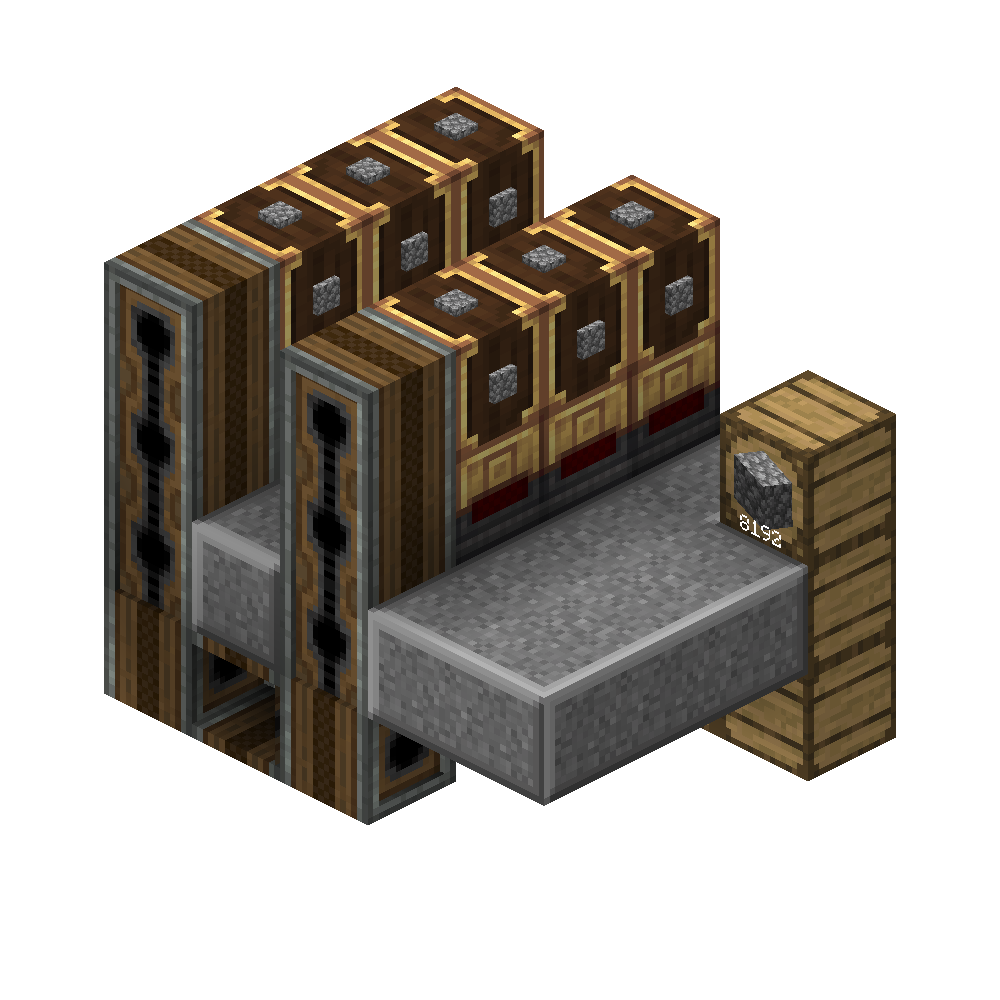
Balancing
Do note that this mod makes it far more easy to generate cobblestone. If you feel its unbalanced, change the recipe for the cobblestone generator to something more difficult using a datapack or KubeJS. Or change the config to make the generators generate less cobblestone.
Create Cobblestone nasıl kurulur
With Millida Launcher
Install Millida Launcher
The launcher is free: download it at millida.net/launcher and sign in with any nickname.
Click “Install” on this page
The launcher opens and installs the mod for Minecraft 1.20.1–1.21.1 on Fabric, Forge, NeoForge or Quilt automatically, together with its dependencies: Create, Fabric API, Dependency, Architectury API.
Launch the game
A profile with it appears in the launcher: click “Play”.
Manually
Install Fabric, Forge, NeoForge or Quilt
The loader must match the game version of the mod file, for example Minecraft 1.21.1. After installing it, a separate profile appears in your launcher.
Download the file for your version
In the version list above, pick the file createcobblestone-1.5.0+neoforge-1.21.1-153.jar (560 KB) for your game version and loader.
Put it in the mods folder
The folder is inside .minecraft (Windows: %appdata%\.minecraft\mods). If it does not exist, create it. Required dependencies go there too: Create, Fabric API, Dependency, Architectury API.
Launch the loader profile
Open “Mods” in the main menu: Create Cobblestone should be in the list.
On a server
A server on Fabric, Forge, NeoForge or Quilt
The mod only works on a server with the same loader and game version, for example 1.21.1.
File goes into the server’s mods folder
Stop the server, put the mod file into the mods folder and start the server again.
Or use the “To hosting” button
On Millida Hosting, the button at the top of the page uploads the file to your server and restarts it for you.
Minecraft 1.21.1 runs on Java 21: with a different Java version the game may close right after launch.
Sürümler
Bağımlılıklarla
| Minecraft | Yükleyici | Dosya | Tarih | İşlemler |
|---|---|---|---|---|
| 1.21.1 | NeoForge | 1.21.1560 KB | ||
| 1.20.1 | Forge, NeoForge | 1.20.1555 KB 1 | ||
| 1.20.1 | Fabric, Quilt | 1.20.1230 KB | ||
| 1.21.1 | NeoForge | 1.21.1560 KB | ||
| 1.21.1 | NeoForge | 1.21.1560 KB | ||
| 1.20.1 | Fabric, Quilt | 1.20.1230 KB | ||
| 1.20.1 | Forge, NeoForge | 1.20.1555 KB | ||
| 1.21.1 | NeoForge | 1.21.1560 KB |
Çalışması için gerekenler
- Create Cobblestone deepslate generatorsisteğe bağlı
- Createzorunlu
- Fabric APIzorunlu
- Dependencyzorunlu
- Architectury APIzorunlu
Yorumlar
Create Cobblestone için ilk puanı sen ver


