

Minecraft 26.1.2 için Cold Breath Mod
Soğuk ortamlarda sürükleyici bir nefes efekti ekler.
- görüntülenme
- 6 görüntülenme
- Güncellendi
- Güncellendi 18.10.2026
- 26.1 — 26.1.2
 Fabric
Cold Breath modu hakkında

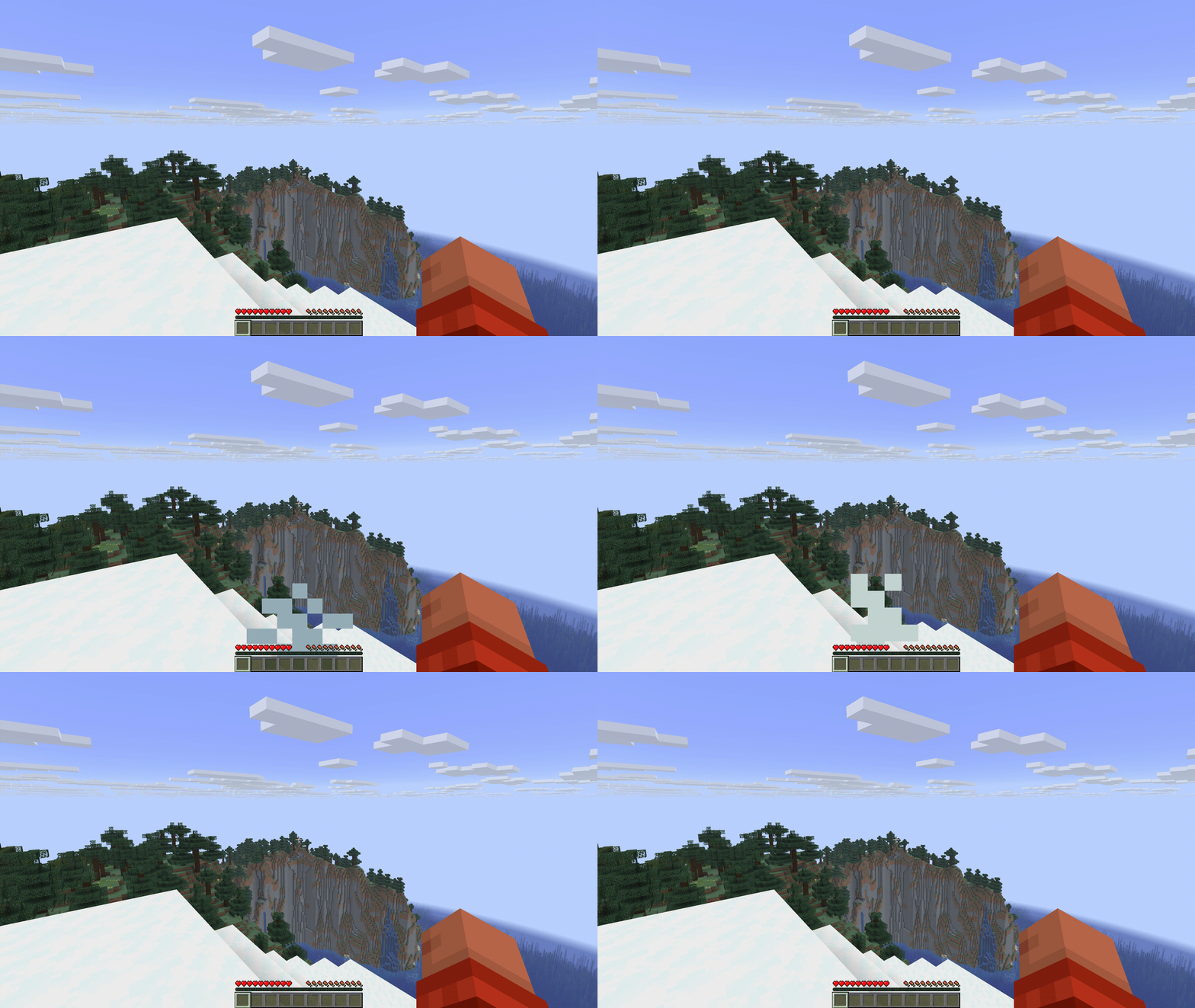
Adds a breath effects that adapt to your environment and movement. Giving you a more realistic and immersive experience that is fully configurable. Very customizable, you can change the size, color, duration, interval and more. Designed to be very lightweight and completely configurable.
Give Feedback
Default behaviour (configurable):
- Breath in cold biomes
- Realistic breathing intervals
- Breathing speed adjusts based on sprinting and health
- Breath bubbles underwater
- Season mods are supported (Serene Seasons and Fabric Seasons)
- Per dimension support (Nether default off, End default on)
- Altitude effects your breath
- Breath condensation in the morning
Preview (customizable):
Planned features:
- Heat source effect (lava, campfire etc)
- Status effect integration (fire resistance, slowness etc)
- Other players breath
- More visual breath configuration
- Support temperature mods like Though As Nails
Compatibility and Performance:
No compatibility issues, no performance impact and completely client-sided.
Cold Breath nasıl kurulur
With Millida Launcher
Install Millida Launcher
The launcher is free: download it at millida.net/launcher and sign in with any nickname.
Click “Install” on this page
The launcher opens and installs the mod for Minecraft 26.1–26.1.2 on Fabric automatically.
Launch the game
A profile with it appears in the launcher: click “Play”.
Manually
Install Fabric
The loader must match the game version of the mod file, for example Minecraft 26.1.2. After installing it, a separate profile appears in your launcher.
Download the file for your version
In the version list above, pick the file coldbreath-1.6.1.jar (1.0 MB) for your game version.
Put it in the mods folder
The folder is inside .minecraft (Windows: %appdata%\.minecraft\mods). If it does not exist, create it.
Launch the loader profile
Open “Mods” in the main menu: Cold Breath should be in the list.
Sürümler
Bağımlılıklarla
| Minecraft | Yükleyici | Dosya | Tarih | İşlemler |
|---|---|---|---|---|
| 26.1 | Fabric | 1.6.11 MB |
SSS
Which Minecraft versions does Cold Breath work on?
There are files for 26.1.2, 26.1.1, 26.1. The newest is 26.1.2.
Is Cold Breath for Forge or Fabric?
Only for Fabric: 26.1–26.1.2. There are no files for Forge or NeoForge: a mod for another loader will not start.
Does Cold Breath need other mods?
The author lists no required dependencies: the Fabric loader is enough.
Where can I download Cold Breath safely?
On this page: the file coldbreath-1.6.1.jar (1.0 MB) is stored on Millida’s server, with no link shorteners. SHA-1 checksum: d2320833fbd21007a0f8c1f4b186fe28c61bf2c4.
Yorumlar
Cold Breath için ilk puanı sen ver


