

Minecraft 1.20.1, 1.21.1 için Cobblemon - Show Held Items Mod
Pokémon'unuzun tuttuğu eşyaları dünyada gösterir.
- indirme
- 2 indirme
- görüntülenme
- 12 görüntülenme
- Güncellendi
- Güncellendi 03.10.2026
- 1.20.1 — 1.21.1
 Fabric
- İstemci ve sunucu
⚠️ As of Cobblemon 1.7 this mod is no longer supported! ⚠️
The feature the this mod provides has been ported into Cobblemon as of version 1.7! 🎉

Cobblemon - Show Held Items
This is a side mod for Cobblemon so it will not do anything without Cobblemon installed.
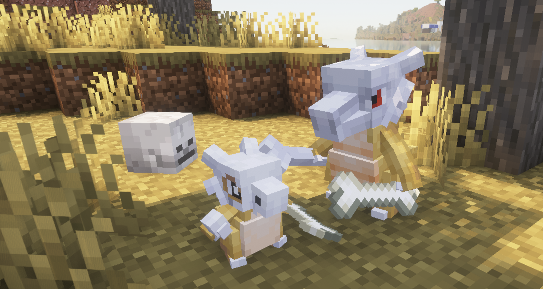
This mod allows Pokémon's Held Items render in the world. When joining a server that does not have this mod installed, only your own Pokémon's items will be rendered.
Technical Information
Server Configuration
The items that are hidden or shown as hats/glasses can be controlled by the server by adding a data pack to the server that replaces the "hidden_items.json", "wearable_eye_items.json" or "wearable_hat_items.json" item tag file. Hidden items will still be visible to the Pokémon's owner.
The path for hidden items is:
These are the default settings of the file:
{ "replace": true, "values": [ "#cobblemon:held/is_held_item", "#cobblemon:berries" ] }
Any modded or vanilla items can be added here.
The paths for eye items and hats are:
Here is an example using [Villager Hats](https://modrinth.com/mod/villager-hats) and [Simple Hats](https://modrinth.com/mod/simple-hats):
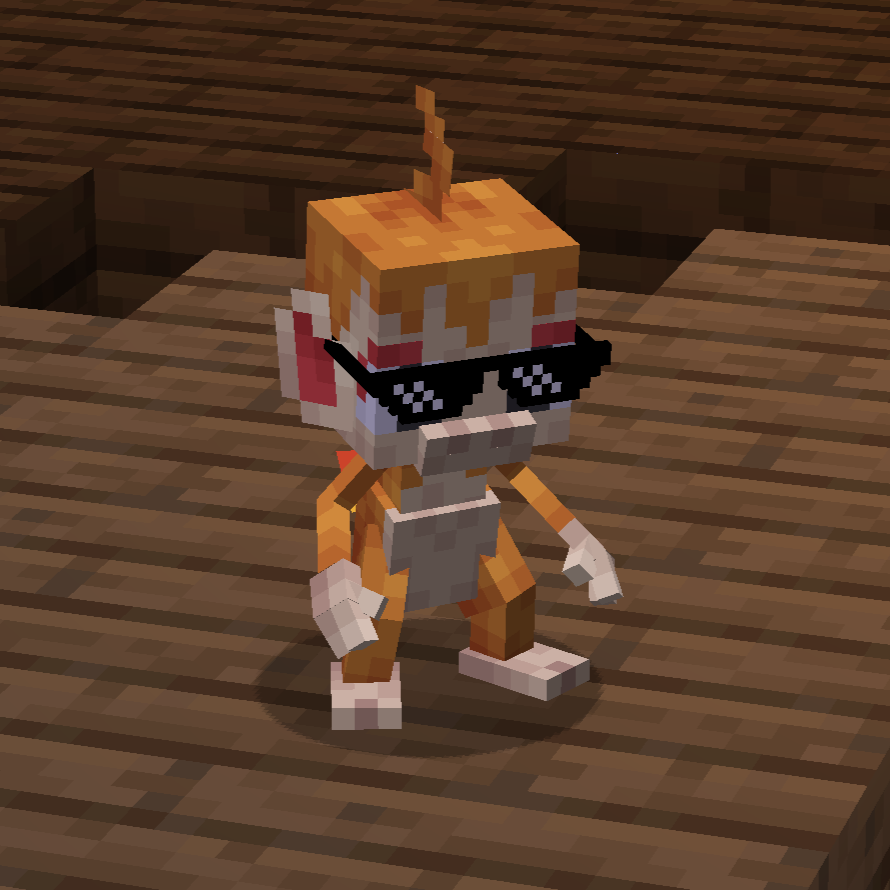
wearable_eye_items.json:
{ "replace": false, "values": [ "simplehats:clockface", "simplehats:sunglasses", ] }
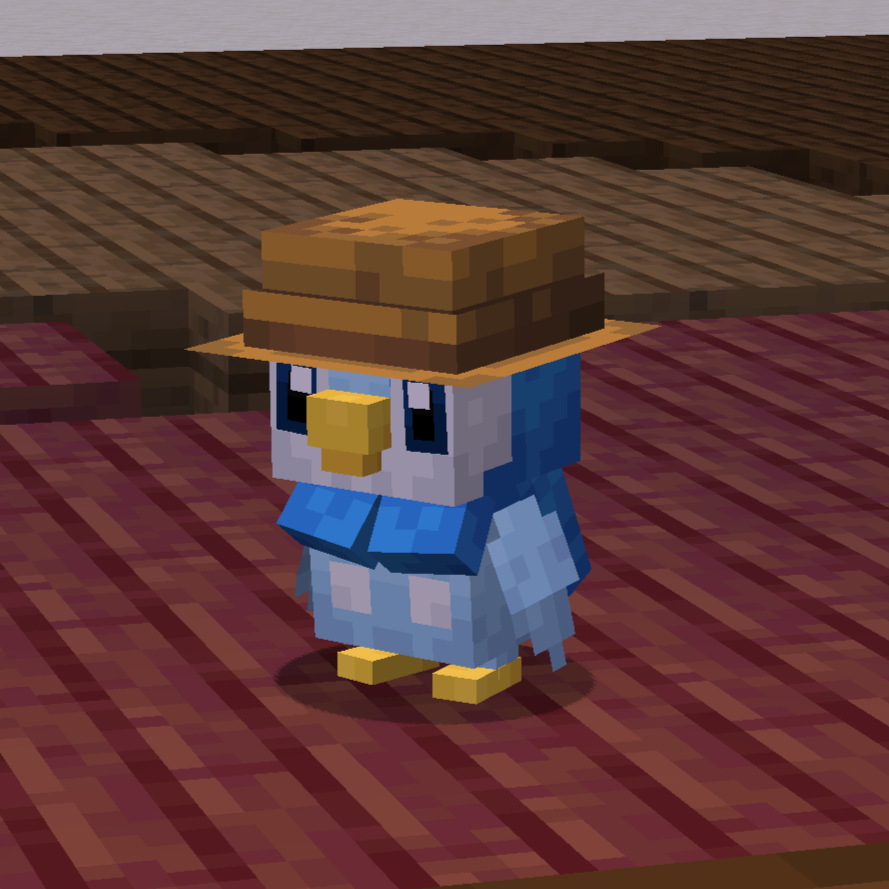
wearable_hat_items.json:
{ "replace": false, "values": [ "#villagerhats:hats" ] }

Compatibility With Other Models
If there are Pokemon that do not render their held item or if you would like to have custom Fakemon show their held items, you can add a locator in the model named "held_item" or "held_item_fixed".
The "held_item" locator will render held items the same way that players render items. This is most effective for items like the spyglass, trident and other tools.
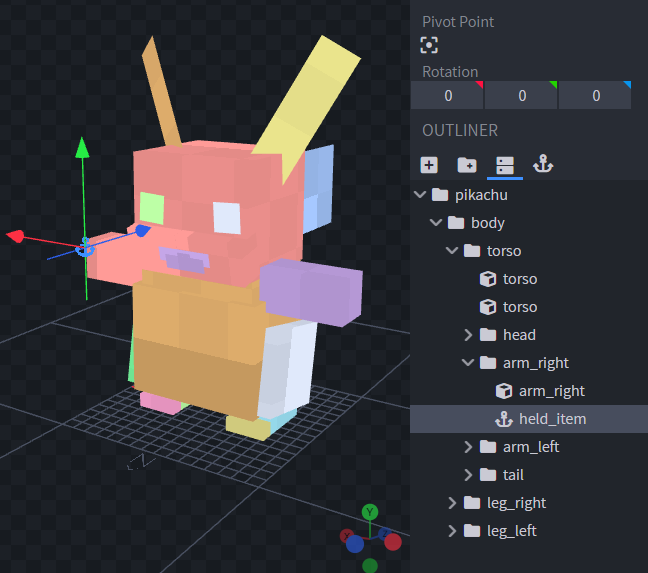
Sometimes it doesnt look quite right to have an item held the same way as the player. So for bird or dog-like pokemon, it may be best to use "held_item_fixed". This will render the flat default item model.
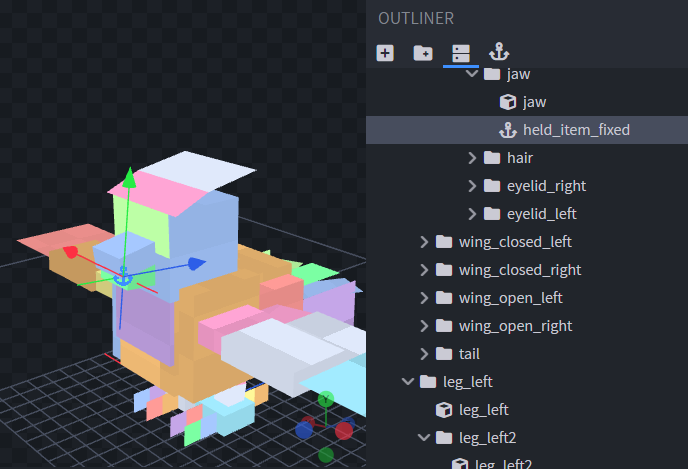
To change the rotation of the item, simply change the rotation of the locator.
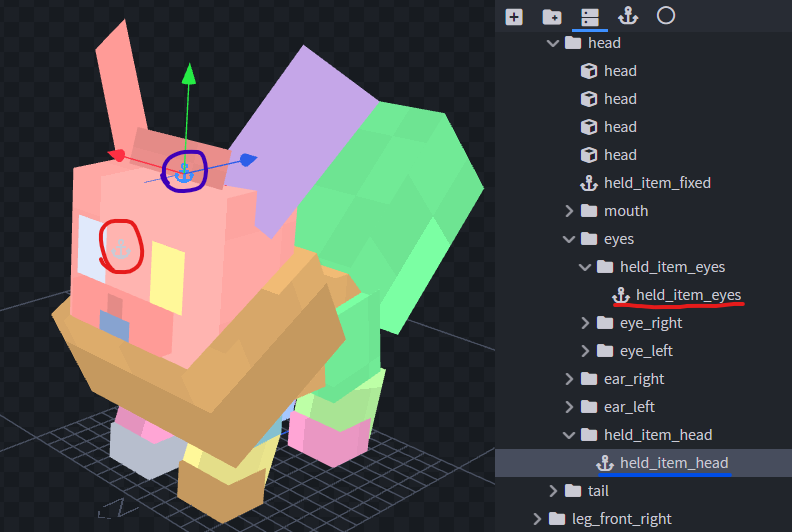
To support wearable hat or eye items add locators "held_item_head" and "held_item_eyes" onto the model either near the eyes or on top of the head.
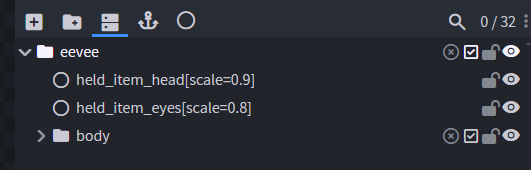
If the held item isn't quite the right size you can add modifiers to the locators using Null Objects. Give the Null Object the name of the locator you wish to modify followed by square brackets and a scale value, e.g., "held_item_head[scale=2.25]".
If you have any other concerns or questions, you can inquire [here](https://github.com/joshxviii/cobblemon_helditems/issues). Thank you!
Cobblemon - Show Held Items nasıl kurulur
With Millida Launcher
Install Millida Launcher
The launcher is free: download it at millida.net/launcher and sign in with any nickname.
Click “Install” on this page
The launcher opens and installs the mod for Minecraft 1.20.1–1.21.1 on Fabric automatically, together with its dependencies: Cobblemon.
Launch the game
A profile with it appears in the launcher: click “Play”.
Manually
Install Fabric
The loader must match the game version of the mod file, for example Minecraft 1.21.1. After installing it, a separate profile appears in your launcher.
Download the file for your version
In the version list above, pick the file show-held-items-0.2.3.jar (5.8 MB) for your game version.
Put it in the mods folder
The folder is inside .minecraft (Windows: %appdata%\.minecraft\mods). If it does not exist, create it. Required dependencies go there too: Cobblemon.
Launch the loader profile
Open “Mods” in the main menu: Cobblemon - Show Held Items should be in the list.
On a server
A server on Fabric
The mod only works on a server with the same loader and game version, for example 1.21.1.
File goes into the server’s mods folder
Stop the server, put the mod file into the mods folder and start the server again.
Use the “To server” button
On Millida Hosting, the button at the top of the page uploads the file to your server and restarts it for you.
Minecraft 1.21.1 runs on Java 21: with a different Java version the game may close right after launch.
Sürümler
Bağımlılıklarla
| Minecraft | Yükleyici | Dosya | Tarih | İşlemler |
|---|---|---|---|---|
| 1.21.1 | Fabric | 1.21.15.8 MB 2 | ||
| 1.21.1 | Fabric | 1.21.15.8 MB | ||
| 1.21.1 | Fabric | 1.21.15.8 MB | ||
| 1.21.1 | Fabric | 1.21.15.5 MB | ||
| 1.20.1 | Fabric | 1.20.14.9 MB | ||
| 1.20.1 | Fabric | 1.20.14.9 MB | ||
| 1.20.1 | Fabric | 1.20.14.9 MB | ||
| 1.20.1 | Fabric | 1.20.14.8 MB |
Çalışması için gerekenler
- Cobblemonzorunlu
Yorumlar
Cobblemon - Show Held Items için ilk puanı sen ver


