
 NeoForge
 Forge
 Fabric
Armor Stand Arms (RPG Theme) modu hakkında
DESCRIPTION
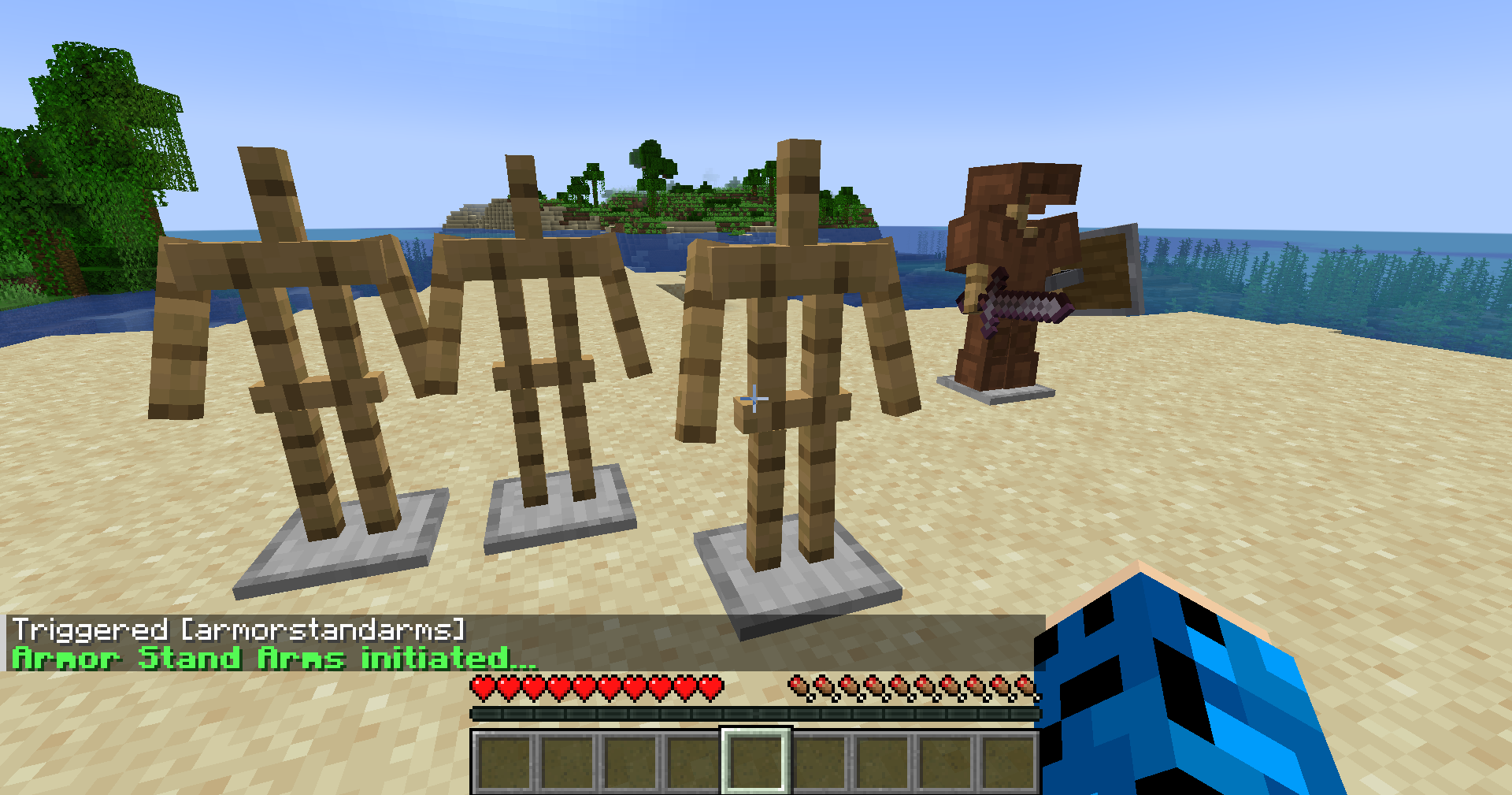
Your vanilla experience will now be further enhanced thanks to the ability to easily and quickly add arms to all your armor stands.
Simply go near an armor stand you have already placed and use the command /trigger armorstandarms and it will create the arms for you. Make sure you are at least 3 blocks or less distance from the armor stand. This will work server-side and is not required on the client for playing on servers.
Get a server today and play with your friends! Click HERE or below banner & Use Code GAMERPOTION to get 25 off!



Armor Stand Arms (RPG Theme) nasıl kurulur
With Millida Launcher
Install Millida Launcher
The launcher is free: download it at millida.net/launcher and sign in with any nickname.
Click “Install” on this page
The launcher opens and installs the mod for Minecraft 26.3 on Fabric, Forge or NeoForge automatically.
Launch the game
A profile with it appears in the launcher: click “Play”.
Manually
Install Fabric, Forge or NeoForge
The loader must match the game version of the mod file, for example Minecraft 26.3. After installing it, a separate profile appears in your launcher.
Download the file for your version
In the version list above, pick the file armorstandarms-neoforge-26.1-1.0.4.jar (6 KB) for your game version and loader.
Put it in the mods folder
The folder is inside .minecraft (Windows: %appdata%\.minecraft\mods). If it does not exist, create it.
Launch the loader profile
Open “Mods” in the main menu: Armor Stand Arms (RPG Theme) should be in the list.
Sürümler
Bağımlılıklarla
| Minecraft | Yükleyici | Dosya | Tarih | İşlemler |
|---|---|---|---|---|
| 26.3 | NeoForge | armorstandarms-neoforge-26.1-1.0.4.jar6.3 KB 1 | ||
| 26.3 | Forge | armorstandarms-forge-26.1-1.0.4.jar5 KB 1 | ||
| 26.3 | Fabric | armorstandarms-fabric-26.1-1.0.4.jar36.7 KB 2 |
SSS
Which Minecraft versions does Armor Stand Arms (RPG Theme) work on?
Only Minecraft 26.3: there are no files for other versions.
Is Armor Stand Arms (RPG Theme) for Forge or Fabric?
There are files for Fabric: 26.3, for Forge: 26.3 and for NeoForge: 26.3.
Does Armor Stand Arms (RPG Theme) need other mods?
The author lists no required dependencies: the Fabric, Forge or NeoForge loader is enough.
Where can I download Armor Stand Arms (RPG Theme) safely?
On this page: the file armorstandarms-neoforge-26.1-1.0.4.jar (6 KB) is stored on Millida’s server, with no link shorteners. SHA-1 checksum: cbd23958d896123debc9da3bfdc6ae0a8e26d1fa.
Yorumlar
Armor Stand Arms (RPG Theme) için ilk puanı sen ver


