

Minecraft 1.12.2 için Ancient TownCraft Mod paketi
Kasaba İnşası, Zindanlar!, Büyü, Millenaire, Betweenlands, Karanlık Çağlar
- görüntülenme
- 14 görüntülenme
- Güncellendi
- Güncellendi 18.10.2026
- 1.12.2
 Forge
Forge
Ancient TownCraft mod paketi hakkında
You wake in a dark world, blinking your eyes, you see glowing eyes staring back at you....then you DIE!
You start your journey in the amazing Betweenlands, there is no running across pristine green grass to an oak tree, but there will be running from everything that wants to eat you. Once you survive the betweenlands, you can emerge into the overworld and build your kingdom using many decorative mods.
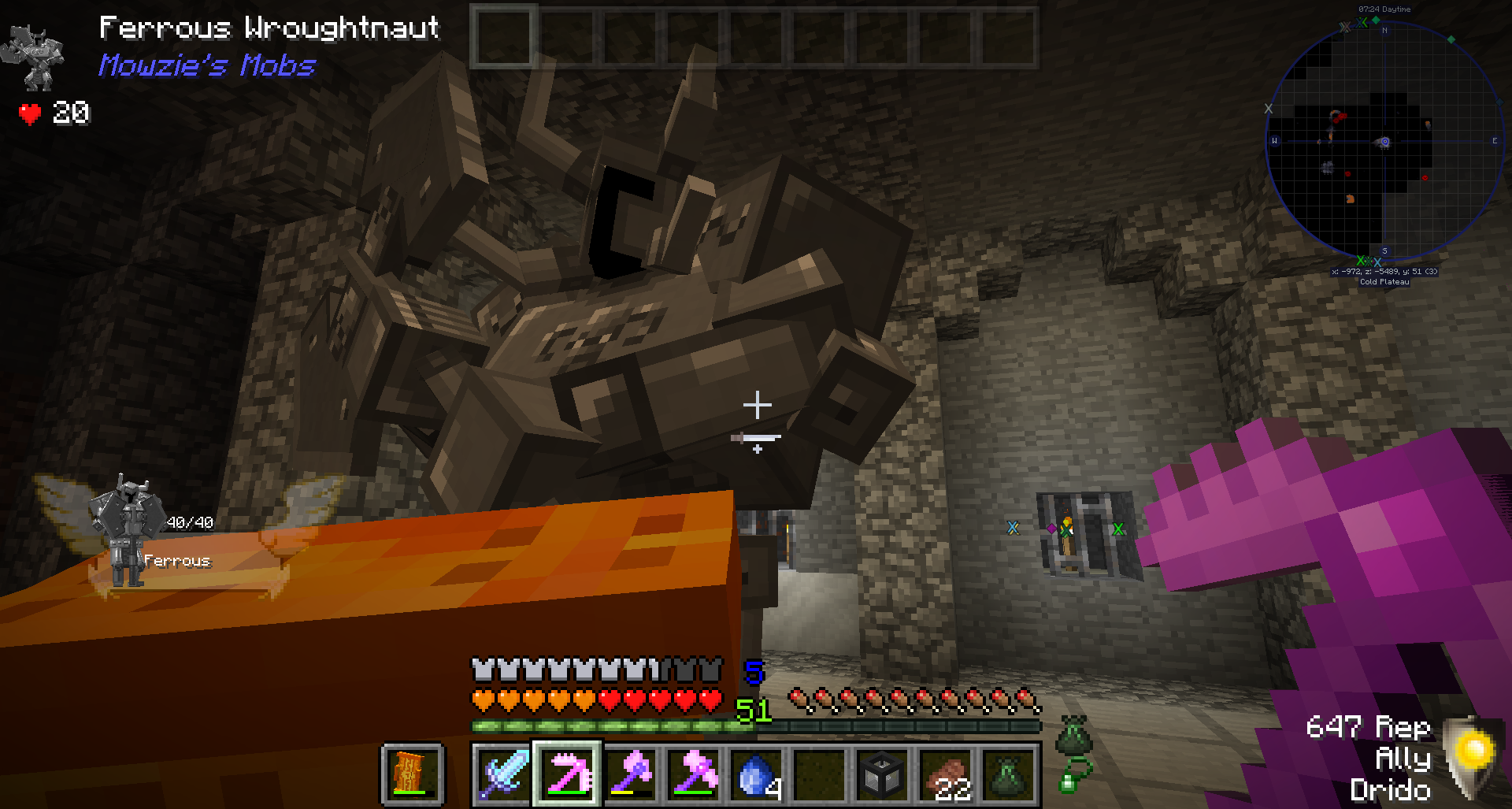
This pack offers many environmental mods that enhance the feel of being in ancient times.
Set in the dark ages(no tech) this pack is intended as a towny/town building modpack
This pack includes so many items for building I had to add a mod that increases Minecraft's item limit.
You will be flying dragons, vampires, and building castles.
This pack also includes a multiplayer server address to play with other players.
Please follow the steps in this video or your pack will not launch and run correctly-
Join us on the official Discord - https://discord.gg/ezU46uu
Set up a server-
If you would like a done for you solution, the folks over at Akliz have an already set up server waiting for you -
Would you like to run a server for this pack yourself? AWESOME! Just put the mods,configs, and scripts on the server, then add forge and a startup script, and fire it up :)
Set up the server with a matching version of forge that the client uses.
Important note here- don't use the overrides folder from curseforge. You need to install the pack with multimc or Twitch Launcher, then copy the mods, configs, and scripts from that folder.
Install forge with the version that matches the client. Download forge- run the installer, and install it in to a folder where the server will run.
Here is a server.properties to get you started, copy this in to your server folder.- https://gist.github.com/ProsperCraft/243c1ab52c01a4b9bc251ae2eb2002d7
With new versions of forge you don't need to remove clientside mods because it automatically does not run them.
To start your server you will need a start script- make a file named serverstart.bat and edit it to include this -
https://gist.github.com/ProsperCraft/607a24f7a1b3dd486a04f838707e8eeb
Once you start the server the first time it will fail saying you need to accept hte EULA, edit the eula.txt to say you accept it, then the server will start up.
Need more help? Feel free to join our ProsperCraft discord, we are a friendly group of family-friendly players.
To update your server -
Clone world folder, delete mods, configs, scripts. Put in mods, configs, scripts from the client, start server, when it prompts you on console to type /fml confirm type it.
Bugs that were reported in the making of this pack-
https://github.com/the-realest-stu/Adventurers-Toolbox/issues/33
https://minecraft.curseforge.com/projects/age-of-weapons/issues/9
https://github.com/P3pp3rF1y/AncientWarfare2/issues/695
https://github.com/P3pp3rF1y/AncientWarfare2/issues/747
https://github.com/P3pp3rF1y/AncientWarfare2/issues/782
https://github.com/P3pp3rF1y/AncientWarfare2/issues/796
https://github.com/P3pp3rF1y/AncientWarfare2/issues/797
https://github.com/P3pp3rF1y/AncientWarfare2/issues/808 <--------
https://github.com/P3pp3rF1y/AncientWarfare2/issues/812
https://github.com/P3pp3rF1y/AncientWarfare2/issues/820
https://github.com/P3pp3rF1y/AncientWarfare2/issues/833
https://github.com/HellBreecher/Arcanum/issues/1
https://github.com/Angry-Pixel/The-Betweenlands/issues/546
https://github.com/Angry-Pixel/The-Betweenlands/issues/547
https://github.com/Angry-Pixel/The-Betweenlands/issues/628
https://github.com/Angry-Pixel/The-Betweenlands/issues/660
https://github.com/Angry-Pixel/The-Betweenlands/issues/713
https://github.com/Angry-Pixel/The-Betweenlands/issues/846
https://github.com/Angry-Pixel/The-Betweenlands/issues/988
https://github.com/Angry-Pixel/The-Betweenlands/issues/1000
https://github.com/Nuchaz/BiblioCraft/issues/523
https://github.com/CraftTweaker/CraftTweaker/issues/514
https://github.com/yrsegal/ClassyHats/issues/4
https://github.com/p455w0rd/DankNull/issues/137
https://github.com/p455w0rd/DankNull/issues/138
https://minecraft.curseforge.com/projects/dark-roleplay-core/issues/20
https://minecraft.curseforge.com/projects/dark-roleplay-core/issues/22
https://minecraft.curseforge.com/projects/dark-roleplay-medieval/issues/36
https://minecraft.curseforge.com/projects/dark-roleplay-medieval/issues/41
https://minecraft.curseforge.com/projects/decocraft2/issues/1696
https://gitlab.com/jomcraft-sources/defaultsettings/issues/13
https://github.com/ferreusveritas/DynamicTrees/issues/135
https://github.com/ferreusveritas/DynamicTrees/issues/136
https://github.com/Sunconure11/dungeon-mobs/issues/43
https://github.com/arlyon/felling/issues/18
https://github.com/TheKiipster/Terra/issues/4
https://github.com/RacerDelux/AlchemyTrinkets/issues/11
https://minecraft.curseforge.com/projects/effortless-building?comment=13
https://minecraft.curseforge.com/projects/effortless-building?comment=14
https://github.com/Lothrazar/ERZ/issues/39
https://github.com/JSJBDEV/EntropicMIND/issues/1
https://github.com/Electroblob77/Wizardry/issues/74#issuecomment-421650565
https://github.com/Alex-the-666/Ice_and_Fire/issues/1053
https://github.com/Alex-the-666/Ice_and_Fire/issues/1077
https://github.com/elifoster/Ping/issues/16
https://github.com/elifoster/Ping/issues/17
https://github.com/Daveyx0/PrimitiveMobs/issues/169
https://github.com/Daveyx0/PrimitiveMobs/issues/170
https://github.com/CreativeMD/LittleTiles/issues/120
https://github.com/CreativeMD/LittleTiles/issues/352
https://github.com/TheXFactor117/Loot-Slash-Conquer/issues/28
https://minecraft.curseforge.com/projects/mundus-magicus#c13
https://minecraft.curseforge.com/projects/mundus-magicus#c16
https://github.com/kjmaster1/MagicBooks2/issues/2
https://gitlab.com/Millenaire/Public/issues/343
https://gitlab.com/Millenaire/Public/issues/346
https://gitlab.com/Millenaire/Public/issues/347
https://gitlab.com/Millenaire/Public/issues/348
https://gitlab.com/Millenaire/Public/issues/349
https://gitlab.com/Millenaire/Public/issues/350
https://gitlab.com/Millenaire/Public/issues/351
https://github.com/KorDum/NotEnoughScaffold/issues/4
https://gitlab.com/Millenaire/Public/issues/284
https://gitlab.com/Millenaire/Public/issues/322
https://gitlab.com/Millenaire/Public/issues/326
https://gitlab.com/Millenaire/Public/issues/332
https://gitlab.com/Millenaire/Public/issues/333
https://gitlab.com/Millenaire/Public/issues/350
https://gitlab.com/Millenaire/Public/issues/353
https://gitlab.com/Millenaire/Public/issues/354
https://gitlab.com/Millenaire/Public/issues/357
https://minecraft.curseforge.com/projects/oh-the-biomes-youll-go-enchanted-realms#c41
https://github.com/TheRandomLabs/RandomPatches/issues/13
https://github.com/Voxel-Friend/RusticThaumaturgy/issues/7
https://github.com/Fexcraft/States/issues/3
https://github.com/Fexcraft/States/issues/5
Ancient TownCraft nasıl kurulur
With Millida Launcher
Install Millida Launcher
The launcher is free: download it at millida.net/launcher and sign in with any nickname.
Click “Install” on this page
The launcher opens and installs the modpack for Minecraft 1.12.2 on Forge automatically.
Launch the game
A profile with it appears in the launcher: click “Play”.
Manually
Download the modpack archive
In the version list above, pick the file Ancient TownCraft-1.9.zip (10 MB).
Import it into a launcher
A launcher that supports modpacks (Millida Launcher, Prism) takes the archive via “Add modpack”, then “From file”. No need to unpack it yourself.
Allocate memory
Modpacks need more memory than the plain game: set 4–6 GB in the profile settings.
On a server
Use the “To server” button
On Millida Hosting, the button at the top of the page uploads the file to your server and restarts it for you.
Invite friends: they install the same modpack
To join the server, every player needs the same modpack version.
Minecraft 1.12.2 runs on Java 8: with a different Java version the game may close right after launch.
Sürümler
Bağımlılıklarla
| Minecraft | Yükleyici | Dosya | Tarih | İşlemler |
|---|---|---|---|---|
| 1.12.2 | Forge | Ancient TownCraft-1.9.zip10.3 MB | ||
| 1.12.2 | — | Ancient TownCraft-1.8.zip2.5 MB | ||
| 1.12.2 | — | Ancient TownCraft-0.40.zip1.2 MB |
SSS
Which Minecraft versions does Ancient TownCraft work on?
Only Minecraft 1.12.2: there are no files for other versions.
Is Ancient TownCraft for Forge or Fabric?
Only for Forge: 1.12.2.
Which Java does Ancient TownCraft need?
Minecraft 1.12.2 runs on Java 8. If the game closes right after launch, the usual cause is the wrong Java version in the profile settings.
Where can I download Ancient TownCraft safely?
On this page: the file Ancient TownCraft-1.9.zip (10 MB) is stored on Millida’s server, with no link shorteners. SHA-1 checksum: b2bfa6b8f6e33e36bb0445716066c8da935f32f9.
Yorumlar
Ancient TownCraft için ilk puanı sen ver


