

Minecraft 26.2 için The Classic Error Veri paketi
Herobrine Minecraft'a geri döndü
The Classic Error veri paketi hakkında
Herobrine back into minecraft with his classic structures
For 1.21.9+ data it will show "Broken or incompatible", you can see image below. It's full compatible with that version
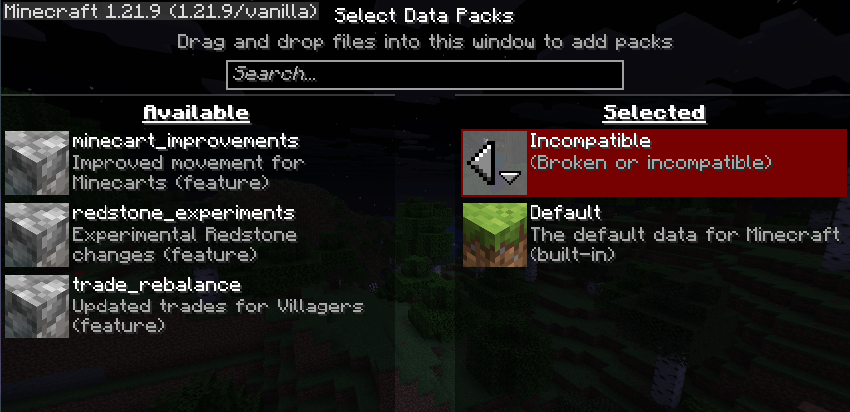
Install as resourcespack & datapack!
Settings are available under command /trigger
Strutures:
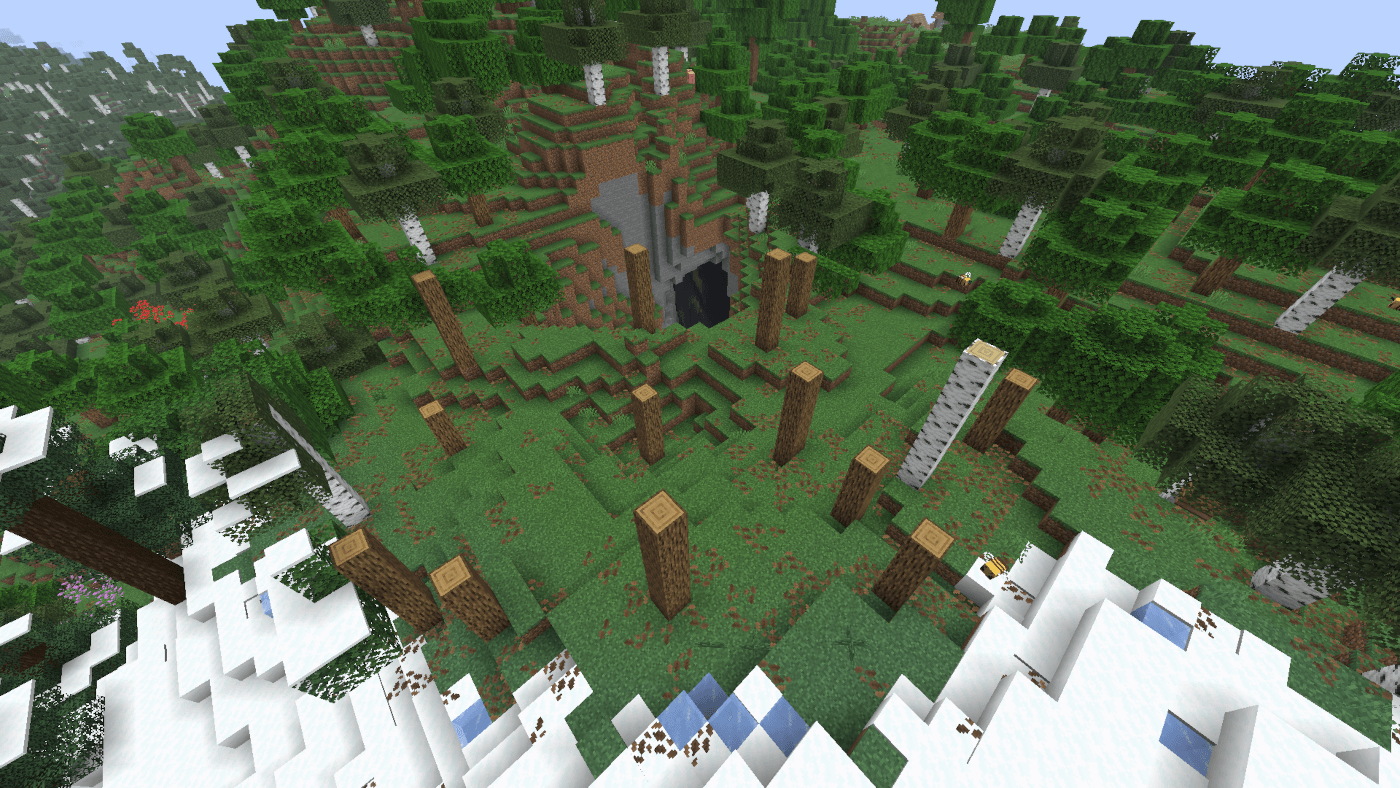
- Forest without leaves
- Sand pyramids
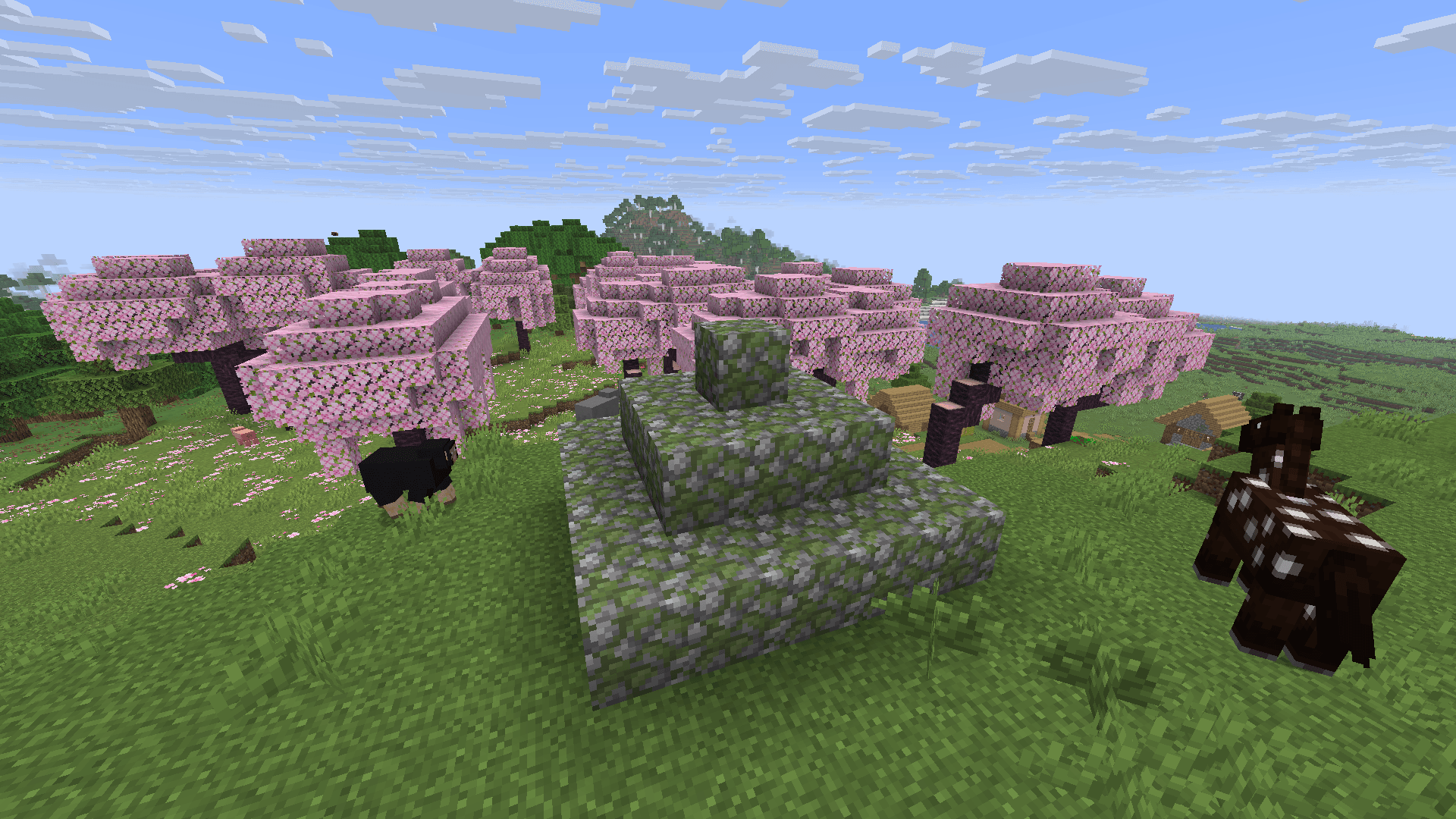
- Big mossy pyramids
- Small mossy pyramids
- 2x2 caves
Herobrine:
Warning!
Emissive eyes can have model errors!
- Near
- He is watching near from the player
- He hides immediately when he is detected
- He often watches
- In all dimensions
- Far
- He is watching far from the player
- He hides after some time when he is detected
- He rare watches
- Only in overworld and the end
- Nightmare
- He sometime spawns in front of the player's bed
- He gives to player blindness effect
- Totem
- Lower part of totem
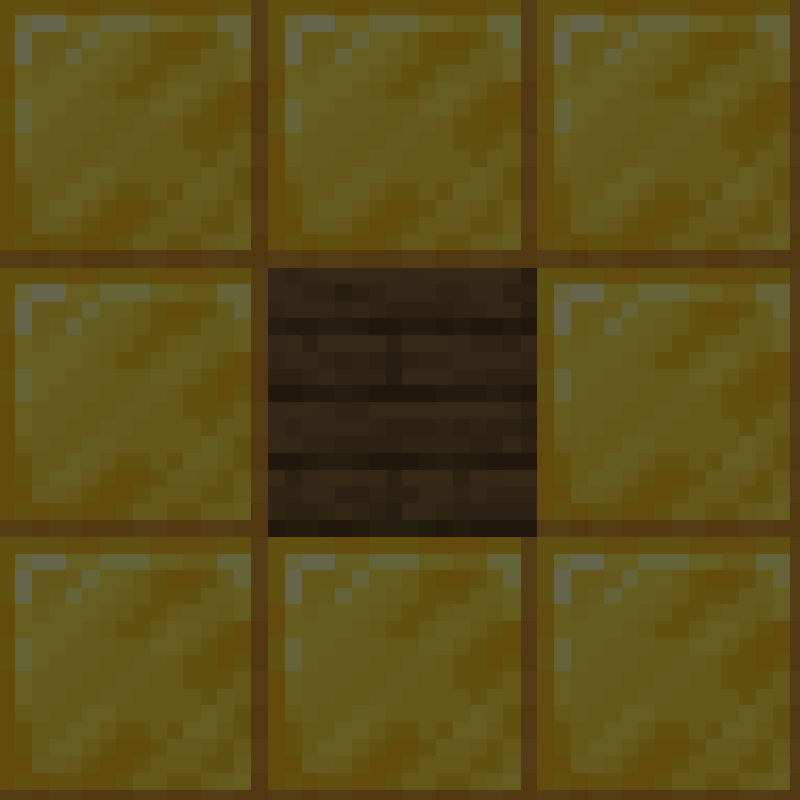
- You can use any of planks that exist in minecraft
- Upper part of totem
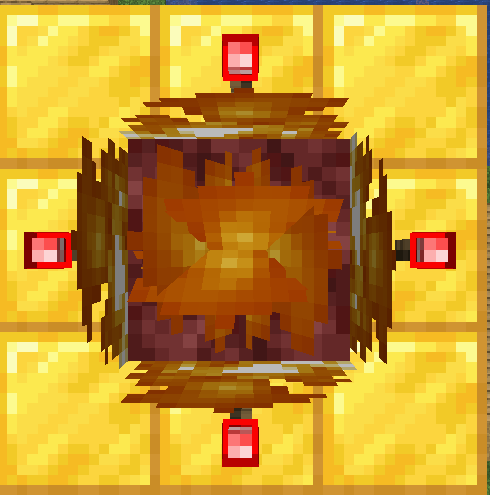
- You can despawn Herobrine by throwing an enchanted golden apple into totem
Advancements:
- Basic tree
- 2 chanllenges
- 1 goal
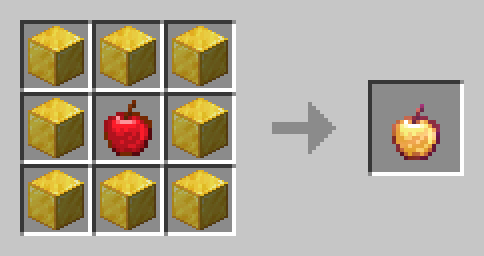
Recipes:
- Enchanted golden apple
The Classic Error nasıl kurulur
With Millida Launcher
Install Millida Launcher
The launcher is free: download it at millida.net/launcher and sign in with any nickname.
Click “Install” on this page
The launcher opens and installs the data pack for Minecraft 26.2 automatically.
Launch the game
A profile with it appears in the launcher: click “Play”.
On a server
Archive goes into the server world’s datapacks
The world/datapacks folder on the server; players do not need to install anything.
Reload the data
Type /reload in the server console or restart the server.
Use the “To server” button
On Millida Hosting, the button at the top of the page uploads the file to your server and restarts it for you.
Sürümler
Bağımlılıklarla
| Minecraft | Yükleyici | Dosya | Tarih | İşlemler |
|---|---|---|---|---|
| 26.2 | — | The Classic Error - asstes data V1.3 MC V26.2.zip7.1 MB |
SSS
Which Minecraft versions does The Classic Error work on?
Only Minecraft 26.2: there are no files for other versions.
Does The Classic Error work on a server?
Yes: the data pack goes into the datapacks folder of the server world, and players do not need to install anything.
How do I download The Classic Error?
With Millida Launcher: it installs The Classic Error into a modpack by itself, for the right game version and loader. The launcher is free.
Yorumlar
The Classic Error için ilk puanı sen ver


