

Minecraft 1.20.1, 1.21.1 için Spawn Animations Compats Veri paketi
Spawn Animations için 50'den fazla modla uyumluluk ekleyen bir veri paketi.
- indirme
- 159 indirme
- görüntülenme
- 348 görüntülenme
- Güncellendi
- Güncellendi 16.10.2026
- 1.17 — 26.3
 Veri paketi
- İstemci ve sunucu
This datapack adds Spawn Animations compatibility to the modded entities.
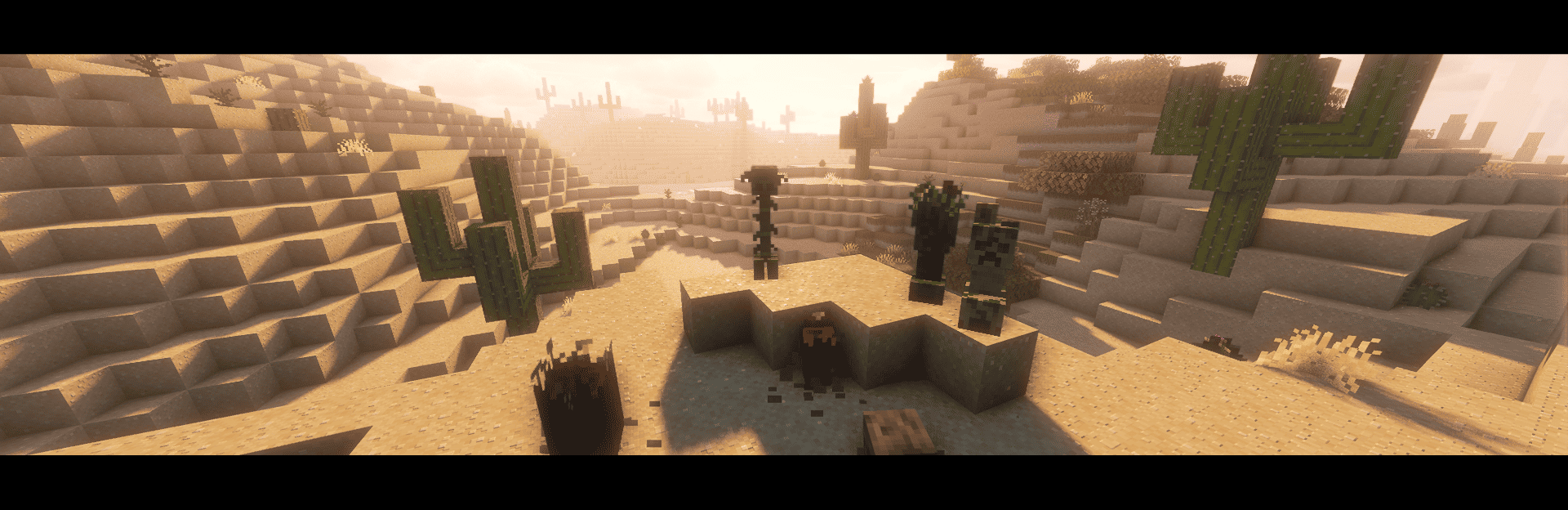
Compatibility List:
Enderman Overhaul
Creeper Overhaul

Deeper and Darker

The Graveyard
Frostiful

BetterEnd

BetterNether

Bygone Nether

Eternal Nether

Galosphere

YUNG's Cave Biomes

Ad Astra

The Bumblezone

Variants & Ventures
Skeletal Remains

Tiny Skeletons

The Aether

The Aether: Redux

Paradise Lost
Dungeon Now Loading

Aquamirae

Biome Makeover

Bewitchment

Born in Chaos

The Undergarden

Caverns & Chasms

Knight Quest
Jaden's Nether Expansion

Sons of Sins: Wounds of Chaos

Rotten Creatures
Blue Skies

Underground Worlds

Ice and Fire

L_Ender's Cataclysm

Alex's Mobs

Alex's Caves
Marium's Soulslike Weaponry

Enemy Expansion

Dungeons Mobs

Stalwart Dungeons

Monster Plus

Unusual End

Mob Variants
Spider Caves

Cracker's Wither Storm Mod

Nemo's Creatures

Zombies More

Luminous: Overworld

Spawn Animations Compats nasıl kurulur
With Millida Launcher
Install Millida Launcher
The launcher is free: download it at millida.net/launcher and sign in with any nickname.
Click “Install” on this page
The launcher opens and installs the data pack for Minecraft 1.17–26.3 automatically, together with its dependencies: Spawn Animations.
Launch the game
A profile with it appears in the launcher: click “Play”.
Manually
Download the archive
Pick the file Spawn Animations Compats.zip (16 KB) for your game version.
New world: “Data Packs”
When creating a world, click “Data Packs”, drag the archive into the window, then move it to “Selected”.
Existing world: the datapacks folder
Put the archive into saves/<world>/datapacks and type /reload in game.
On a server
Archive goes into the server world’s datapacks
The world/datapacks folder on the server; players do not need to install anything.
Reload the data
Type /reload in the server console or restart the server.
Or use the “To hosting” button
On Millida Hosting, the button at the top of the page uploads the file to your server and restarts it for you.
Sürümler
Bağımlılıklarla
| Minecraft | Yükleyici | Dosya | Tarih | İşlemler |
|---|---|---|---|---|
| 26.3 | Veri paketi | 26.315.7 KB 159 | ||
| 1.17.1 | Veri paketi | 1.17.116.8 KB | ||
| 26.2 | Veri paketi | 26.216.8 KB | — | |
| 26.1 | Veri paketi | 26.116.8 KB | — | |
| 1.21.11 | Veri paketi | 1.21.1116.8 KB | — | |
| 1.21 | Veri paketi | 1.2116.8 KB | — | |
| 1.20.1 | Veri paketi | 1.20.116.8 KB | — | |
| 1.19.2 | Veri paketi | 1.19.216.8 KB | — |
Çalışması için gerekenler
- Spawn Animationszorunlu
Buna ihtiyaç duyan içerikler
SSS
Which Minecraft versions does Spawn Animations Compats work on?
There are files for 1.17–26.3, 34 versions in total. The newest is 26.3.
Does Spawn Animations Compats work on a server?
Yes: the data pack goes into the datapacks folder of the server world, and players do not need to install anything.
What does Spawn Animations Compats need to work?
Required: Spawn Animations. Without it the data pack will not start.
Where can I download Spawn Animations Compats safely?
On this page: the file Spawn Animations Compats.zip (16 KB) is stored on Millida’s server, with no link shorteners. SHA-1 checksum: 13619a69d19531e42d3bb406e71ad342fcf8dc26.
Yorumlar
Spawn Animations Compats için ilk puanı sen ver


