

Minecraft 1.20.1, 26.3 için Lockdown Veri paketi
Lazer kulelerinden kuvvet alanlarına kadar, Lockdown üssünüzü davetsiz misafirlere karşı korumak için güvenlik temalı bloklar/eşyalar ekler!
- görüntülenme
- 35 görüntülenme
- Güncellendi
- Güncellendi 12.10.2026
- 1.17 — 26.3
 Veri paketi
- İstemci ve sunucu
Lockdown veri paketi hakkında
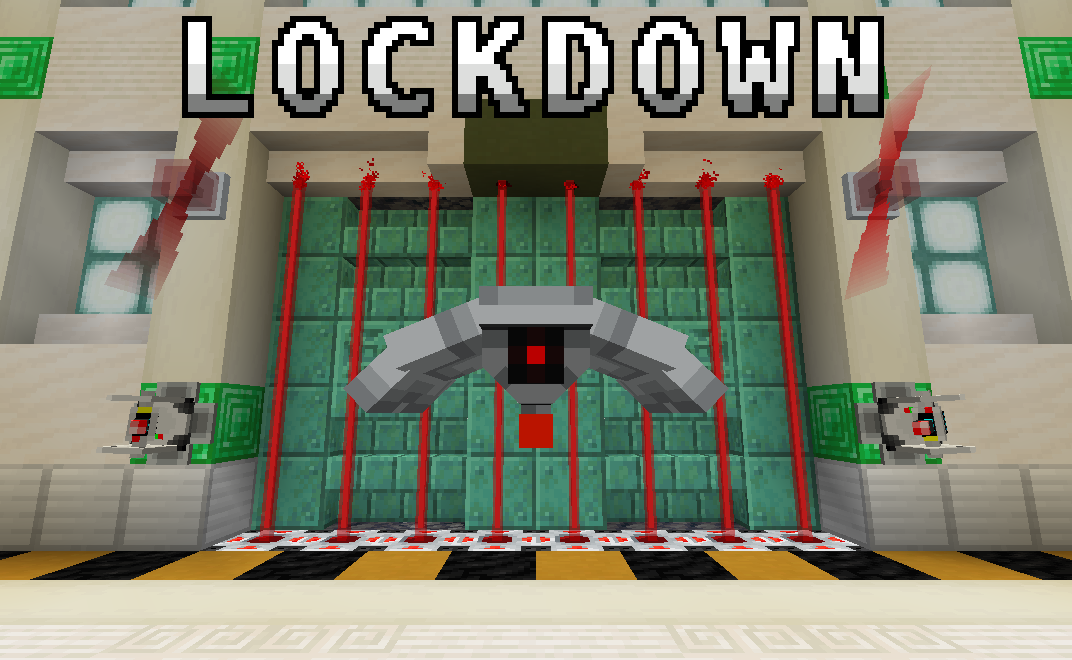
From laser turrets to force fields, Lockdown adds security-themed blocks/items to secure your base against intruders!
A more complete wiki is available here

Features
Security
Encoding Station: Assigns a code to any encodable device. The device of choice is placed in the top slot, while three dye representing the code go in the bottom row.
Keycard reader: Emits a redstone signal when any player within five blocks holds a keycard with the same code as itself. Assign a code/channel using the Encoding Station.
Laser Projector: When powered, it emits a short-range laser that damages mobs that touch it.
Alarm Lights: Emits a rotating glow when it detects a wireless signal from a device on the same channel. Assign a channel using the Encoding Station.
Klaxon: Plays an alarm sound-effect when powered. Right click the block to cycle between available alarms.
Force Field Projector: Projects an indestructible force field when powered. Right click the block to cycle between different force field sizes, ranging from 1x1 to 5x5.

Defense
Defense Turret: Fires a laser beam at any hostile mob it detects within range. Will not attack players by default. However, when assigned a code, it will attack any player whose last held keycard does not match. Optionally assign a code using the Encoding Station.
Defense Drone: Patrols the surrounding area and attacks any hostile mobs it finds using its laser beam. Will not attack players by default. However, when assigned a code, it will attack any unrecognized player whose last held keycard does not match. Optionally assign a code using the Encoding Station.
Air Defense Cannon: A large, player-controllable cannon that fires bolts of energy.
Upgrades
Durability Upgrade: Increases the health of a drone or turret.
Flamethrower Upgrade: Allows drones to shoot fireballs and turrets to shoot bolts of fire instead of lasers.
Range Upgrade: Increases the effective range of a drone or turret.
Suspicious Thumb Drive: Causes drones and turrets to attack players and friendly mobs. Found in abandoned bunkers.
Tools
Key: Allows you to lock containers. Add a unique code in the encoder, then shift + right-click on a container to add or remove the lock.
Laser Blaster: A ranged weapon that fires lasers at your enemies. Be careful not to let it overheat!
Redstone Energy Cell: Fuel for the laster blaster.
Spray Can: Applies colors to turrets, drones, and cannons. Right-click in main-hand to apply primary color, and right-click in off-hand to apply secondary color. Cycle between colors with sneak + right-click.
Redstone
Wireless Transmitter: When powered, it outputs a wireless signal to any receiver on the same channel. Assign a channel using the Encoding Station.
Wireless Receiver: Outputs a redstone signal when it detects a wireless signal from a device on the same channel. Assign a channel using the Encoding Station.
Player Detector: Outputs a redstone signal when it detects a player within a five-block radius.
Mob Detector: Outputs a redstone signal when it detects a mob within a five-block radius.
Big Buttons: Similar to a regular button, except more imposing! Can optionally be assigned a channel to broadcast to using the Encoding Station.
Structures
Abandoned Bunker: An uncommon, partially-buried structure abandoned by an unknown faction. Whoever built them is long gone, but the defenses they left behind sure aren't!
Cheats
You can give yourself all blocks/items in the data pack with the following commands:
R3 and Beyond
/loot give @s loot lockdown:cheat/alarms /loot give @s loot lockdown:cheat/buttons /loot give @s loot lockdown:cheat/keycards /loot give @s loot lockdown:cheat/machines /loot give @s loot lockdown:cheat/tools /loot give @s loot lockdown:cheat/upgrades
R2 and Prior
/function lockdown:give/alarms /function lockdown:give/blocks /function lockdown:give/buttons /function lockdown:give/devices /function lockdown:give/upgrades
Lockdown nasıl kurulur
With Millida Launcher
Install Millida Launcher
The launcher is free: download it at millida.net/launcher and sign in with any nickname.
Click “Install” on this page
The launcher opens and installs the data pack for Minecraft 1.17–26.3 automatically.
Launch the game
A profile with it appears in the launcher: click “Play”.
Manually
Download the archive
Pick the file Lockdown-R4.1.zip (871 KB) for your game version.
New world: “Data Packs”
When creating a world, click “Data Packs”, drag the archive into the window, then move it to “Selected”.
Existing world: the datapacks folder
Put the archive into saves/<world>/datapacks and type /reload in game.
On a server
Archive goes into the server world’s datapacks
The world/datapacks folder on the server; players do not need to install anything.
Reload the data
Type /reload in the server console or restart the server.
Use the “To server” button
On Millida Hosting, the button at the top of the page uploads the file to your server and restarts it for you.
Sürümler
Bağımlılıklarla
| Minecraft | Yükleyici | Dosya | Tarih | İşlemler |
|---|---|---|---|---|
| 26.3 | Veri paketi | 26.3871 KB | ||
| 26.3 | Veri paketi | 26.3871 KB | ||
| 26.2 | Veri paketi | 26.2552 KB | ||
| 26.1.1 | Veri paketi | 26.1.1547 KB | ||
| 1.21.11 | Veri paketi | 1.21.11545 KB | ||
| 1.21.10 | Veri paketi | 1.21.10536 KB | ||
| 1.20.1 | Veri paketi | 1.20.1161 KB | ||
| 1.17.1 | Veri paketi | 1.17.1160 KB |
SSS
Which Minecraft versions does Lockdown work on?
There are files for 1.17–26.3, 16 versions in total. The newest is 26.3.
Does Lockdown work on a server?
Yes: the data pack goes into the datapacks folder of the server world, and players do not need to install anything.
Where can I download Lockdown safely?
On this page: the file Lockdown-R4.1.zip (871 KB) is stored on Millida’s server, with no link shorteners. SHA-1 checksum: 546c3094242deaa5ec4c09c4e7aefde1b70250fd.
Yorumlar
Lockdown için ilk puanı sen ver


