
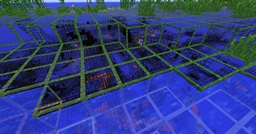
X-Ray Craft రిసోర్స్ ప్యాక్ గురించి
This texture pack is a X-Ray Texture pack, that is not detectable by any sort of plugin. So you can use this to your advantage on a server or just to get your diamonds and other ore faster!
X-Ray Craft ఎలా ఇన్స్టాల్ చేయాలి
With Millida Launcher
Install Millida Launcher
The launcher is free: download it at millida.net/launcher and sign in with any nickname.
Click “Install” on this page
The launcher opens and installs the resource pack for Minecraft 1.5.2 automatically.
Launch the game
A profile with it appears in the launcher: click “Play”.
Manually
Download the archive
Pick the file X-Ray_Craft.zip (1.4 MB) for your game version. No need to unpack it.
Put it in the resourcepacks folder
The easiest way: “Options”, then “Resource Packs”, then “Open Pack Folder”, and drag the archive there.
Enable the pack
In the same window, move the pack to the right-hand “Selected” column and click “Done”.
వెర్షన్లు
డిపెండెన్సీలతో
| Minecraft | లోడర్ | ఫైల్ | తేదీ | చర్యలు |
|---|---|---|---|---|
| 1.5.2 | — | X-Ray_Craft.zip1.4 MB 4 |
FAQ
Which Minecraft versions does X-Ray Craft work on?
Only Minecraft 1.5.2: there are no files for other versions.
Where can I download X-Ray Craft safely?
On this page: the file X-Ray_Craft.zip (1.4 MB) is stored on Millida’s server, with no link shorteners. SHA-1 checksum: 7a0a71ca38f42f59cd8b15b9cbd1649b58e677dd.
సమీక్షలు
X-Ray Craftకు మొదటి రేటింగ్ ఇవ్వండి


