

Minecraft 26.2 కోసం Water Improved రిసోర్స్ ప్యాక్
మెరుగైన మరియు మరింత పారదర్శకమైన వనిల్లా నీటి టెక్స్చర్లు
Water Improved రిసోర్స్ ప్యాక్ గురించి
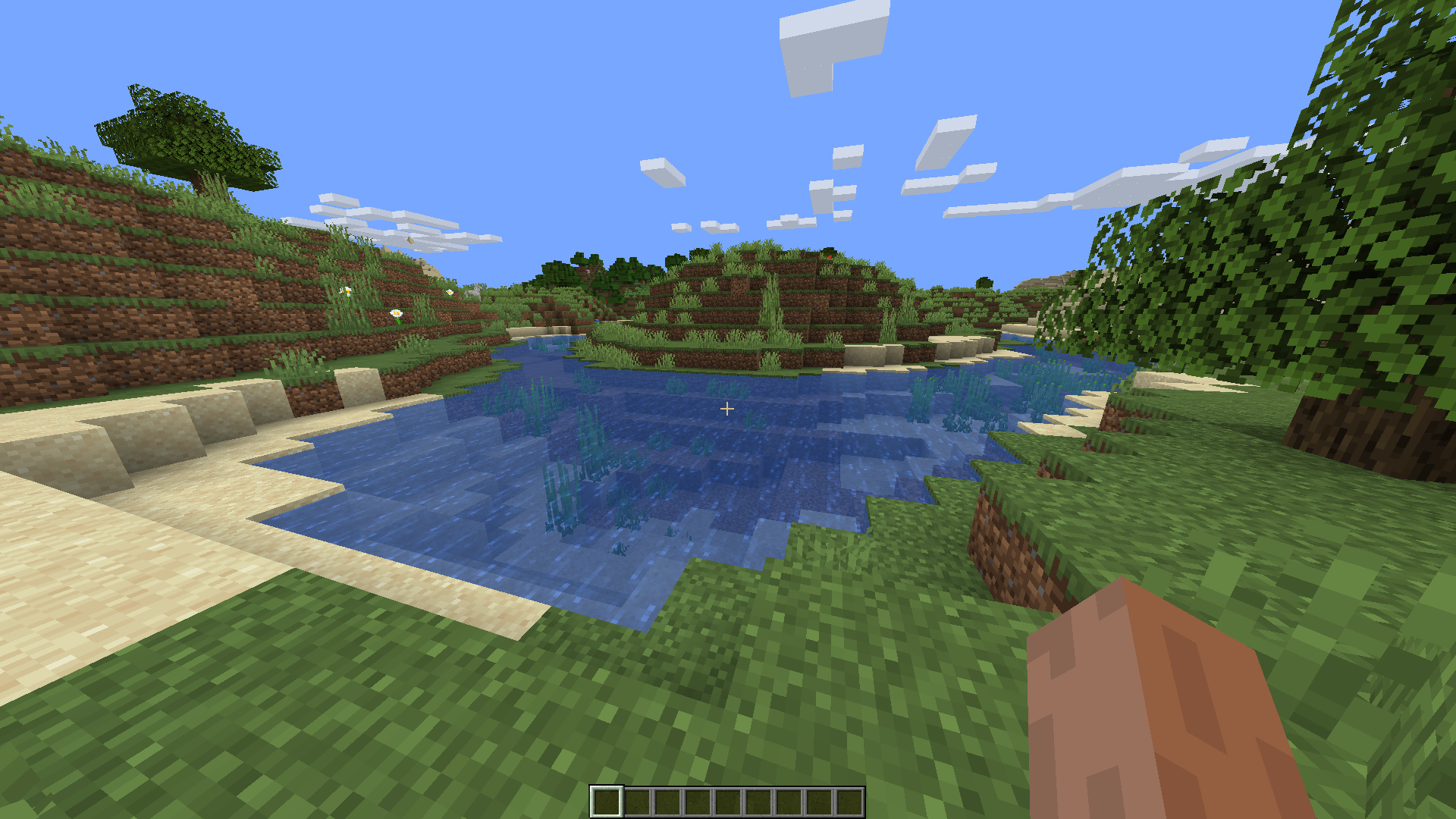
Increased transparency of vanilla water textures. Underwater transparency is the same, as it is not possible to modify it with textures (I may do OptiFine build in the future that would solve this).
1.12.X VERSION AND LOWER IS NOT SUPPORTED YET.
Water rendering works differently since 1.13 update (Update Aquatic). You can reduce transparency of textures (1.12 and older) the same way as now, but the problem is the brightness of deep waters is hardcoded and can't be changed just by texture. That makes the water look dark even though the textures are semi-transparent.
After
Before
Water Improved ఎలా ఇన్స్టాల్ చేయాలి
With Millida Launcher
Install Millida Launcher
The launcher is free: download it at millida.net/launcher and sign in with any nickname.
Click “Install” on this page
The launcher opens and installs the resource pack for Minecraft 1.21.9–26.2 automatically.
Launch the game
A profile with it appears in the launcher: click “Play”.
Manually
Download the archive
Pick the file Water Improved 1.21.9-26.2.zip (26 KB) for your game version. No need to unpack it.
Put it in the resourcepacks folder
The easiest way: “Options”, then “Resource Packs”, then “Open Pack Folder”, and drag the archive there.
Enable the pack
In the same window, move the pack to the right-hand “Selected” column and click “Done”.
వెర్షన్లు
డిపెండెన్సీలతో
| Minecraft | లోడర్ | ఫైల్ | తేదీ | చర్యలు |
|---|---|---|---|---|
| 1.21.9 | — | Water Improved 1.21.9 – 26.226.1 KB 35 |
FAQ
Which Minecraft versions does Water Improved work on?
There are files for 1.21.9–26.2, 7 versions in total. The newest is 26.2.
Where can I download Water Improved safely?
On this page: the file Water Improved 1.21.9-26.2.zip (26 KB) is stored on Millida’s server, with no link shorteners. SHA-1 checksum: e598c5cdfa338610b894caf0d0a6542fa5f010ac.
సమీక్షలు
Water Improvedకు మొదటి రేటింగ్ ఇవ్వండి


