
Minecraft 26.40 కోసం Transparent Touch Controls రిసోర్స్ ప్యాక్
మొబైల్ టచ్ నియంత్రణలను అదృశ్యంగా మారుస్తుంది కానీ శుభ్రమైన గేమ్ప్లే కోసం వాటిని పూర్తిగా పనిచేసేలా ఉంచుతుంది.
Transparent Touch Controls రిసోర్స్ ప్యాక్ గురించి
This texture pack completely removes the visual clutter of mobile touch controls by making them fully invisible while keeping all functionality intact. The buttons remain fully responsive - tapping their original positions still works for movement, jumping, inventory, and other actions - but they no longer obstruct your view.
Key Features:
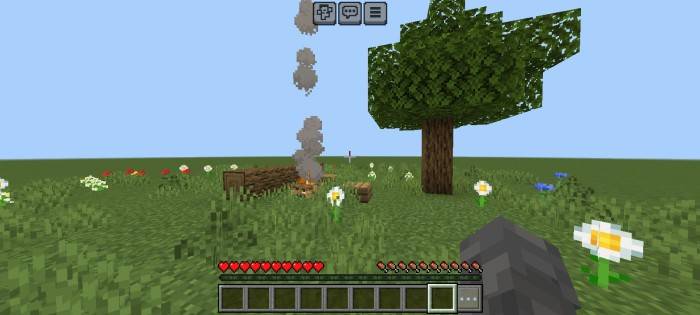
- 100% Invisible Buttons - Touch controls vanish from the screen, eliminating visual distractions.
- Zero Functional Loss - All buttons work exactly as before; only their appearance changes.
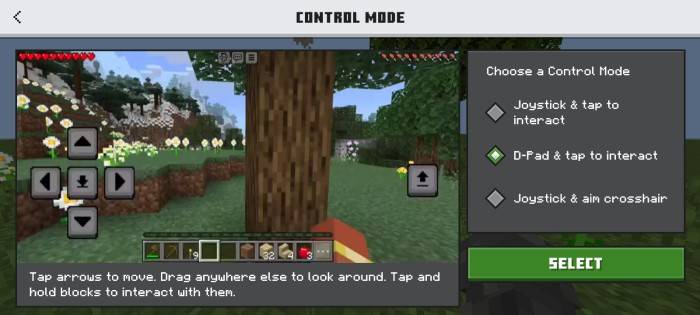
- Wide Compatibility - Works seamlessly with default and custom control layouts.
Improved Experience:
- Unobstructed Gameplay - See more of the world without button overlays blocking your view.
- Cleaner Visuals - Ideal for builders, explorers, or anyone who prefers a minimalist HUD.
- No Adjustments Needed - Instantly applies to existing controls - no repositioning or relearning required.
Perfect for players who want the precision of touch controls without sacrificing immersion or screen space.
Transparent Touch Controls ఎలా ఇన్స్టాల్ చేయాలి
With Millida Launcher
Install Millida Launcher
The launcher is free: download it at millida.net/launcher and sign in with any nickname.
Click “Install” on this page
The launcher opens and installs the resource pack for Minecraft 26.3–26.40 automatically.
Launch the game
A profile with it appears in the launcher: click “Play”.
Manually
Download the archive
Pick the file TransparentButtons.mcpack (197 KB) for your game version. No need to unpack it.
Put it in the resourcepacks folder
The easiest way: “Options”, then “Resource Packs”, then “Open Pack Folder”, and drag the archive there.
Enable the pack
In the same window, move the pack to the right-hand “Selected” column and click “Done”.
వెర్షన్లు
డిపెండెన్సీలతో
| Minecraft | లోడర్ | ఫైల్ | తేదీ | చర్యలు |
|---|---|---|---|---|
| 26.3 | — | MainFile_26197 KB |
FAQ
Which Minecraft versions does Transparent Touch Controls work on?
There are files for 26.3–26.40, 8 versions in total. The newest is 26.40.
Where can I download Transparent Touch Controls safely?
On this page: the file TransparentButtons.mcpack (197 KB) is stored on Millida’s server, with no link shorteners. SHA-1 checksum: afdced9ea91afa2e3afe08bce4ae2fd82c9bb8ca.
సమీక్షలు
Transparent Touch Controlsకు మొదటి రేటింగ్ ఇవ్వండి



