
Minecraft 26.30 కోసం Solumn Visuals రిసోర్స్ ప్యాక్
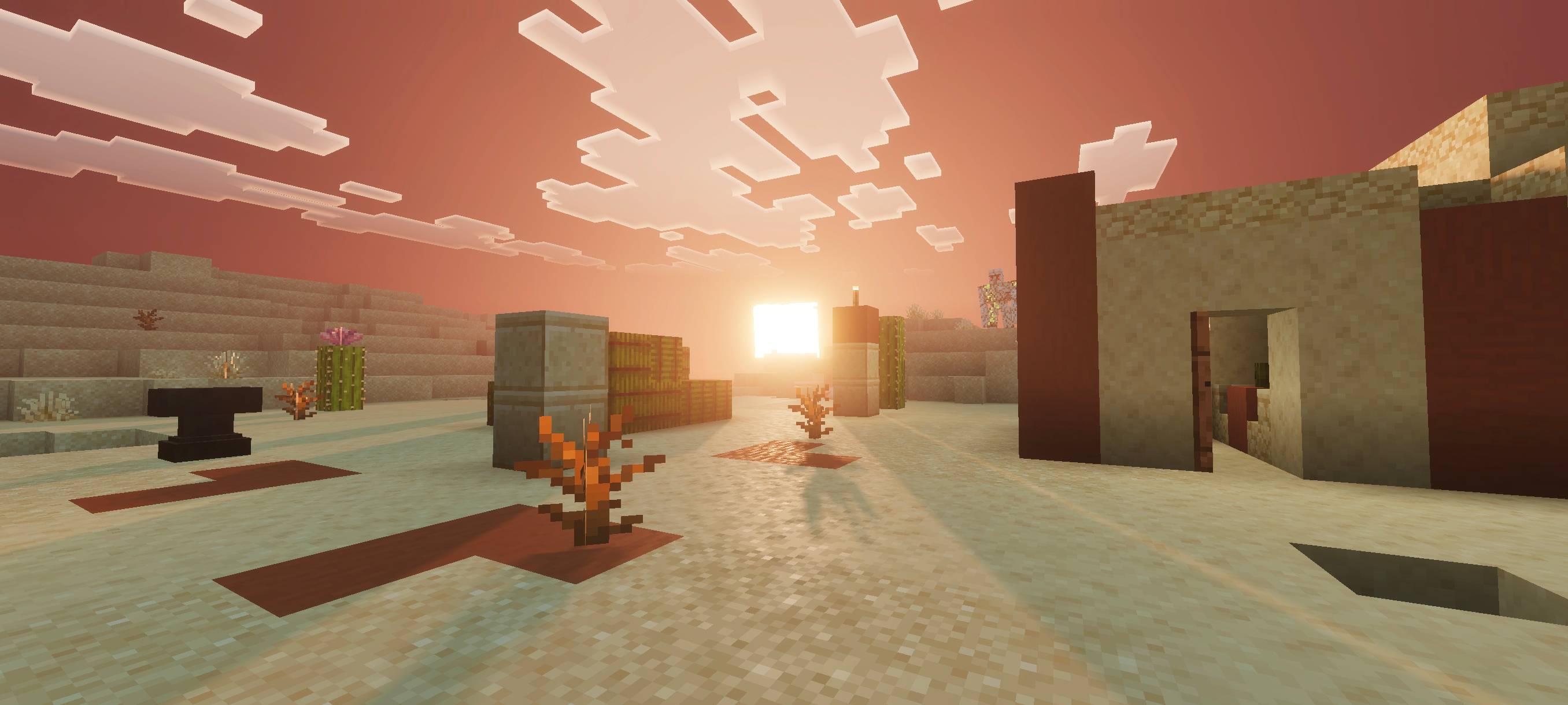
Solum Visuals సినిమాటిక్ లైటింగ్, వాస్తవిక రంగులు, డైనమిక్ పొగ మరియు లీనమయ్యే వాతావరణాలతో మైన్క్రాఫ్ట్ను మారుస్తుంది. మీరు అన్వేషించే ప్రతి ప్రపంచానికి లోతు, ఉష్ణం మరియు జీవాన్ని తెచ్చే ప్రకాశవంతమైన సూర్యాస్తమయాలు, సూర్యోదయాలు మరియు రాత్రులను ఆస్వాదించండి.
Solumn Visuals రిసోర్స్ ప్యాక్ గురించి
Solum Visuals is a shader pack that elevates Minecraft with cinematic lighting, realistic colors, dynamic fog, and immersive atmospheres. It brings every sunrise, sunset, and night to life, creating depth, warmth, and vibrancy in your world.
This shader enhances environmental ambience, smooths transitions between day and night, and makes colors pop naturally. From soft daylight tones to atmospheric night lighting, everything blends seamlessly for a more alive and visually stunning experience.
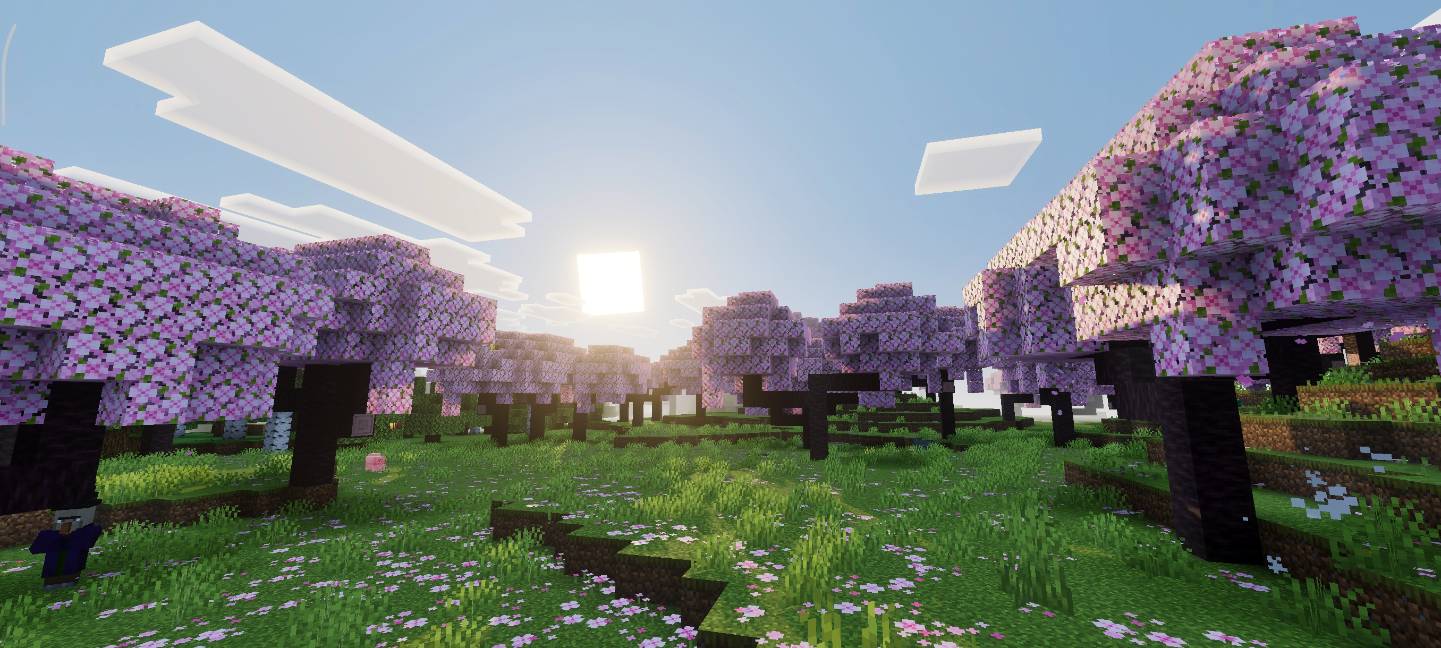
Development Status: Solum Visuals is still in development. Regular updates will add more visual improvements, lighting adjustments, and special effects to make the pack even better over time.
Important: To enjoy this shader fully, ensure that Vibrant Visuals is enabled in your game settings. Without it, the pack may not display correctly.
Solumn Visuals ఎలా ఇన్స్టాల్ చేయాలి
With Millida Launcher
Install Millida Launcher
The launcher is free: download it at millida.net/launcher and sign in with any nickname.
Click “Install” on this page
The launcher opens and installs the resource pack for Minecraft 26.30 automatically.
Launch the game
A profile with it appears in the launcher: click “Play”.
Manually
Download the archive
Pick the file Solumn-Visuals-v1.1.4.mcpack (83 KB) for your game version. No need to unpack it.
Put it in the resourcepacks folder
The easiest way: “Options”, then “Resource Packs”, then “Open Pack Folder”, and drag the archive there.
Enable the pack
In the same window, move the pack to the right-hand “Selected” column and click “Done”.
వెర్షన్లు
డిపెండెన్సీలతో
| Minecraft | లోడర్ | ఫైల్ | తేదీ | చర్యలు |
|---|---|---|---|---|
| 26.30 | — | Solumn-Visuals-v1.1.4.mcpack82.7 KB |
FAQ
Which Minecraft versions does Solumn Visuals work on?
Only Minecraft 26.30: there are no files for other versions.
Where can I download Solumn Visuals safely?
On this page: the file Solumn-Visuals-v1.1.4.mcpack (83 KB) is stored on Millida’s server, with no link shorteners. SHA-1 checksum: 3675b6eb00e529b692d4a2ab444331f392ac0e9e.
సమీక్షలు
Solumn Visualsకు మొదటి రేటింగ్ ఇవ్వండి



