

Soft Tones Textures రిసోర్స్ ప్యాక్ గురించి
Project Description:
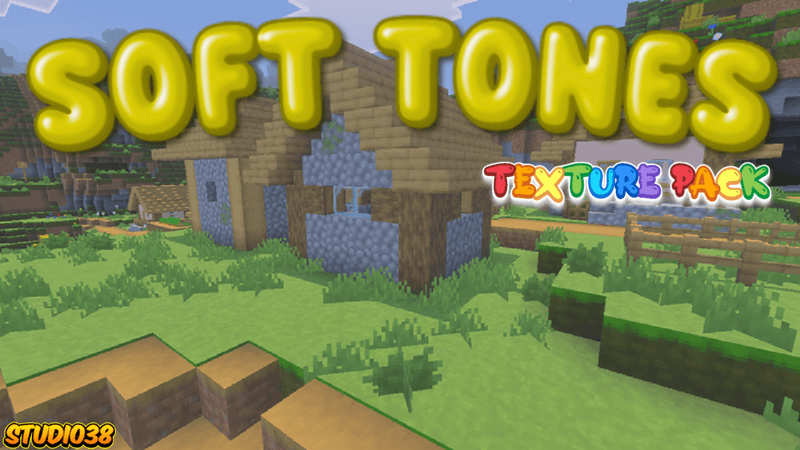
The Soft Tones Texture Pack reimagines your world as a vibrant, natural wonderland. Featuring enhanced color palettes and seamless block transitions, it delivers a cohesive and visually stunning experience.
Important Information:
- 💯This Project is 100% achievement compatible.
- ✅No Experiments will need to be activated to play.
- 👨‍💼No Player files are used in this project.
- ⭐Makes all block have a softer tone.
- 💻Have something to say? Join the Discord.


Soft Tones Textures ఎలా ఇన్స్టాల్ చేయాలి
With Millida Launcher
Install Millida Launcher
The launcher is free: download it at millida.net/launcher and sign in with any nickname.
Click “Install” on this page
The launcher opens and installs the resource pack for Minecraft 26.40 automatically.
Launch the game
A profile with it appears in the launcher: click “Play”.
Manually
Download the archive
Pick the file Soft Tones Textures Pack (V0.06).mcpack (1.9 MB) for your game version. No need to unpack it.
Put it in the resourcepacks folder
The easiest way: “Options”, then “Resource Packs”, then “Open Pack Folder”, and drag the archive there.
Enable the pack
In the same window, move the pack to the right-hand “Selected” column and click “Done”.
వెర్షన్లు
డిపెండెన్సీలతో
| Minecraft | లోడర్ | ఫైల్ | తేదీ | చర్యలు |
|---|---|---|---|---|
| 26.40 | — | Soft Tones Textures Pack (V0.06).mcpack1.9 MB |
FAQ
Which Minecraft versions does Soft Tones Textures work on?
Only Minecraft 26.40: there are no files for other versions.
Where can I download Soft Tones Textures safely?
On this page: the file Soft Tones Textures Pack (V0.06).mcpack (1.9 MB) is stored on Millida’s server, with no link shorteners. SHA-1 checksum: 44747837e72bce5dcc4d98d10ece5d5dee12fe06.
సమీక్షలు
Soft Tones Texturesకు మొదటి రేటింగ్ ఇవ్వండి


