
Minecraft కోసం RichCraft రిసోర్స్ ప్యాక్
RichCraft శుభ్రంగా మరియు మృదువుగా ఉంటుంది
RichCraft రిసోర్స్ ప్యాక్ గురించి
RichCraft v2.3
RichCraft is clean and smooth.... I am not completely done with re-texturing Minecraft, but i will be done soon. Please let me know about any misplaced pixels (i know there are a few but they are barley noticeable). So if you don't like it, when it updates try to see if you enjoy it. It is always changing....
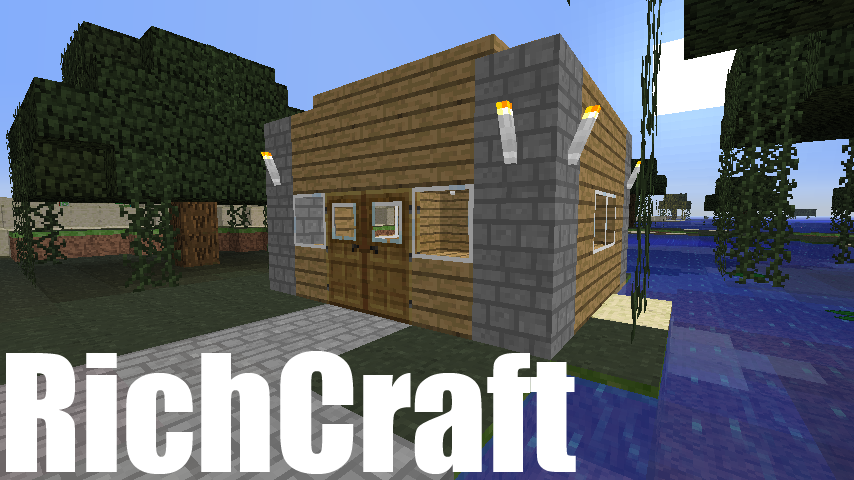
v2.3 Update Pics
RichCraft ఎలా ఇన్స్టాల్ చేయాలి
With Millida Launcher
Install Millida Launcher
The launcher is free: download it at millida.net/launcher and sign in with any nickname.
Click “Install” on this page
The launcher opens and installs the resource pack automatically.
Launch the game
A profile with it appears in the launcher: click “Play”.
Manually
Download the archive
Pick the file RichCraft_v2.3.zip (1.2 MB) for your game version. No need to unpack it.
Put it in the resourcepacks folder
The easiest way: “Options”, then “Resource Packs”, then “Open Pack Folder”, and drag the archive there.
Enable the pack
In the same window, move the pack to the right-hand “Selected” column and click “Done”.
వెర్షన్లు
డిపెండెన్సీలతో
| Minecraft | లోడర్ | ఫైల్ | తేదీ | చర్యలు |
|---|---|---|---|---|
| — | — | RichCraft_v2.3.zip1.2 MB | ||
| — | — | RichCraft_v1.8.2.zip1.7 MB |
FAQ
Where can I download RichCraft safely?
On this page: the file RichCraft_v2.3.zip (1.2 MB) is stored on Millida’s server, with no link shorteners. SHA-1 checksum: 3af4bc9eb327c9d6901cb1f63e7a566335125773.
సమీక్షలు
RichCraftకు మొదటి రేటింగ్ ఇవ్వండి



