

Minecraft 26.2 కోసం Restore Block Lines రిసోర్స్ ప్యాక్
రంగు బ్లాక్ చేసిన లైన్లను సాధారణ రంగుకు తిరిగి పునరుద్ధరిస్తుంది
- డౌన్లోడ్లు
- 28 డౌన్లోడ్లు
- వ్యూలు
- 144 వ్యూలు
- అప్డేట్ చేయబడింది
- అప్డేట్ చేయబడింది 06.05.2026
- 1.21.6 — 26.2
 వెనిల్లా గేమ్
- క్లయింట్
Restore Block Lines రిసోర్స్ ప్యాక్ గురించి
Get a server today and play with your friends! Click HERE or below banner & Use Code GAMERPOTION to get 25 off!

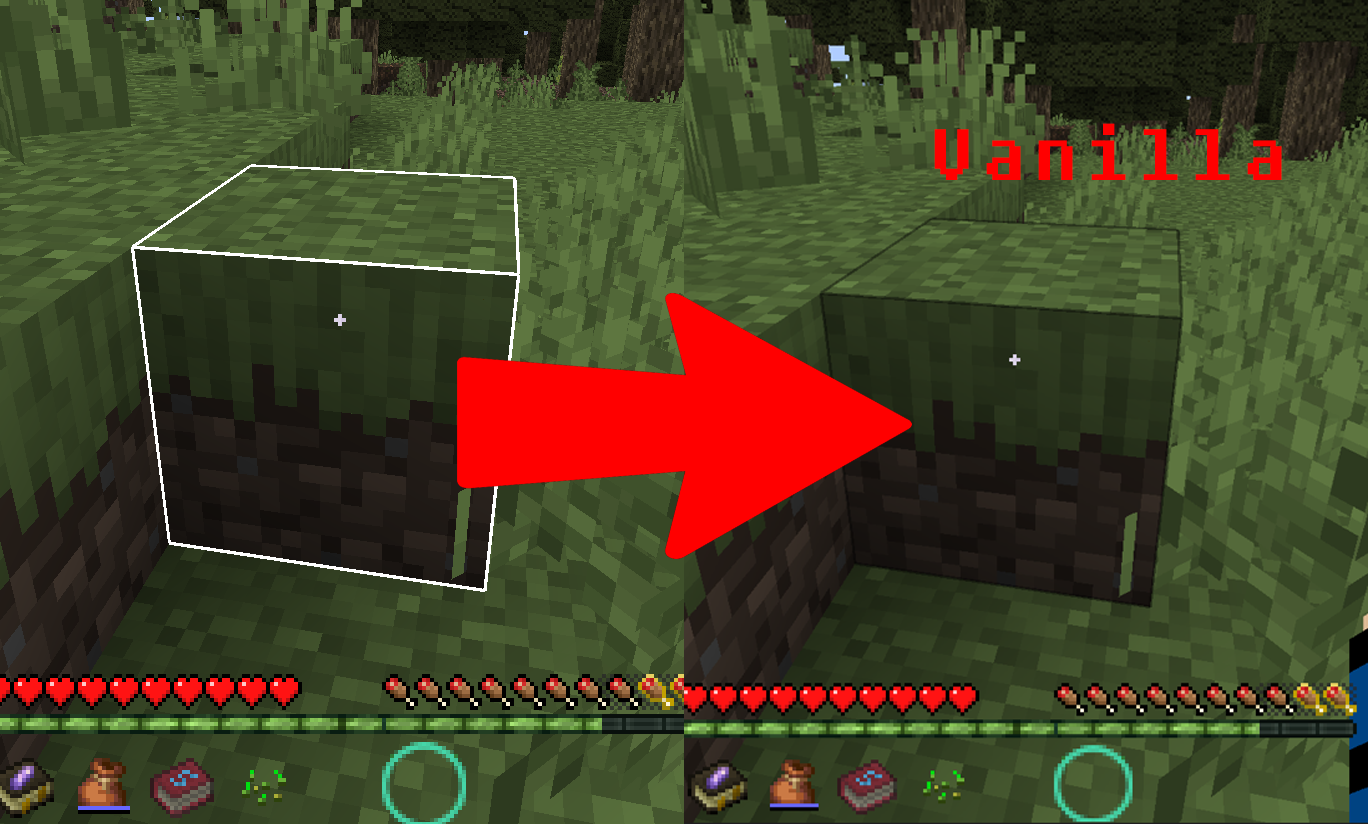
Restore Block Lines
Reverses the block lines color back to normal
Features
(Your vanilla experience will be further enhanced thanks to these features)
This was built for the DarkRPG modpack and the RPG PVP Tools and Armor resource pack, and this restores any colored block lines back to the default vanilla color.
Permission - Feel free to use in your modpacks.
Click the banner below to get your server today! or go to BisectHosting.com and make sure to use the code 'gamerpotion' to get your 25% off.

Restore Block Lines ఎలా ఇన్స్టాల్ చేయాలి
With Millida Launcher
Install Millida Launcher
The launcher is free: download it at millida.net/launcher and sign in with any nickname.
Click “Install” on this page
The launcher opens and installs the resource pack for Minecraft 1.21.6–26.2 automatically.
Launch the game
A profile with it appears in the launcher: click “Play”.
Manually
Download the archive
Pick the file Restore Block Lines.zip (40 KB) for your game version. No need to unpack it.
Put it in the resourcepacks folder
The easiest way: “Options”, then “Resource Packs”, then “Open Pack Folder”, and drag the archive there.
Enable the pack
In the same window, move the pack to the right-hand “Selected” column and click “Done”.
వెర్షన్లు
డిపెండెన్సీలతో
| Minecraft | లోడర్ | ఫైల్ | తేదీ | చర్యలు |
|---|---|---|---|---|
| 26.2 | — | 26.240.4 KB 17 |
సమీక్షలు
Restore Block Linesకు మొదటి రేటింగ్ ఇవ్వండి



