

Minecraft 1.20.1, 1.21.1 కోసం Piglin-Chan రిసోర్స్ ప్యాక్
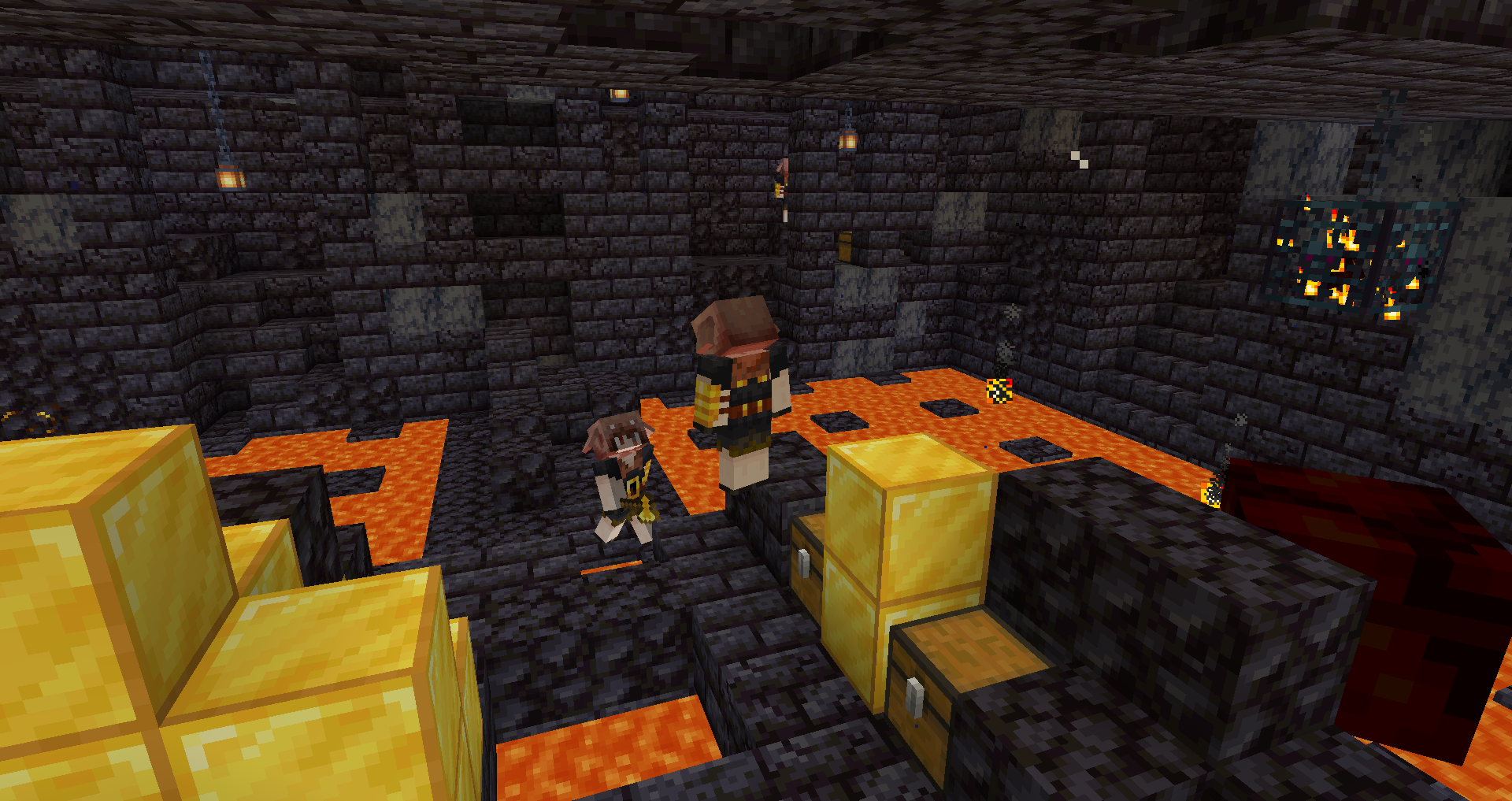
మీరు ఎప్పుడైనా ఒక Piglin వైపు చూసి "హే... అది ఏదో ఒక యానిమే అమ్మాయి ముఖం లాగా ఉంది కదా?" అని అనుకున్నారా? నేనూ అనుకున్నాను.
- డౌన్లోడ్లు
- 7 డౌన్లోడ్లు
- వ్యూలు
- 70 వ్యూలు
- అప్డేట్ చేయబడింది
- అప్డేట్ చేయబడింది 03.09.2026
- 1.16 — 26.2
 వెనిల్లా గేమ్
- క్లయింట్
‧⁺✧✿ PIGLIN-CHAN ✿✧⁺‧
Introducing the pack of your dreams (or nightmares, I don't judge); Piglin-Chan!
Have you ever looked at a Piglin and went "Hey... that kinda looks like an anime girl's face?"

Me too. So here's a pack to make that a reality! The Piglin, Piglin Brute, and Zombified Piglin are turned into tsundere little critters by this pack.
Piglin-Chan ఎలా ఇన్స్టాల్ చేయాలి
With Millida Launcher
Install Millida Launcher
The launcher is free: download it at millida.net/launcher and sign in with any nickname.
Click “Install” on this page
The launcher opens and installs the resource pack for Minecraft 1.16–26.2 automatically.
Launch the game
A profile with it appears in the launcher: click “Play”.
Manually
Download the archive
Pick the file Piglin-Chan.zip (18 KB) for your game version. No need to unpack it.
Put it in the resourcepacks folder
The easiest way: “Options”, then “Resource Packs”, then “Open Pack Folder”, and drag the archive there.
Enable the pack
In the same window, move the pack to the right-hand “Selected” column and click “Done”.
వెర్షన్లు
డిపెండెన్సీలతో
| Minecraft | లోడర్ | ఫైల్ | తేదీ | చర్యలు |
|---|---|---|---|---|
| 26.2 | — | 26.218.1 KB 3 | ||
| 26.1 | — | 26.118.1 KB 1 | ||
| 1.21.11 | — | 1.21.1118.1 KB 1 | ||
| 1.16.5 | — | 1.16.5411 KB | — |
సమీక్షలు
Piglin-Chanకు మొదటి రేటింగ్ ఇవ్వండి


