

Minecraft 26.40 కోసం Kinetix Visuals రిసోర్స్ ప్యాక్
Kinetix Visuals అనేది ధైర్యమైన, high-fidelity resource pack, ఇది మీ Minecraft ప్రపంచాన్ని శక్తితో నింపడానికి రూపొందించబడింది. ఇది advanced lighting మరియు tactile depth ద్వారా మీకు తెలిసిన సాధారణ blocks మరియు cinematic, real-world aesthetic మధ్య అంతరాన్ని పూరిస్తుంది.
Kinetix Visuals రిసోర్స్ ప్యాక్ గురించి
Kinetix Visuals is a bold, high-fidelity resource pack designed to make your Minecraft world surge with energy. It bridges the gap between the classic blocks you know and a cinematic, real-world aesthetic through advanced lighting and tactile depth.
Screenshots:-
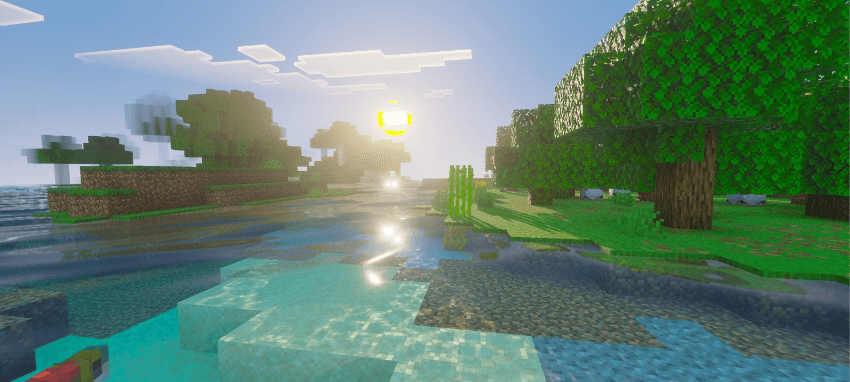
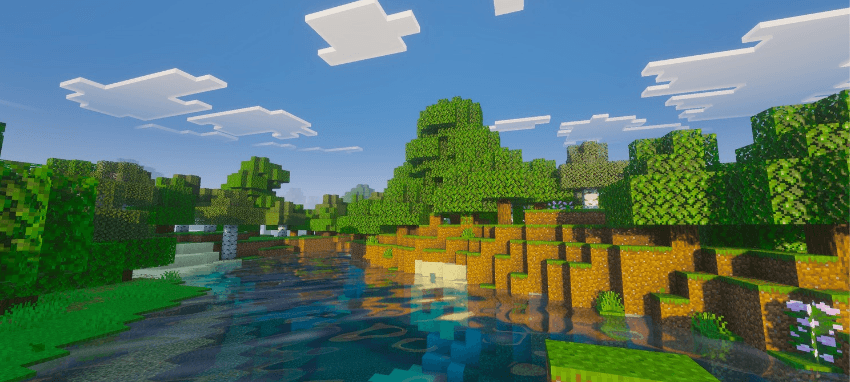
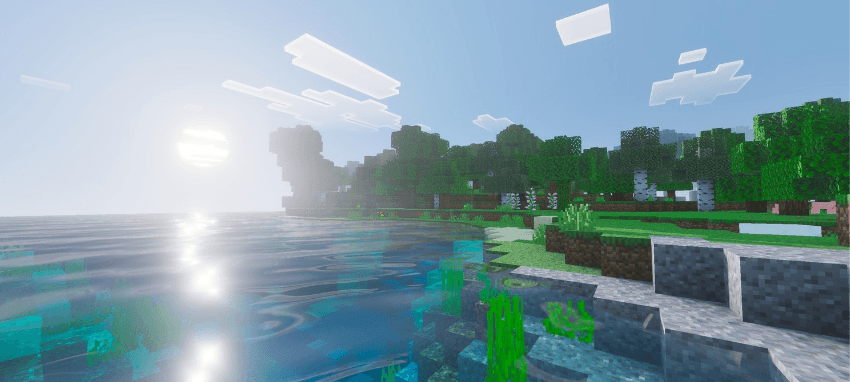
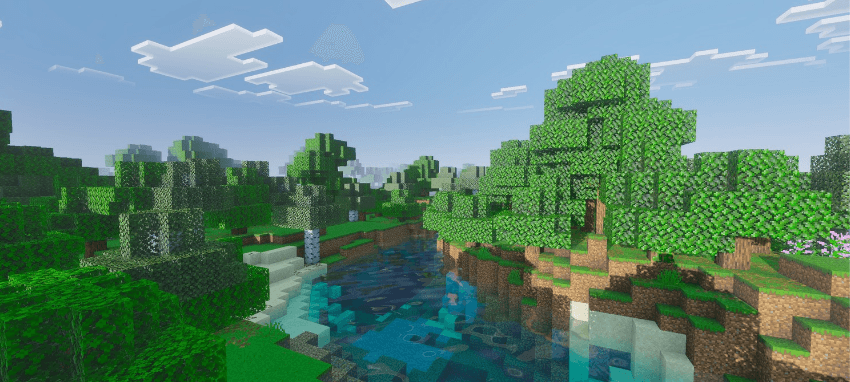
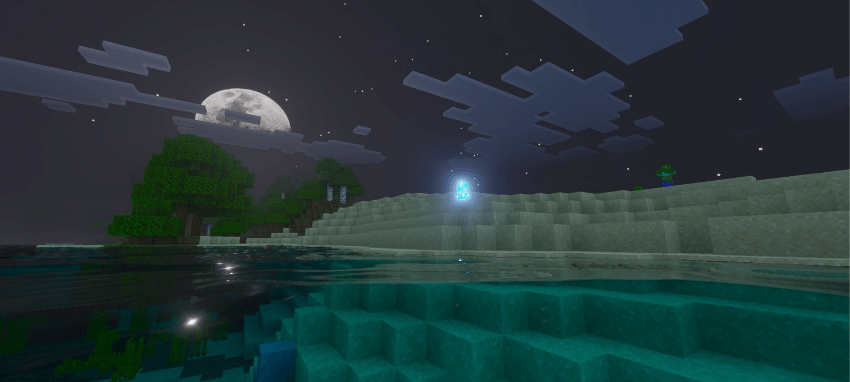
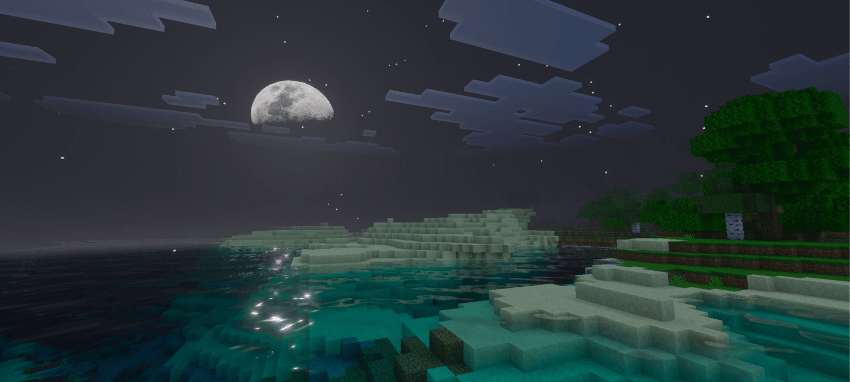
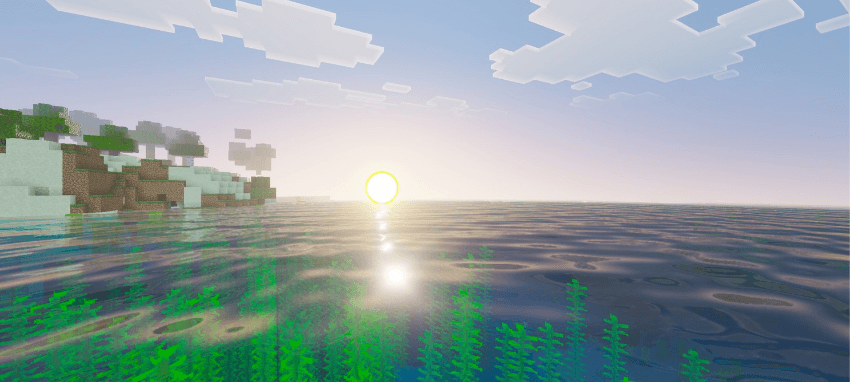
Inbuilt Features:-
- Realistic Lightning
- Realistic Colors
- PBR Included
- Custom water
- Emissive Working
- Realistic theme
- New fog colors
- New Sun Texture
- New Water
- New Moon Texture
- More Vibrant with different tonemap
- And more...
Installation:-
Just download the pack and import in your game (Your device should support Vibrant Visuals).
Kinetix Visuals ఎలా ఇన్స్టాల్ చేయాలి
With Millida Launcher
Install Millida Launcher
The launcher is free: download it at millida.net/launcher and sign in with any nickname.
Click “Install” on this page
The launcher opens and installs the resource pack for Minecraft 1.21.80–26.40 automatically.
Launch the game
A profile with it appears in the launcher: click “Play”.
Manually
Download the archive
Pick the file Kinetix VV V1.0.mcpack (10 MB) for your game version. No need to unpack it.
Put it in the resourcepacks folder
The easiest way: “Options”, then “Resource Packs”, then “Open Pack Folder”, and drag the archive there.
Enable the pack
In the same window, move the pack to the right-hand “Selected” column and click “Done”.
వెర్షన్లు
డిపెండెన్సీలతో
| Minecraft | లోడర్ | ఫైల్ | తేదీ | చర్యలు |
|---|---|---|---|---|
| 1.21.81 | — | Kinetix VV V1.0.mcpack10.4 MB 1 |
FAQ
Which Minecraft versions does Kinetix Visuals work on?
There are files for 1.21.80–26.40, 29 versions in total. The newest is 26.40.
Where can I download Kinetix Visuals safely?
On this page: the file Kinetix VV V1.0.mcpack (10 MB) is stored on Millida’s server, with no link shorteners. SHA-1 checksum: ce93dde96d7e5c32311a0c6f322f47f3f9f9101d.
సమీక్షలు
Kinetix Visualsకు మొదటి రేటింగ్ ఇవ్వండి


