

Minecraft 1.20.1, 1.21.1 కోసం Invisible Item Frames రిసోర్స్ ప్యాక్
Item Frames ను అదృశ్యంగా చేసే రిసోర్స్ ప్యాక్.
- డౌన్లోడ్లు
- 22 డౌన్లోడ్లు
- వ్యూలు
- 213 వ్యూలు
- అప్డేట్ చేయబడింది
- అప్డేట్ చేయబడింది 04.09.2026
- 1.4 — 26.2
 వెనిల్లా గేమ్
- క్లయింట్
Invisible Item Frames రిసోర్స్ ప్యాక్ గురించి
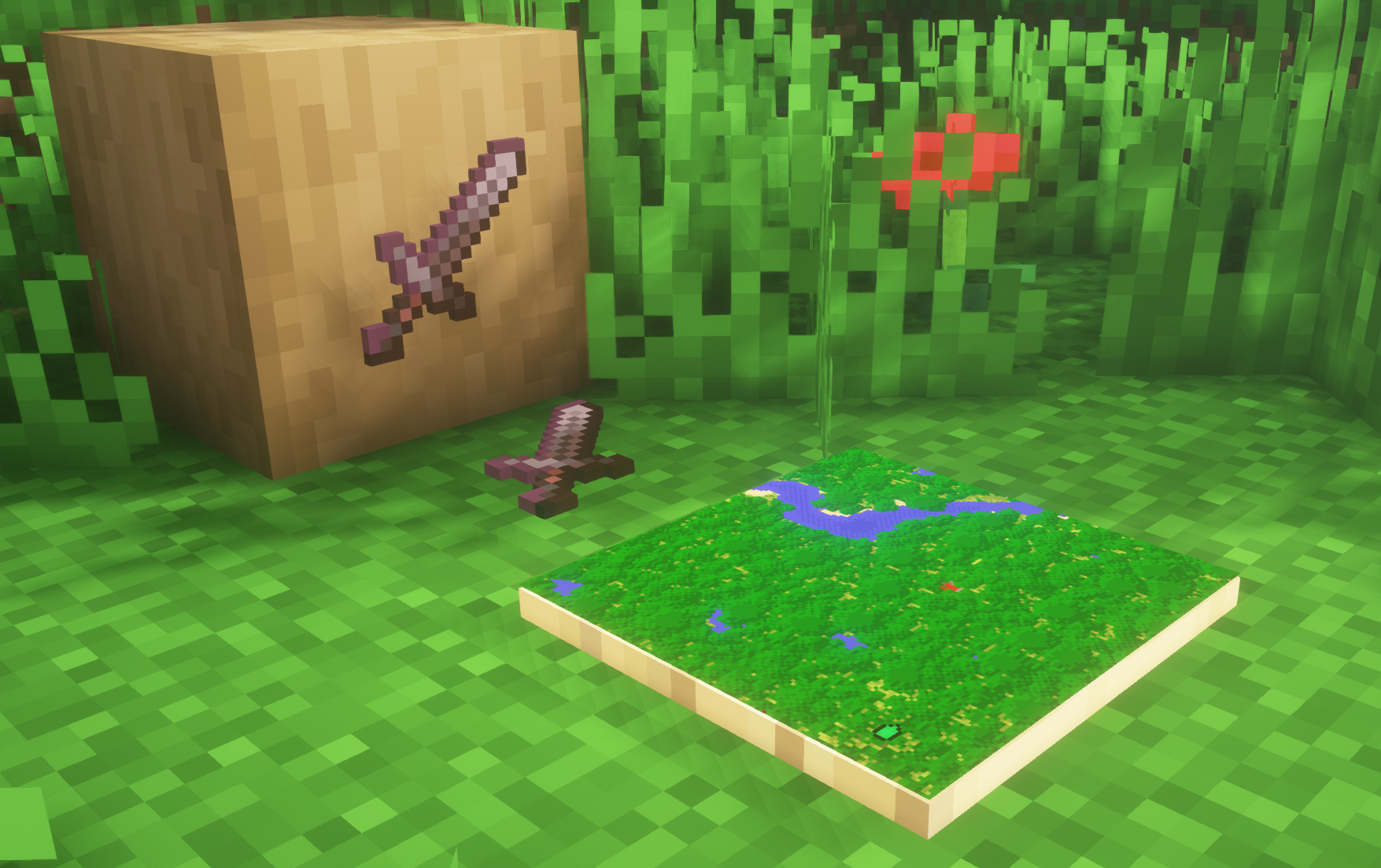
A simple resource pack that makes item frames invisible.

Need a Minecraft Server? (Sponsor)
Get 25% off your first month with Sparked Host.
Quick info
- Versions: 1.4+ (full invisibility from 1.8+)
- Works with almost all mods (Sodium/Iris and OptiFine too)
- No mods or commands required
- Additional files for invisible glow item frames and invisible map frames
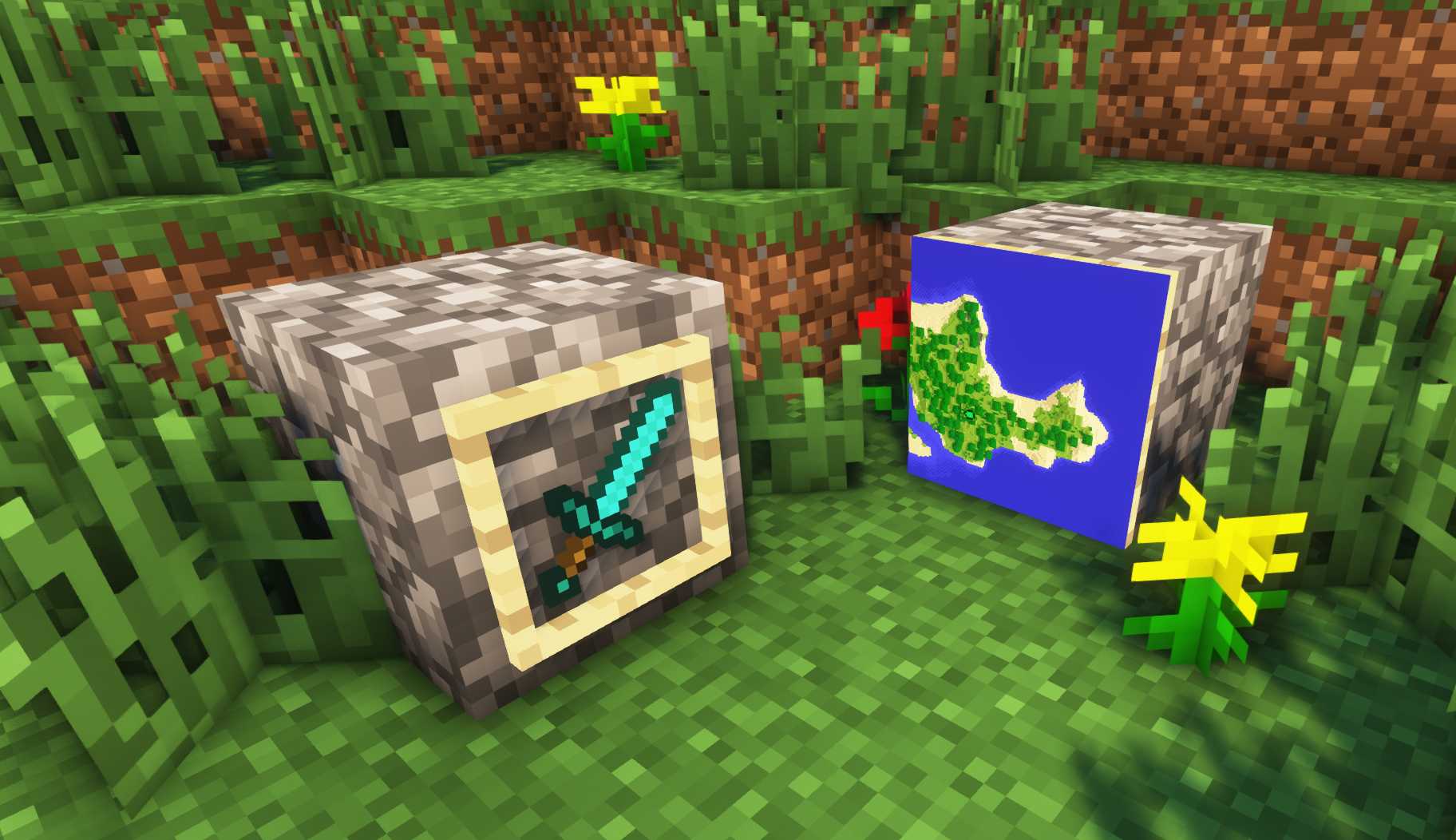
- Versions below 1.8 will only have the center of the frame invisible (view images below for more info)
Showcase
1.8+
1.4-1.7.10
FAQ
Can I use this with other packs? Yes, but place this pack in a higher priority (above other packs).
How do I remove item frames? Enable debug hitboxes using F3 + B and break the frame.
Can I use this pack in my modpack or server? Yes you are free to use it, as long as you don't claim this pack as your own.
Why is my map/glow item frame not invisible? You have to install those separately. They are available under additional files or the buttons near the top of this page.
Does this make the game slower? This pack actually slightly improves the client-side framerate in scenes with lots of item frames.
Additional Files
- Download Invisible Glow Item Frames
- Download Invisible Map Item Frames
Need a Minecraft Server? (Sponsor)
Use code MattyWalker for 25% off your first month.
Invisible Item Frames ఎలా ఇన్స్టాల్ చేయాలి
With Millida Launcher
Install Millida Launcher
The launcher is free: download it at millida.net/launcher and sign in with any nickname.
Click “Install” on this page
The launcher opens and installs the resource pack for Minecraft 1.4–26.2 automatically.
Launch the game
A profile with it appears in the launcher: click “Play”.
Manually
Download the archive
Pick the file Invisible-Item-Frames-V6.zip (90 KB) for your game version. No need to unpack it.
Put it in the resourcepacks folder
The easiest way: “Options”, then “Resource Packs”, then “Open Pack Folder”, and drag the archive there.
Enable the pack
In the same window, move the pack to the right-hand “Selected” column and click “Done”.
వెర్షన్లు
డిపెండెన్సీలతో
| Minecraft | లోడర్ | ఫైల్ | చర్యలు |
|---|---|---|---|
| 26.2 | — | 26.289.8 KB 16 | |
| 26.1 | — | 26.189.8 KB | |
| 1.21.11 | — | 1.21.1189.8 KB | |
| 1.21 | — | 1.2189.8 KB 5 | |
| 1.19.2 | — | 1.19.289.8 KB | |
| 1.18.2 | — | 1.18.289.8 KB | |
| 1.16.5 | — | 1.16.589.8 KB | |
| 1.12.2 | — | 1.12.289.8 KB |
FAQ
Which Minecraft versions does Invisible Item Frames work on?
There are files for 1.4–26.2, 101 versions in total. The newest is 26.2.
Does Invisible Item Frames need mods?
No, the resource pack works in the plain game without loaders: put it into the resourcepacks folder and enable it in the options.
Where can I download Invisible Item Frames safely?
On this page: the file Invisible-Item-Frames-V6.zip (90 KB) is stored on Millida’s server, with no link shorteners. SHA-1 checksum: 6e4d40356bc51adf6d67cdca60bea72e4a7467d2.
సమీక్షలు
Invisible Item Framesకు మొదటి రేటింగ్ ఇవ్వండి


