

Minecraft 1.21, 26.50 కోసం Hugot Pack
Pinoy Hugot Resources Pack తో మీ Minecraft ప్రపంచంలో కొంత 'భావోద్వేగాలు' నింపండి! ఈ ప్యాక్ మీ గేమ్ లోడింగ్ స్క్రీన్లు మరియు స్ప్లాష్ టెక్స్ట్లను ప్రసిద్ధ ఫిలిపినో 'hugot' లైన్ల సేకరణగా మారుస్తుంది.
Hugot Pack రిసోర్స్ ప్యాక్ గురించి
The Pinoy Hugot Resources Pack brings the beloved and iconic "hugot" lines directly into your Minecraft experience, turning every game launch and world load into a moment of reflection, humor, or sometimes, a gentle sting of truth.
What is "Hugot"?
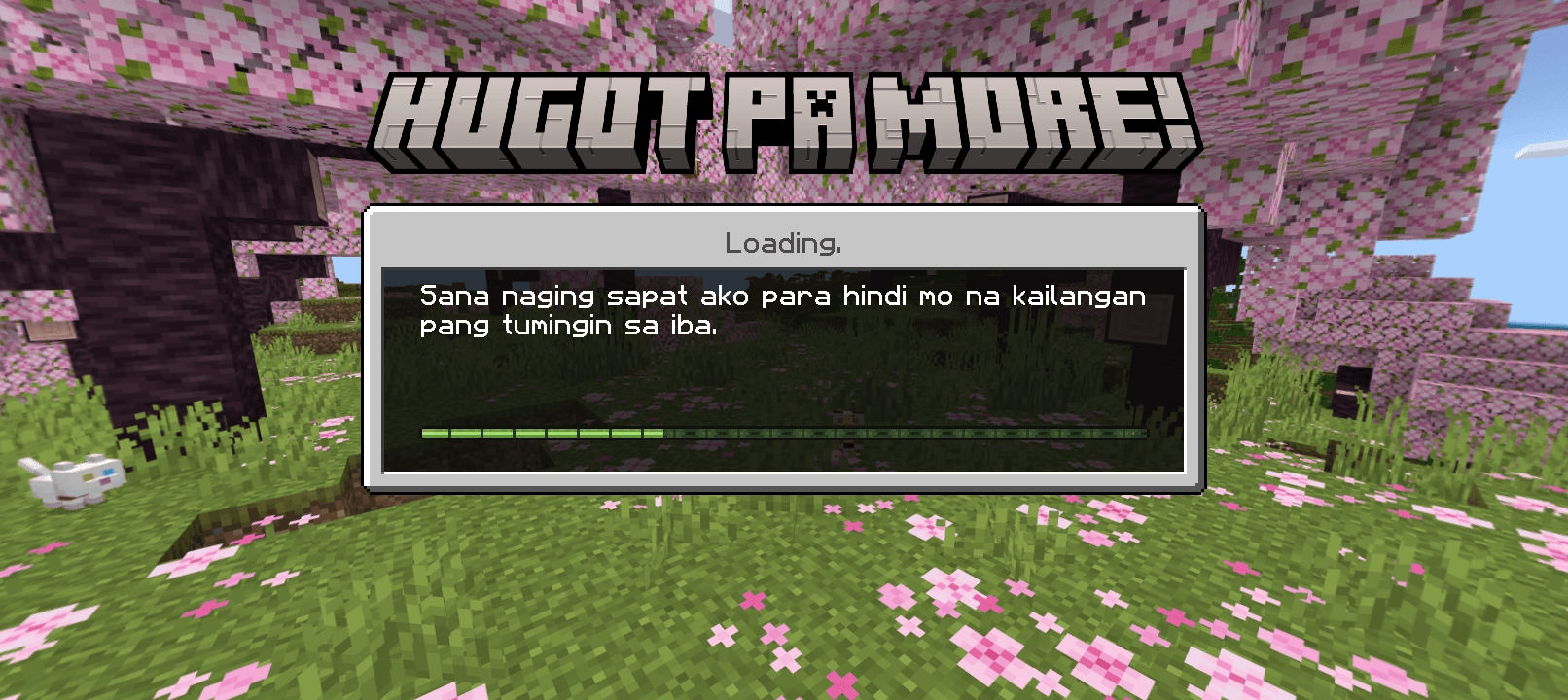
For the uninitiated, "hugot" is a Filipino term that refers to drawing out deep-seated emotions, often from past experiences, and expressing them in witty, poignant, or sometimes melancholic one-liners. They're relatable truths about love, heartbreak, friendship, and life's ironies that resonate deeply within Filipino culture.
What This Pack Offers:
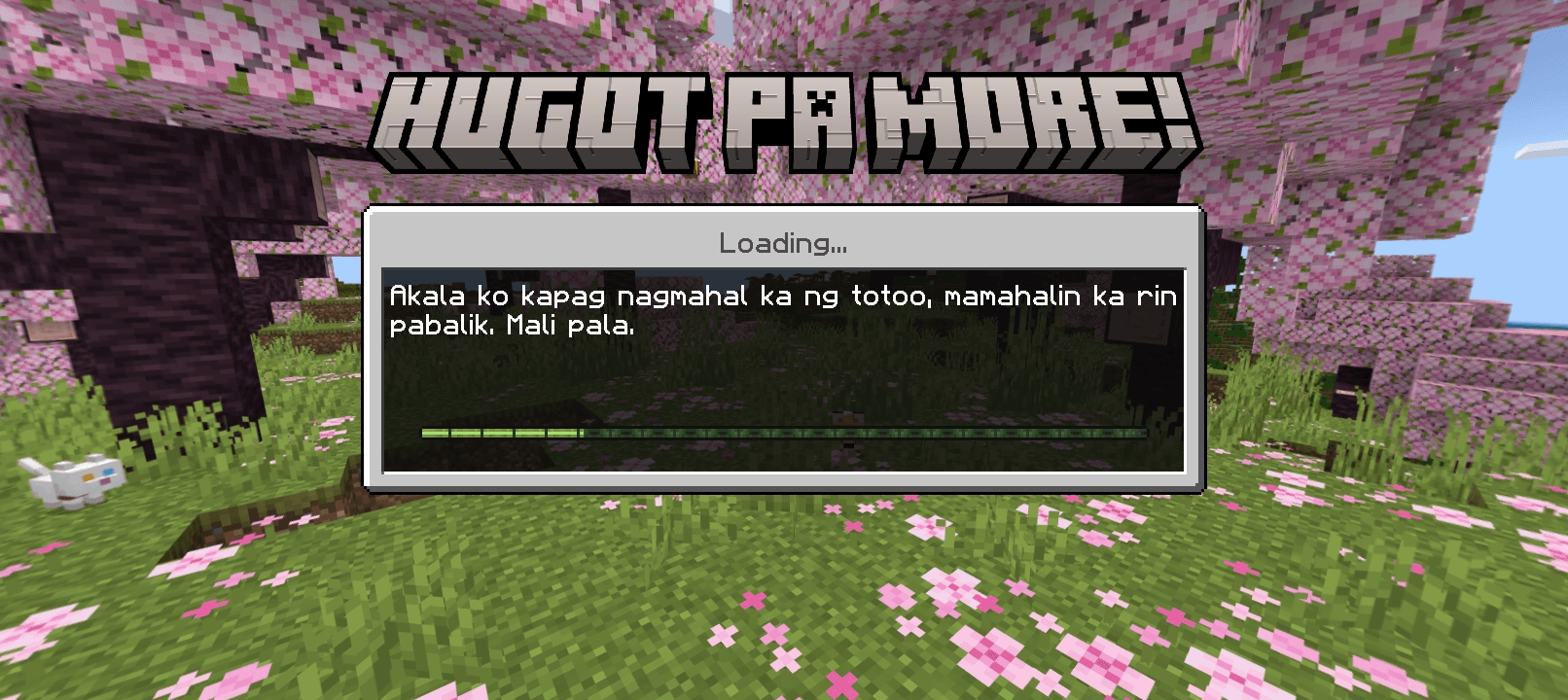
- Loading Screen Lamentations: Say goodbye to generic loading messages! Your game's loading screens will now display a rotation of carefully curated "hugot" lines. From the classic "Ikaw na nga nasaktan, ikaw pa ang nag-sorry" to the more introspective "Hindi ka nagbago... nakita ko lang kung sino ka talaga," each message sets a unique emotional tone as you wait for your world to build.
- Splash Text Sentiments: Even the subtle splash texts on the main menu get a "hugot" makeover! These short, impactful phrases will greet you with a dose of Pinoy wit and wisdom, adding character and a distinctly Filipino flavor to your game's interface. Expect lines like "Minahal ka ba nya o iba mahal nya?" to spark a moment of thought before you even click "Play."
Simple Installation Guide:
- Put it in your Minecraft global resources folder.
Comment your suggestions to add more messages
This pack is pure Tagalog only

Hugot Pack ఎలా ఇన్స్టాల్ చేయాలి
With Millida Launcher
Install Millida Launcher
The launcher is free: download it at millida.net/launcher and sign in with any nickname.
Click “Install” on this page
The launcher opens and installs the resource pack for Minecraft 1.21–26.50 automatically.
Launch the game
A profile with it appears in the launcher: click “Play”.
Manually
Download the archive
Pick the file Hugot Pack.mcpack (47 KB) for your game version. No need to unpack it.
Put it in the resourcepacks folder
The easiest way: “Options”, then “Resource Packs”, then “Open Pack Folder”, and drag the archive there.
Enable the pack
In the same window, move the pack to the right-hand “Selected” column and click “Done”.
వెర్షన్లు
డిపెండెన్సీలతో
| Minecraft | లోడర్ | ఫైల్ | తేదీ | చర్యలు |
|---|---|---|---|---|
| 1.21 | — | Hugot Pack.mcpack47.2 KB |
FAQ
Which Minecraft versions does Hugot Pack work on?
There are files for 1.21–26.50, 14 versions in total. The newest is 26.50.
Where can I download Hugot Pack safely?
On this page: the file Hugot Pack.mcpack (47 KB) is stored on Millida’s server, with no link shorteners. SHA-1 checksum: a3692a1173d69ba6b323d84869824141cc6a5088.
సమీక్షలు
Hugot Packకు మొదటి రేటింగ్ ఇవ్వండి



