
Highlighted Netherite రిసోర్స్ ప్యాక్ గురించి
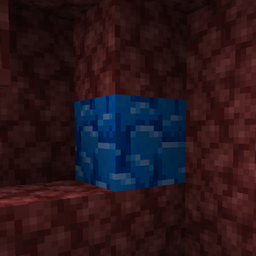
This resource pack by jannik6879 changes the texture of Ancient Debris, i.e. Netherite, to an eye-catching blue color so as not to miss one when mining.
Highlighted Netherite ఎలా ఇన్స్టాల్ చేయాలి
Install Millida Launcher
The launcher is free: download it at millida.net/launcher and sign in with any nickname.
Click “Install” on this page
The launcher opens and installs the resource pack for Minecraft 26.1–26.3 automatically.
Launch the game
A profile with it appears in the launcher: click “Play”.
వెర్షన్లు
డిపెండెన్సీలతో
| Minecraft | లోడర్ | ఫైల్ | తేదీ | చర్యలు |
|---|---|---|---|---|
| 26.1 | — | Highlighted Netherite - V.2.0 - jannik6879.zip114 KB 19 |
FAQ
Which Minecraft versions does Highlighted Netherite work on?
There are files for 26.3, 26.2, 26.1.2, 26.1.1, 26.1. The newest is 26.3.
How do I download Highlighted Netherite?
With Millida Launcher: it installs Highlighted Netherite into a modpack by itself, for the right game version and loader. The launcher is free.
సమీక్షలు
Highlighted Netheriteకు మొదటి రేటింగ్ ఇవ్వండి
కామెంట్లు 0
వ్యాఖ్య చేయడానికి సైన్ ఇన్ చేయండిసైన్ ఇన్


