

Minecraft 1.20.1, 1.16.5 కోసం Gray's 3D items రిసోర్స్ ప్యాక్
వివిధ ఐటమ్లు మరియు టూల్స్ కోసం కొత్త 3D మోడల్లు
- డౌన్లోడ్లు
- 9 డౌన్లోడ్లు
- వ్యూలు
- 32 వ్యూలు
- అప్డేట్ చేయబడింది
- అప్డేట్ చేయబడింది 01.10.2026
- 1.16.5 — 1.21.10
 వెనిల్లా గేమ్
- క్లయింట్

New 3d models for various items and tools
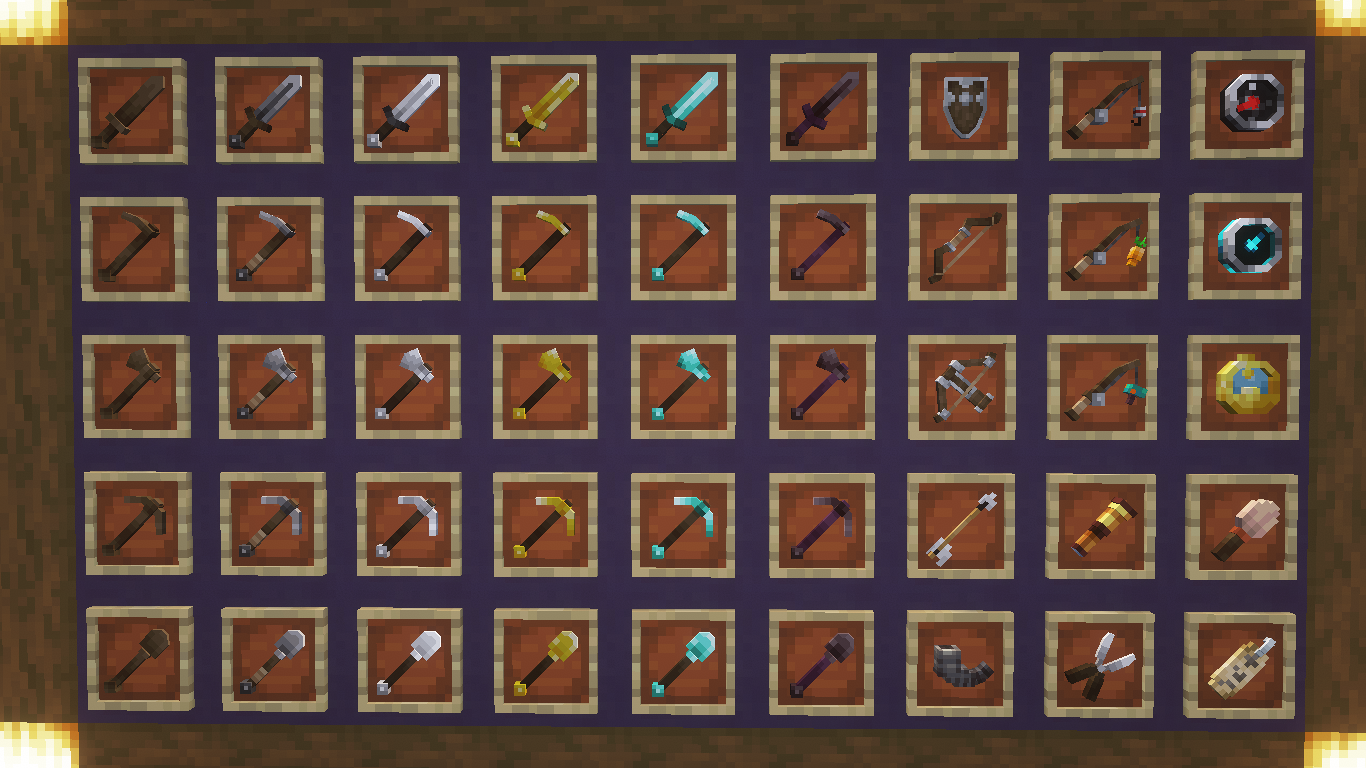
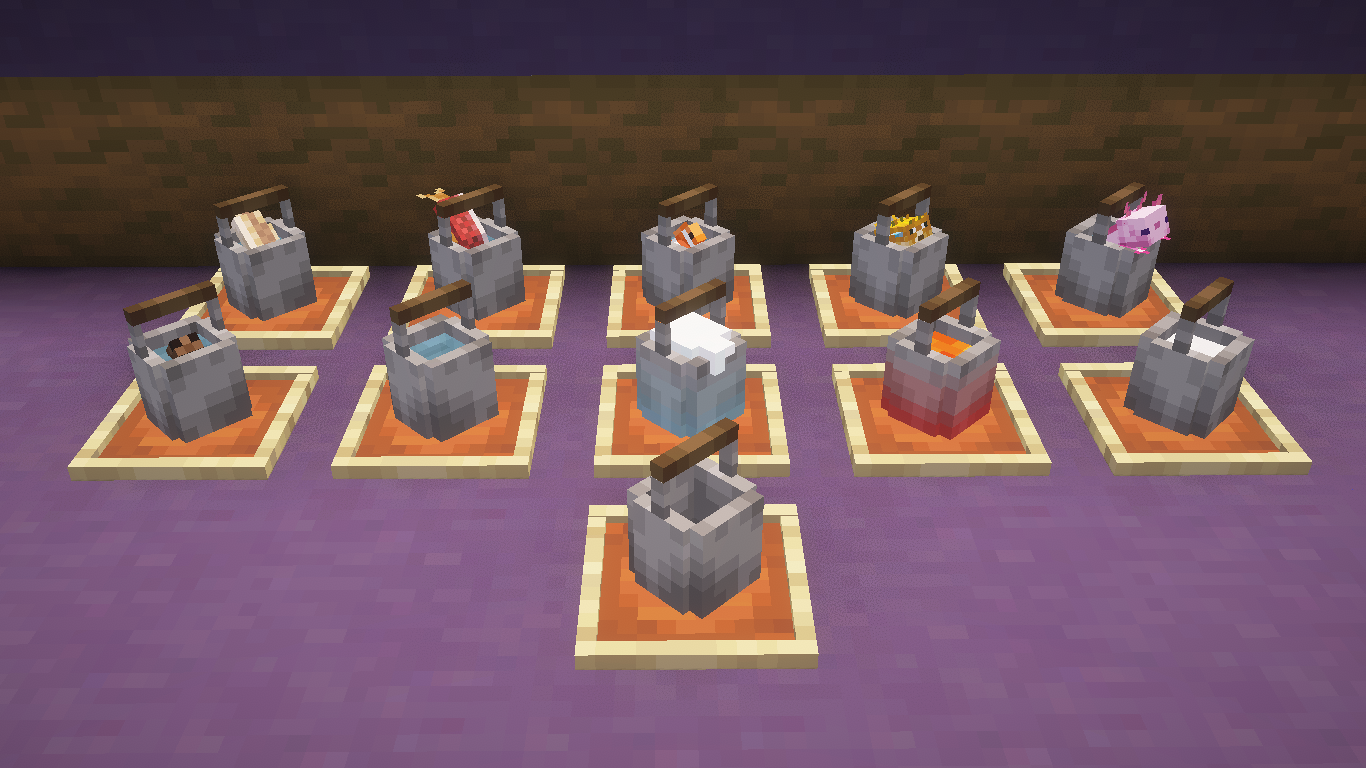
Revamps all sets of tools and weapons, utilities, and buckets, With added features such as lowered shield blocking and upright bucket item frames
Optifine not required
Tools and Weapons
Buckets
Gray's 3D items ఎలా ఇన్స్టాల్ చేయాలి
With Millida Launcher
Install Millida Launcher
The launcher is free: download it at millida.net/launcher and sign in with any nickname.
Click “Install” on this page
The launcher opens and installs the resource pack for Minecraft 1.16.5–1.21.10 automatically.
Launch the game
A profile with it appears in the launcher: click “Play”.
Manually
Download the archive
Pick the file Grays 3D items v2.0.zip (531 KB) for your game version. No need to unpack it.
Put it in the resourcepacks folder
The easiest way: “Options”, then “Resource Packs”, then “Open Pack Folder”, and drag the archive there.
Enable the pack
In the same window, move the pack to the right-hand “Selected” column and click “Done”.
వెర్షన్లు
డిపెండెన్సీలతో
| Minecraft | లోడర్ | ఫైల్ | తేదీ | చర్యలు |
|---|---|---|---|---|
| 1.21.10 | — | 1.21.10531 KB 1 | ||
| 1.19.2 | — | 1.19.2393 KB 1 | ||
| 1.19.2 | — | 1.19.2388 KB | ||
| 1.21 | — | 1.21346 KB 1 | ||
| 1.21 | — | 1.21321 KB 6 |
FAQ
Which Minecraft versions does Gray's 3D items work on?
There are files for 1.16.5–1.21.10, 25 versions in total. The newest is 1.21.10.
Does Gray's 3D items need mods?
No, the resource pack works in the plain game without loaders: put it into the resourcepacks folder and enable it in the options.
Where can I download Gray's 3D items safely?
On this page: the file Grays 3D items v2.0.zip (531 KB) is stored on Millida’s server, with no link shorteners. SHA-1 checksum: 143715fac3b2a31d14c04ba926087076688d26d7.
సమీక్షలు
Gray's 3D itemsకు మొదటి రేటింగ్ ఇవ్వండి


