

Minecraft 1.21 కోసం Better Grass Blocks రిసోర్స్ ప్యాక్
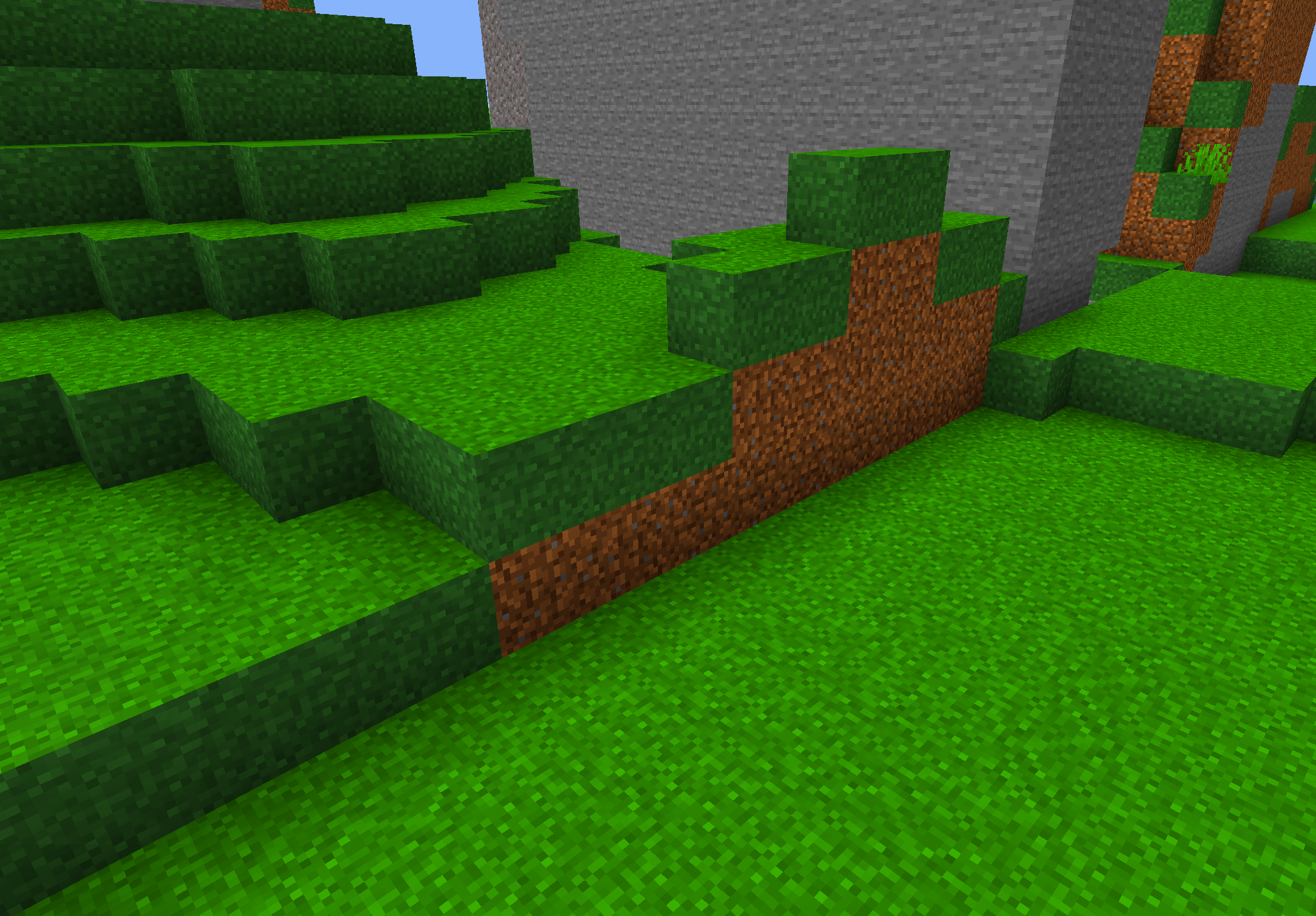
Better Grass అనేది Minecraft Bedrock టెక్స్చర్ ప్యాక్, ఇది గడ్డి బ్లాక్ల అన్ని వైపులను పైభాగంతో సరిపోలేలా చేస్తుంది — ఇక డర్ట్ వైపులు లేవు, శుభ్రమైన, ప్రకాశవంతమైన భూభాగం మాత్రమే.
Better Grass Blocks రిసోర్స్ ప్యాక్ గురించి
Better Grass - Clean, Seamless Grass for Bedrock
Better Grass is a simple, powerful texture pack for Minecraft Bedrock that fixes one of the game's most annoying visual flaws: mismatched grass blocks. By making all sides of the grass block match the top texture, your terrain looks cleaner, greener, and way more natural.
Perfect for builders, survival players, or anyone who cares about smooth aesthetics.
✨ Features:
✅ Uniform Grass Texture on All Sides - Top, sides, even bottom if needed
🌿 Biome-Tint Friendly - Matches the natural color of each biome
🧱 Cleaner Terrain - Say goodbye to dirt stripes on hills and cliffs
📱 Lightweight - No lag, runs perfectly on all Bedrock-compatible devices
🎮 Works with Other Packs - Compatible with most shaders and resource packs
📌 Why Choose Better Grass?
Improves landscapes, builds, and screenshots
Makes your world look more natural and polished
Ideal for builders, YouTubers, and aesthetic-focused players
🔧 Installation:
Download the .mcpack file
Open the file using Minecraft
Go to Settings > Global Resources and enable Better Grass
Load into your world and enjoy the upgrade
Created by Mint Dino
Simple pack. Big visual upgrade.
Better Grass Blocks ఎలా ఇన్స్టాల్ చేయాలి
With Millida Launcher
Install Millida Launcher
The launcher is free: download it at millida.net/launcher and sign in with any nickname.
Click “Install” on this page
The launcher opens and installs the resource pack for Minecraft 1.20–1.21 automatically.
Launch the game
A profile with it appears in the launcher: click “Play”.
Manually
Download the archive
Pick the file Better Grass.mcpack (95 KB) for your game version. No need to unpack it.
Put it in the resourcepacks folder
The easiest way: “Options”, then “Resource Packs”, then “Open Pack Folder”, and drag the archive there.
Enable the pack
In the same window, move the pack to the right-hand “Selected” column and click “Done”.
వెర్షన్లు
డిపెండెన్సీలతో
| Minecraft | లోడర్ | ఫైల్ | తేదీ | చర్యలు |
|---|---|---|---|---|
| 1.20 | — | Better Grass.mcpack95.3 KB |
సమీక్షలు
Better Grass Blocksకు మొదటి రేటింగ్ ఇవ్వండి



