

Minecraft 1.20.1, 1.21.1 కోసం Salicylic Lite షేడర్లు
మెరుగైన క్లౌడ్స్ మరియు షాడోలతో SalicylicShaders యొక్క ఆప్టిమైజ్ చేసిన వెర్షన్.
 Fabric
 OptiFine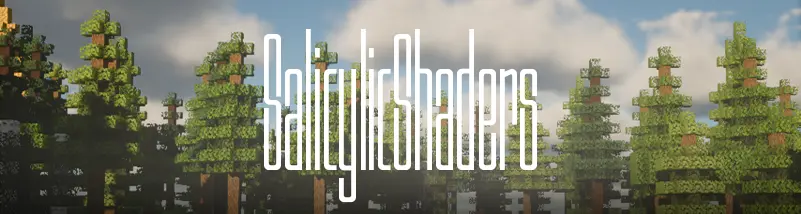
SalicylicLite
SalicylicLite is a performance-oriented variant of SalicylicShaders, designed for lower-end and mid-range hardware. It preserves the core lighting, fog, and color grading of the full pack while removing or simplifying the most expensive rendering features, resulting in significantly improved frame rates with minimal visual compromise.

Key Differences from SalicylicShaders
Feature - SalicylicShaders - SalicylicLite
Water - Dynamic reflective water - Flat, non-reflective water Clouds - Volumetric clouds - Vanilla cloud rendering Shadows - Full-resolution, long-distance - Low-resolution, short-distance Reflections - Full surface reflection sampling - Reduced across all surfaces Lighting & Fog - Full atmosphere stack - Same core tuning, lower cost

Overview
Lite is intended for users who want the visual identity of SalicylicShaders its lighting behavior, atmosphere, and color palette without the rendering cost of reflective surfaces and volumetric effects. It is well suited to lower-end systems, larger modpacks with limited performance headroom, and any setup where frame rate takes priority over surface fidelity.
Cool Features
The retro/glitch effects panel from the full pack is included unchanged, offering old TV, CRT flicker, letterbox, VHS, and digital glitch effects with the same adjustable controls. These effects carry negligible rendering cost and are unaffected by the Lite optimizations.
License
Released under the MIT License, permitting free use, modification, and distribution.
Salicylic Lite ఎలా ఇన్స్టాల్ చేయాలి
With Millida Launcher
Install Millida Launcher
The launcher is free: download it at millida.net/launcher and sign in with any nickname.
Click “Install” on this page
The launcher opens and installs the shaders for Minecraft 1.19–26.1.2 automatically.
Launch the game
A profile with it appears in the launcher: click “Play”.
Manually
Install Iris or OptiFine
Without a shader mod the game cannot see shaders. Install it for the same Minecraft version.
Download the shader archive
Pick the file SalicylicLite_v1.zip (171 KB) and do not unpack it.
Put it in the shaderpacks folder
“Options”, then “Video Settings”, then “Shader Packs”, then “Open Shader Pack Folder”, and drag the archive there.
Select the shaders
In the same window, click the pack name and “Apply”.
వెర్షన్లు
డిపెండెన్సీలతో
| Minecraft | లోడర్ | ఫైల్ | తేదీ | చర్యలు |
|---|---|---|---|---|
| 26.1.2 | Iris, OptiFine | 26.1.2171 KB 1 |
సమీక్షలు
Salicylic Liteకు మొదటి రేటింగ్ ఇవ్వండి


