

Minecraft 1.20.1, 1.21.1 కోసం Outline Shader
అసలు శైలి ఆధారంగా ఒక షేడర్, ఇది గేమ్ ఆబ్జెక్ట్కు అవుట్లైన్ జోడించి గ్రాఫిక్స్ను మరింత కార్టూనిష్గా చేస్తుంది
 Fabric
 OptiFine
Outline Shader షేడర్ల గురించి
English

Outline Shader
It's a NPR shader,which based on the original style, which can add outline for game object and make the graphics more cartoonish
You can set outline width and outline color at shader pack settings page
if you turn on the "paper world" option,the world will only have outline

If you like this shader,please buy me a coffee,THANKS!

Outline
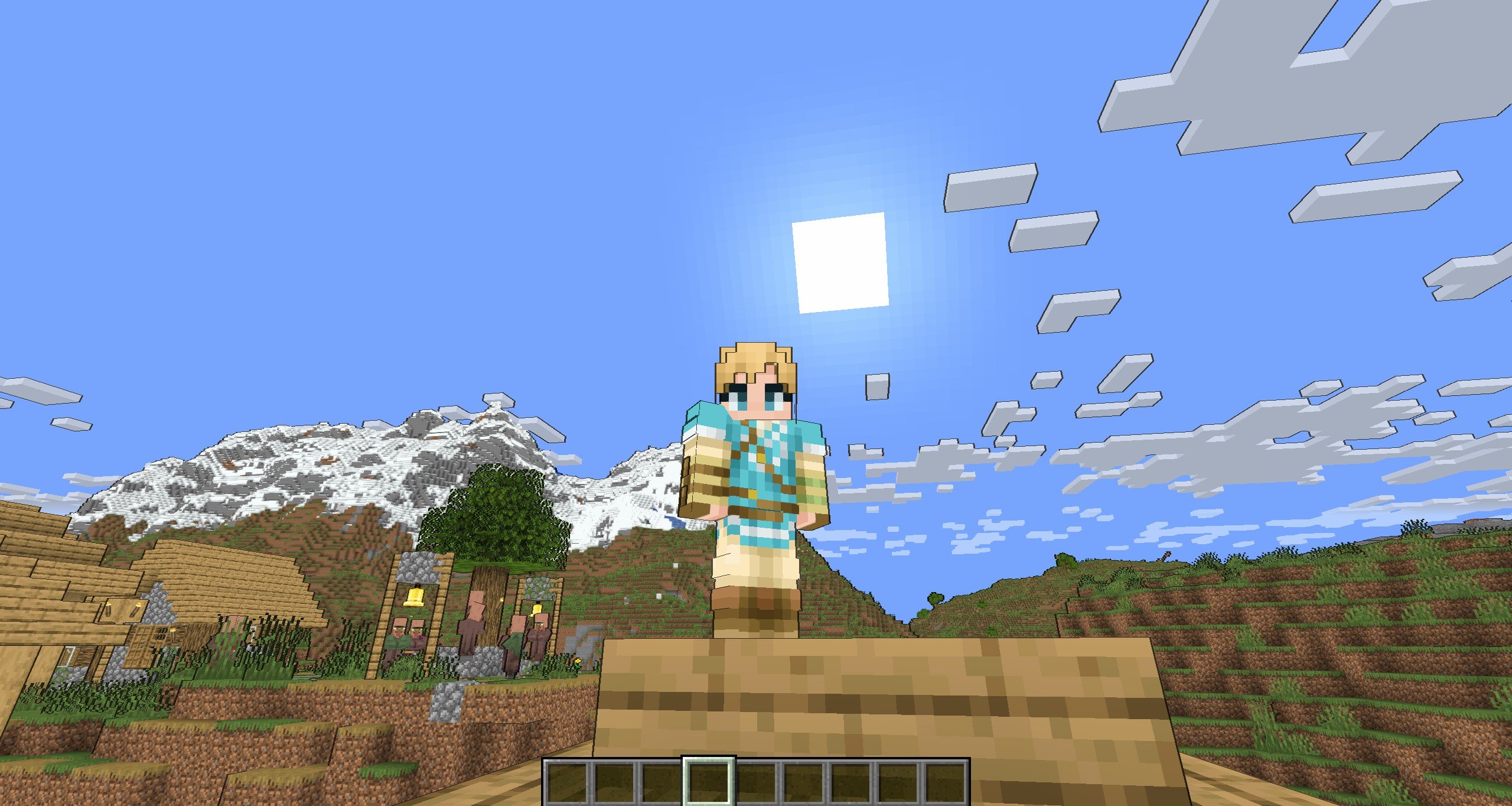
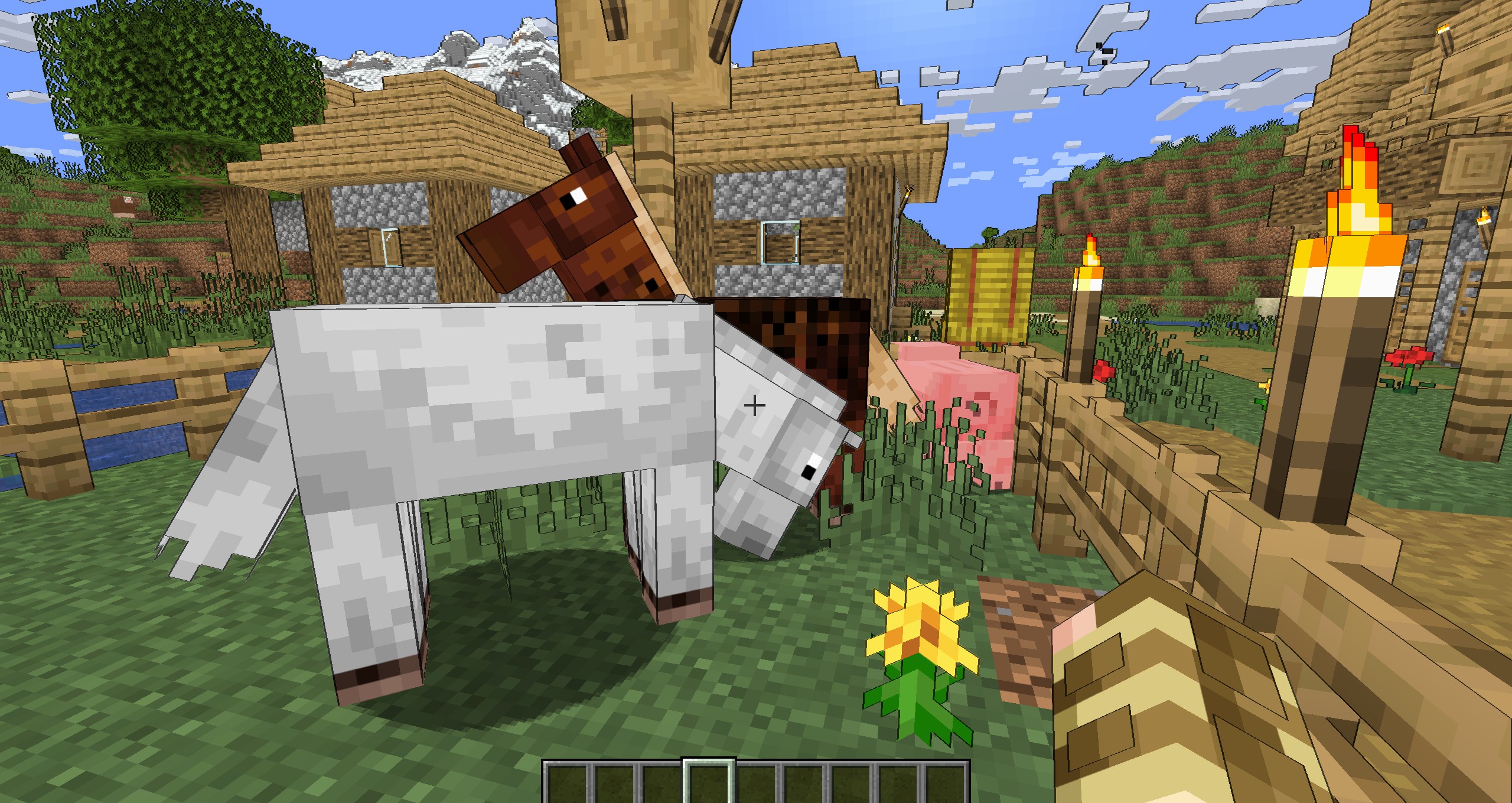
Enable "Shadow"


Enable "Shadow" and "Texture Outline"

Enable "Cel Shading" and "Texture Outline"

Paper World
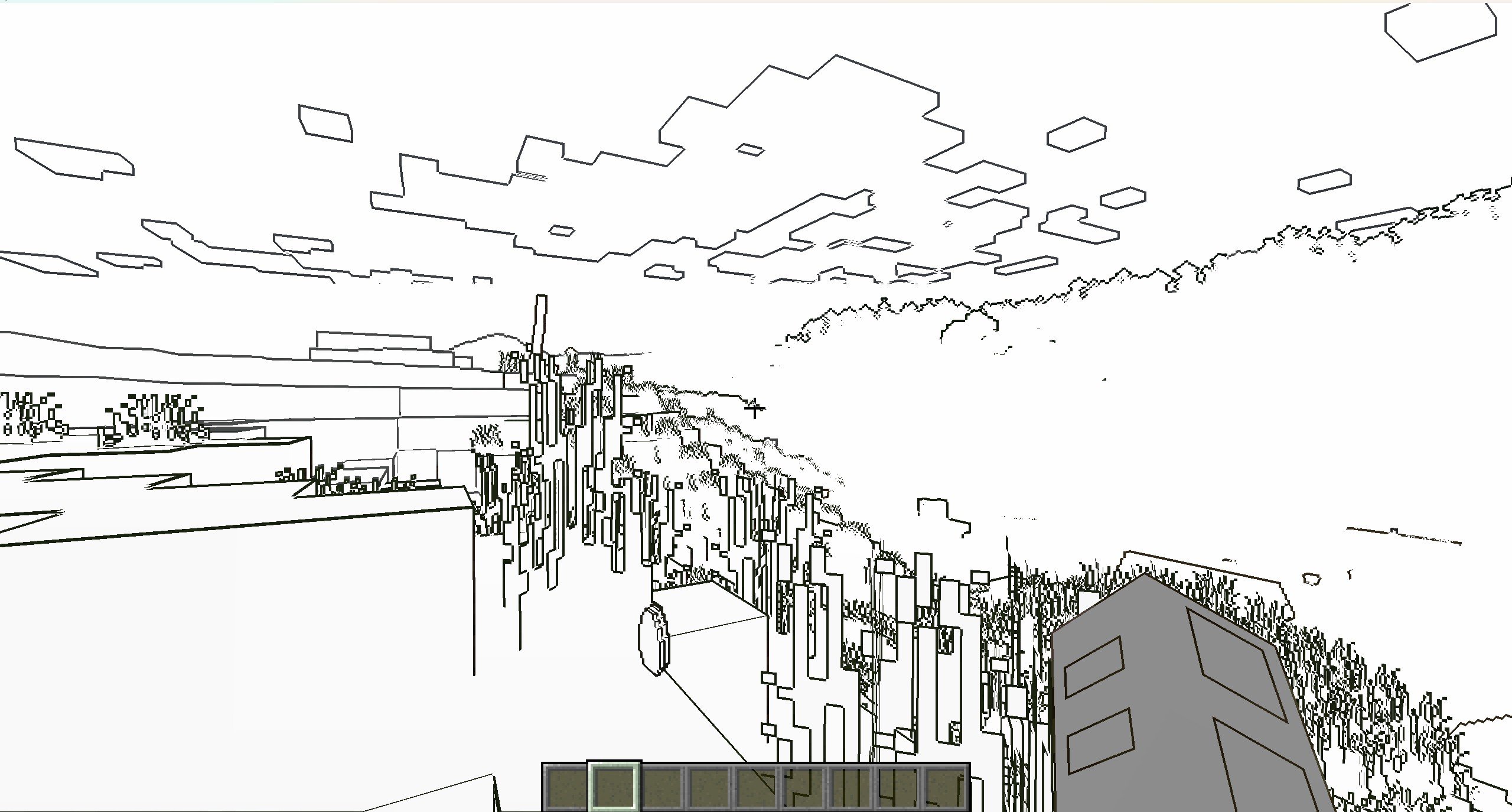
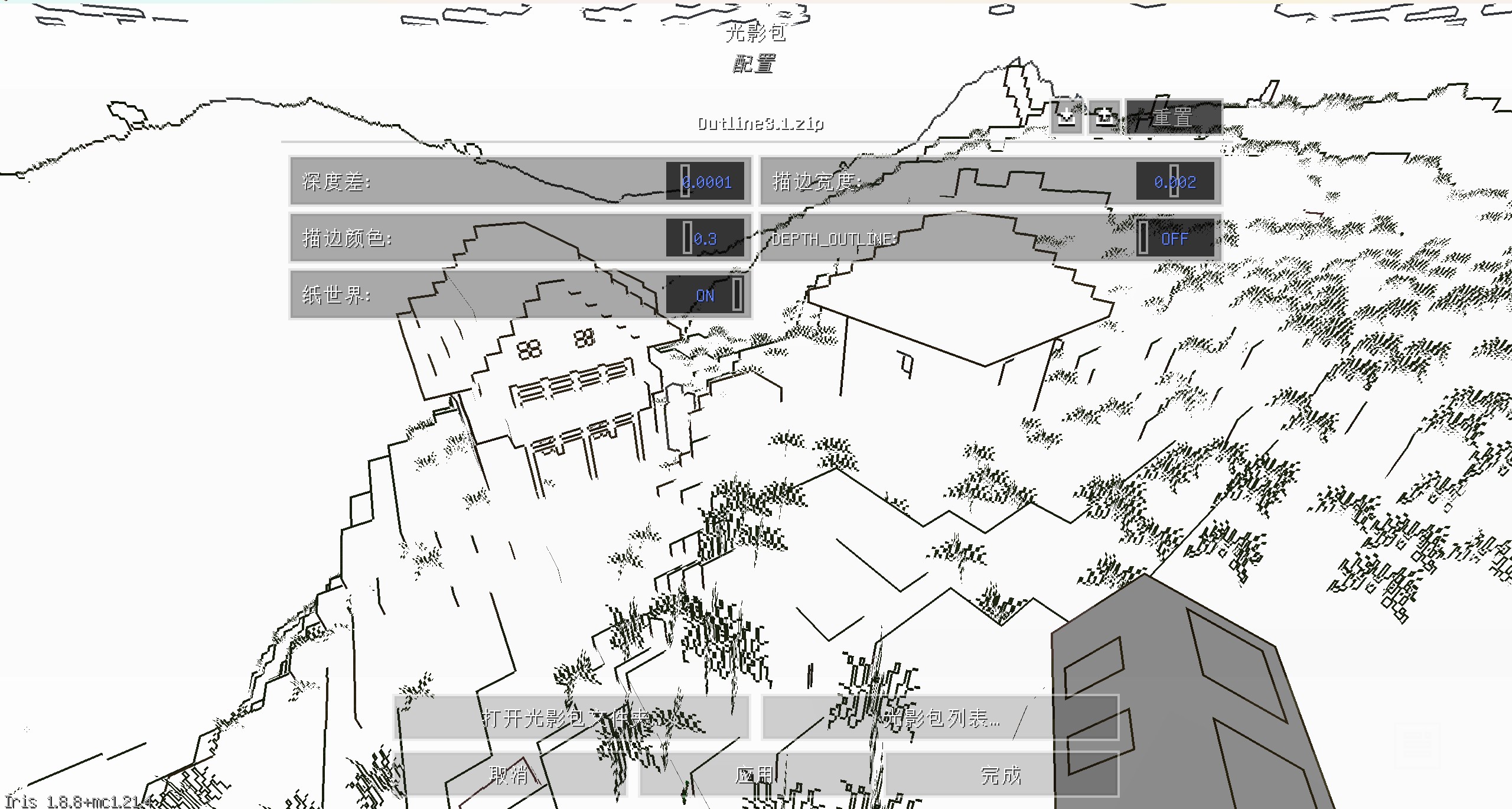
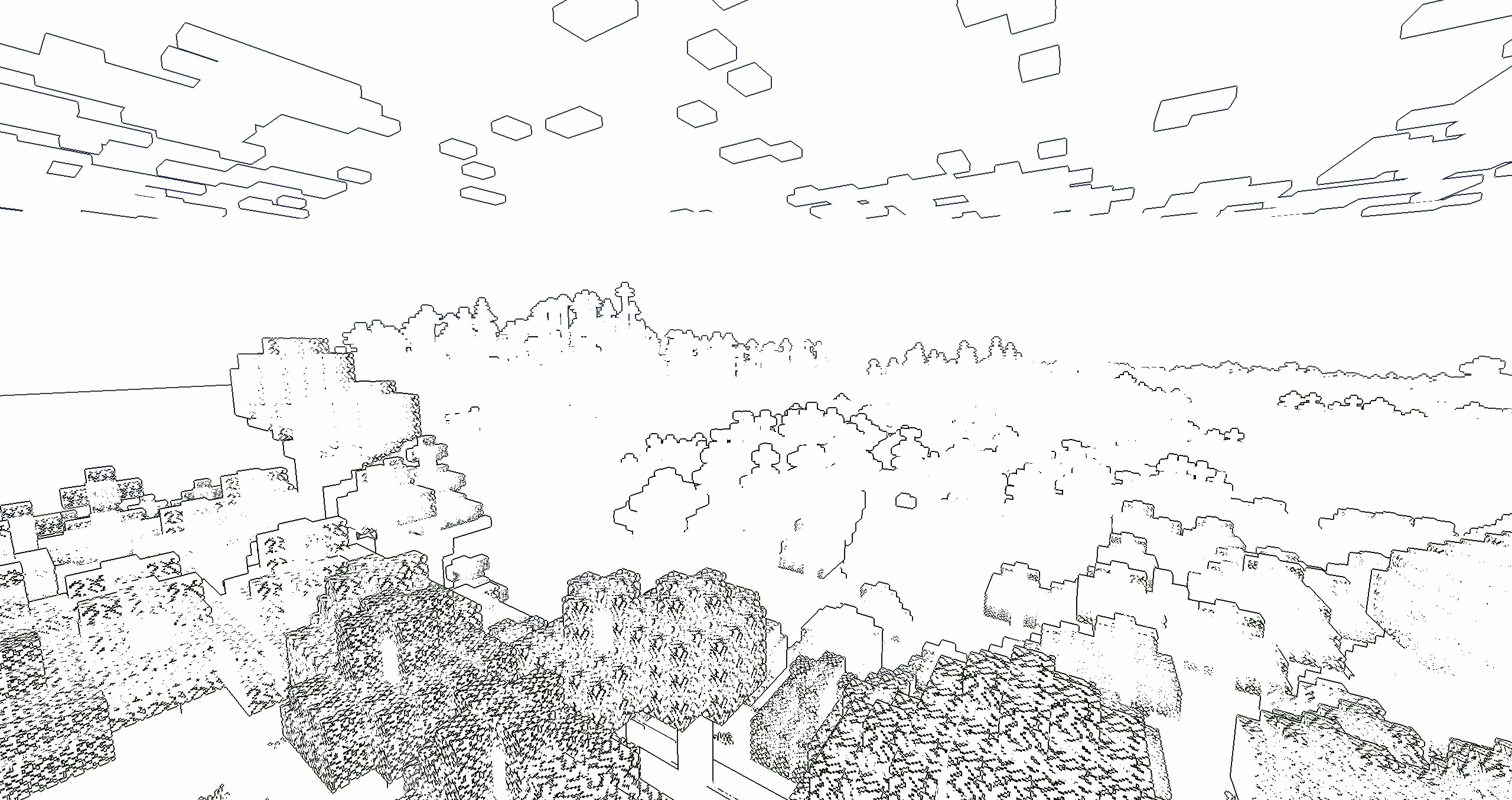
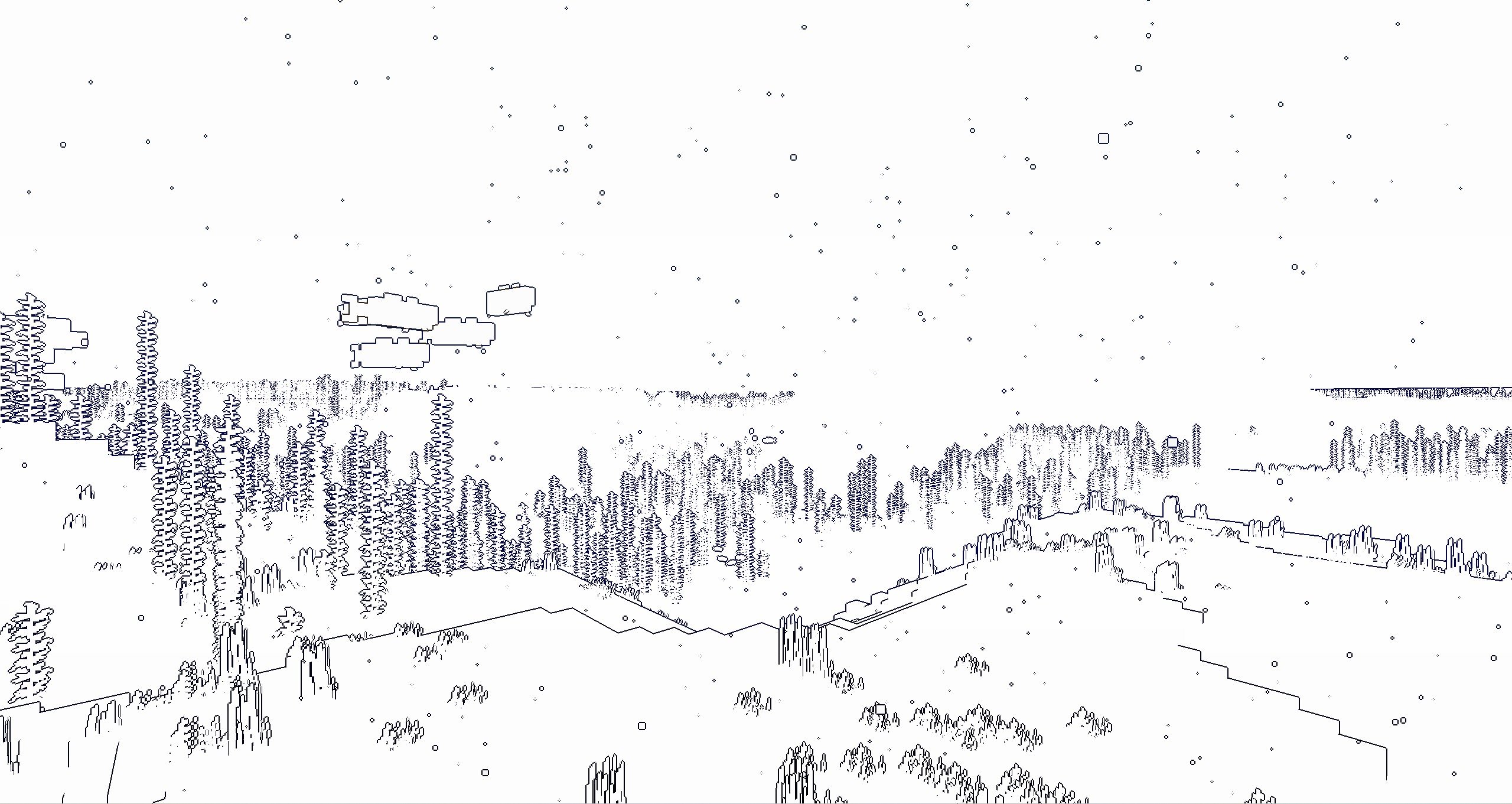
Enable "Texture Outline"


中文
风格化描边光影
这是一个风格化的光影,可以让MC物体都有描边的光影,使得游戏画面更加卡通
您可以在光影包设置中,设置描边宽度和颜色
如果开启“纸世界”选项,世界将会只有描边

如果你喜欢这个光影的话,能不能请我喝杯咖啡?感激不尽!
描边
开启“阴影”后
开启“纹理描边”和“阴影”后
开启“卡通渲染”和“纹理描边”后
纸世界
开启“纹理描边”后

Outline Shader ఎలా ఇన్స్టాల్ చేయాలి
With Millida Launcher
Install Millida Launcher
The launcher is free: download it at millida.net/launcher and sign in with any nickname.
Click “Install” on this page
The launcher opens and installs the shaders for Minecraft 1.7.2–26.2 automatically.
Launch the game
A profile with it appears in the launcher: click “Play”.
Manually
Install Iris or OptiFine
Without a shader mod the game cannot see shaders. Install it for the same Minecraft version.
Download the shader archive
Pick the file MC_OutlineShader6.6.0.zip (127 KB) and do not unpack it.
Put it in the shaderpacks folder
“Options”, then “Video Settings”, then “Shader Packs”, then “Open Shader Pack Folder”, and drag the archive there.
Select the shaders
In the same window, click the pack name and “Apply”.
వెర్షన్లు
డిపెండెన్సీలతో
| Minecraft | లోడర్ | ఫైల్ | తేదీ | చర్యలు |
|---|---|---|---|---|
| 1.17.1 | Iris, OptiFine | 1.17.1127 KB 2 | ||
| 1.15.2 | Iris, OptiFine | 1.15.28.8 KB | ||
| 1.14.4 | Iris, OptiFine | 1.14.48.8 KB | ||
| 1.7.10 | Iris, OptiFine | 1.7.108.8 KB | ||
| 26.2 | Iris, OptiFine | 26.2127 KB | — | |
| 26.1 | Iris, OptiFine | 26.1127 KB | — | |
| 1.21.11 | Iris, OptiFine | 1.21.11127 KB | — | |
| 1.21 | Iris, OptiFine | 1.21127 KB | — |
సమీక్షలు
Outline Shaderకు మొదటి రేటింగ్ ఇవ్వండి


