

Minecraft 1.20.1, 1.21.1 కోసం Marigold Shaders
అధిక FPS గేమ్ప్లే కోసం తయారు చేసిన వెచ్చని మరియు హాయిగా ఉండే Mellow ఎడిట్.
 Fabric
 OptiFine
Marigold Shaders
Marigold Shaders is an edit of Mellow Shaders, designed to give it a warmer, and foggier look while keeping the shaderpack lightweight. This shaderpack changes and/or reworked multiple features, including lighting, colors, atmosphere, water, foliage, and post-processing.
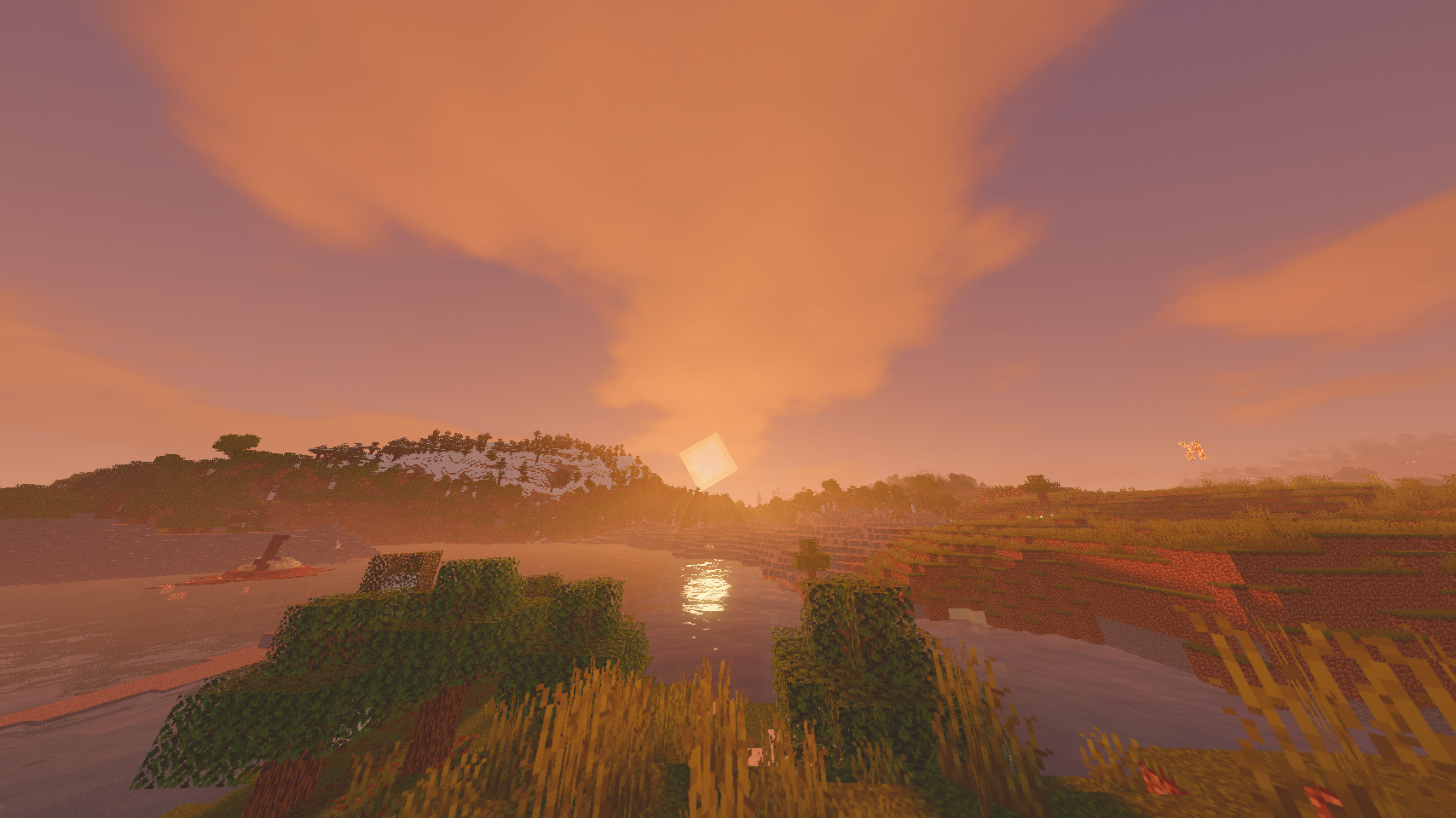
What Changed?
Changes

Lighting
- Warmer lighting
- Adjusted contrast
- enhanced sunlight, shadows, and ambient light

Colors & Atmosphere
- Reworked color grading
- Warmer color palette
- Adjusted sky and environment colors
- Improved fog and atmospheric depth
- Tweaked day/night and sunrise/sunset visuals
Water
- Improved water waves
- Adjusted color and transparency
- Tuned underwater fog
- Added other features
Shadows
- Softer shadows
- Made shadows match lighting
Post-Processing
- Subtle bloom added
- Reworked exposure and color processing
Sky/Fog
- Reworked fog, fog colors, fog density, and atmospheric fog
- Completely reworked auroras, now they're every night
- Cloud lighting tint
Custom/New features
- Golden/Yellow coloured block highlight
- Emissive Ores + Flowers
Performance
Profile - FPS
Performance - ~65 FPS Balanced - ~50 FPS Cinematic - ~40 FPS
All of these profiles were tested on a MacBook M5 Air.
Compatibility
Shader Loader: Iris (optifine may or may not work) Recommended: Sodium
Credits
Marigold Shaders is an edit of Mellow Shaders.
Original credit goes to the Mellow Shaders TheCMK, the creator of Mellow.
See the included license for permissions and redistribution terms.
Aknowledgements
I would like to thank Velpix for helping me test this shaderpack, and literally all of my other projects, as well as for being a great friend! :D Go check out her shaderpack: Velpix Shaders
Feedback
If you have an issue with the shaderpack, please DM fihmc. on discord (the “.” Is included)
Feedback and suggestions are welcome!
Marigold Shaders ఎలా ఇన్స్టాల్ చేయాలి
With Millida Launcher
Install Millida Launcher
The launcher is free: download it at millida.net/launcher and sign in with any nickname.
Click “Install” on this page
The launcher opens and installs the shaders for Minecraft 1.19–26.1.2 automatically.
Launch the game
A profile with it appears in the launcher: click “Play”.
Manually
Install Iris or OptiFine
Without a shader mod the game cannot see shaders. Install it for the same Minecraft version.
Download the shader archive
Pick the file Marigold v1.5.zip (647 KB) and do not unpack it.
Put it in the shaderpacks folder
“Options”, then “Video Settings”, then “Shader Packs”, then “Open Shader Pack Folder”, and drag the archive there.
Select the shaders
In the same window, click the pack name and “Apply”.
వెర్షన్లు
డిపెండెన్సీలతో
| Minecraft | లోడర్ | ఫైల్ | తేదీ | చర్యలు |
|---|---|---|---|---|
| 26.1 | Iris, OptiFine | 26.1647 KB | ||
| 1.21.11 | Iris, OptiFine | 1.21.11647 KB | ||
| 1.21 | Iris, OptiFine | 1.21647 KB | ||
| 1.20.1 | Iris, OptiFine | 1.20.1647 KB | ||
| 1.19.2 | Iris, OptiFine | 1.19.2647 KB |
సమీక్షలు
Marigold Shadersకు మొదటి రేటింగ్ ఇవ్వండి


