

 Fabric
 OptiFine
Colorblind Swap షేడర్ల గురించి
The world stays the same. Your perception does not.
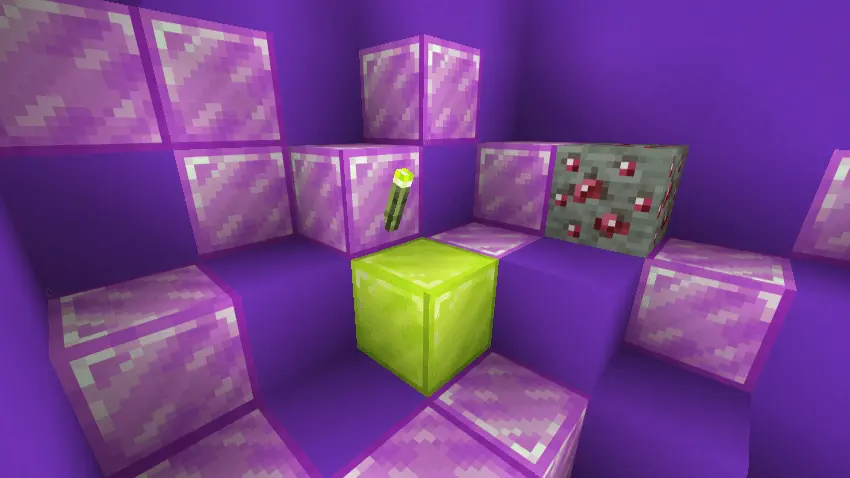
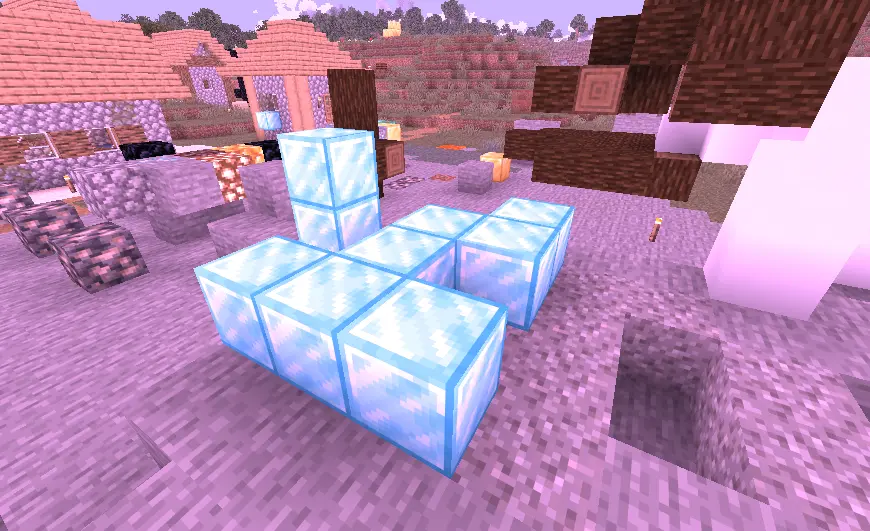
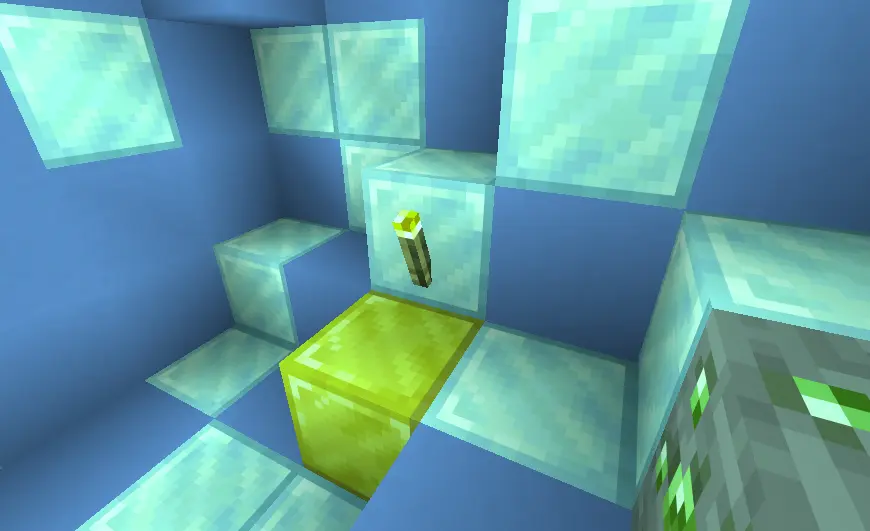
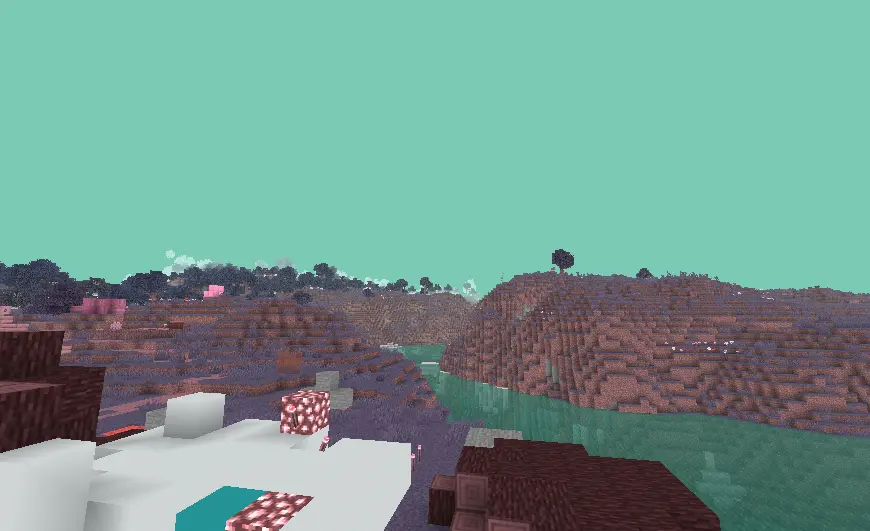
Colorblind Swap is a lightweight full-screen post-processing shader that alters how colors are perceived over time. Instead of applying a fixed color filter, the shader periodically changes the relationship between color channels, causing different parts of the spectrum to be interpreted in new ways. The result is a shifting visual experience where familiar environments can temporarily appear as though viewed through different forms of altered color perception.
✨ Highlights
Dynamic Color Perception Shifts.
The shader operates in timed intervals and selects a new color interpretation mode for each cycle. Rather than permanently remapping colors, it continuously transitions between different channel configurations, making the visual effect feel unstable and perceptual rather than purely cosmetic.
Red–Green Channel Reassignment.
One of the available modes exchanges portions of the red and green channels. Reds begin to inherit green information and vice versa, creating a perception similar to common red–green color vision deficiencies while preserving overall scene brightness.
Blue–Green Spectral Blending.
Another mode blends blue and green information together. Vegetation, water, sky colors, and other blue-green surfaces gradually lose their usual separation, producing a shifted color balance across the scene.
Luminance-Based Red Suppression.
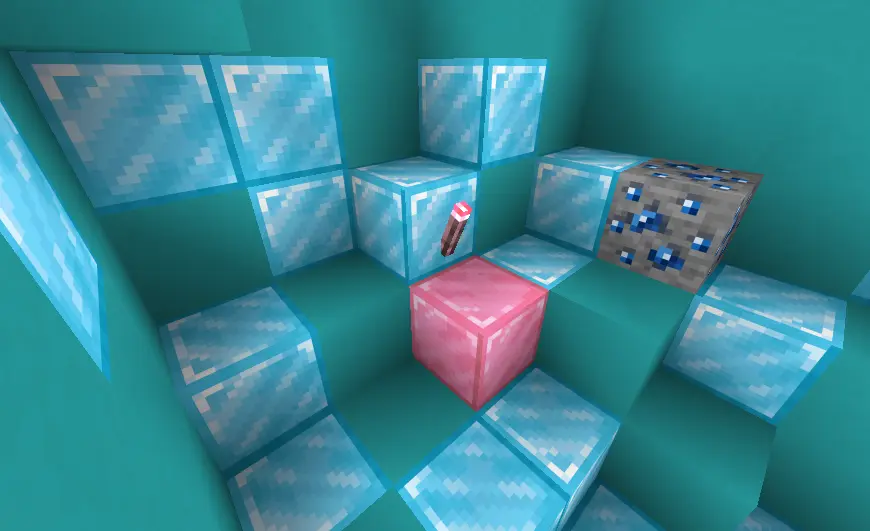
A protanopia-inspired mode reduces the influence of the red channel by partially replacing it with scene luminance. This causes red-heavy surfaces to become less distinct while preserving image structure through brightness information.
Warm–Cool Spectrum Reconstruction.
The shader also includes a stylized mode that reorganizes color information into warm and cool groups. Reds and yellows are emphasized into warmer tones while blues are reinforced into cooler tones, creating a split-spectrum appearance.
Smooth Epoch Transitions.
Color modes are not switched instantly. Each cycle uses gradual blending to transition between states, avoiding abrupt hard cuts and allowing the visual perception shift to develop naturally over time.
Transition Flash Effect.
At the beginning of each color cycle, the shader briefly introduces a complementary-color inversion flicker. This short-lived flash simulates a momentary recalibration of color interpretation before the next mode fully settles.
Minimal Post-Processing Pipeline.
The implementation is intentionally simple and focused. The shader performs only color remapping and transition effects. It does not introduce bloom, depth effects, vignette, distortion, lighting changes, shadows, or geometry-based rendering features.

⚙️ Compatibility
- Implemented as a composite post-processing shader pass.
- Written in GLSL 1.20 (#version 120).
- Operates exclusively on the rendered color buffer (colortex0).
- Does not require depth information, normals, shadow maps, or additional render targets.
- Designed as a screen-space effect with very low computational complexity.
- No shader-pack-specific configuration files or feature modules were found beyond the composite pass.

Colorblind Swap ఎలా ఇన్స్టాల్ చేయాలి
With Millida Launcher
Install Millida Launcher
The launcher is free: download it at millida.net/launcher and sign in with any nickname.
Click “Install” on this page
The launcher opens and installs the shaders for Minecraft 1.7.3–26.3 automatically.
Launch the game
A profile with it appears in the launcher: click “Play”.
Manually
Install Iris or OptiFine
Without a shader mod the game cannot see shaders. Install it for the same Minecraft version.
Download the shader archive
Pick the file Colorblind-Swap 1.1.zip (5 KB) and do not unpack it.
Put it in the shaderpacks folder
“Options”, then “Video Settings”, then “Shader Packs”, then “Open Shader Pack Folder”, and drag the archive there.
Select the shaders
In the same window, click the pack name and “Apply”.
వెర్షన్లు
డిపెండెన్సీలతో
| Minecraft | లోడర్ | ఫైల్ | తేదీ | చర్యలు |
|---|---|---|---|---|
| 26.3 | Iris, OptiFine | 26.35 KB 3 | ||
| 1.21 | Iris, OptiFine | 1.212.1 KB | ||
| 1.20.1 | Iris, OptiFine | 1.20.12.1 KB | ||
| 1.17.1 | Iris, OptiFine | 1.17.12.1 KB | ||
| 1.15.2 | Iris, OptiFine | 1.15.22.1 KB | ||
| 1.14.4 | Iris, OptiFine | 1.14.42.1 KB | ||
| 1.7.10 | Iris, OptiFine | 1.7.102.1 KB | ||
| 26.2 | Iris, OptiFine | 26.22.1 KB | — |
FAQ
Which Minecraft versions does Colorblind Swap work on?
There are files for 1.7.3–26.3, 83 versions in total. The newest is 26.3.
What do I need to run Colorblind Swap?
Shaders are loaded through Iris or OptiFine: without one of them the game cannot see them.
Where can I download Colorblind Swap safely?
On this page: the file Colorblind-Swap 1.1.zip (5 KB) is stored on Millida’s server, with no link shorteners. SHA-1 checksum: bfee05bbe7e7ef63fcb471ee9d4576f8de7048fb.
సమీక్షలు
Colorblind Swapకు మొదటి రేటింగ్ ఇవ్వండి


