

Minecraft 1.8.1 కోసం WorldClaim ప్లగిన్
క్లెయిమ్ చేయగల ప్రాంతాలను అందించడానికి WorldGuardలో హుక్ అయ్యే ప్లగిన్.
WorldClaim ప్లగిన్ గురించి
Download WorldClaim: v2.1 Source Code: GitHub
Make sure you have Vault, WorldGuard (>6.0), and WorldEdit (>6.0) installed!

Description And Features
WorldClaim provides a chunk claiming system to players, and does this by hooking directly into WorldGuard.
- Players claims chunks. They can claim successive contiguous chunks up until the configured limit is reached
- Configurable price and amount for chunks
- Configurable max number of chunks a player is allowed to purchase
- All the actual claim protecting is done by WorldGuard, meaning my plugin has very low footprint.
- Map of the area around you
IMPORTANT! - REQUIRES VAULT AND WORLDGUARD
Permissions Support (Vault)
WorldClaim uses Vault to hook into all of the following Permissions plugins:
- Permissions 3
- bPermissions
- PEX
- GroupManager
- PermissionsBukkit
- zPermissions
Vault is required for this plugin to work. Check out their page and download vault with the link below. Dev Page: Vault Dev Page
Perm Nodes And Commands
Perm Node Associated Command Description
/worldclaim The little welcome message and version number displayed
worldclaim.help /worldclaim help The help menu that has all the commands
worldclaim.check /worldclaim check Will check the chunk player is standing on for other claims or regions. Also visually shows the perimeter of the chunk.
worldclaim.claim /worldclaim claim Calculates price for claiming the current chunk player is standing on. Does not actually claim anything until player does confirm command
worldclaim.unclaim /worldclaim unclaim Prompts a player to "confirm" an unclaiming of a chunk
worldclaim.map /worldclaim map Maps out the area around player for other regions and claims. This command is resource intensive, as such, a 5 minute cooldown is required between usage.
worldclaim.waitlistoverride /worldclaim map Overrides the 5 minute cooldown
worldclaim.view /worldclaim view Spawns a visual outline of a player's claim.
worldclaim.confirm /worldclaim confirm Confirms a previous command
Screenies
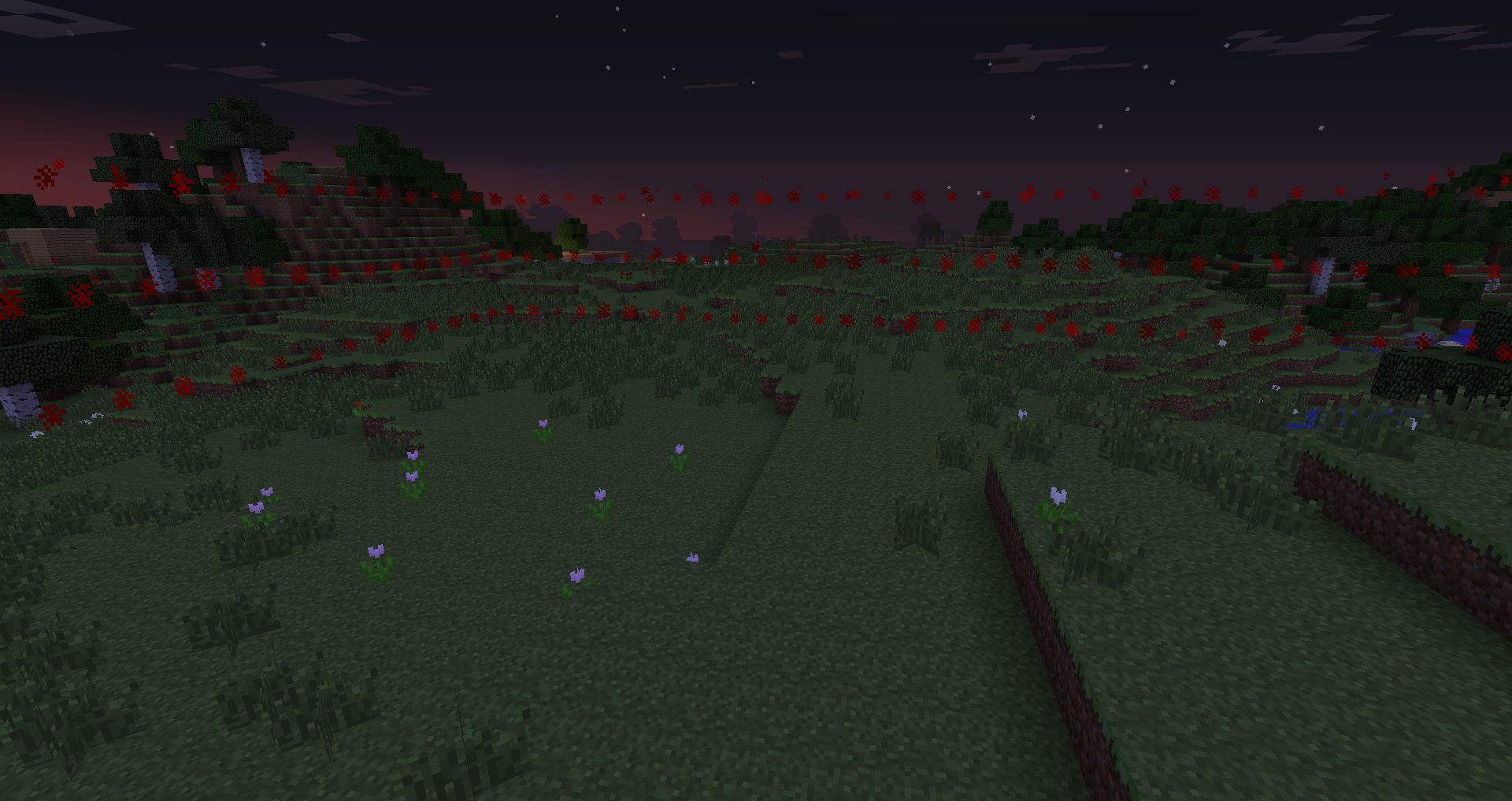
This picture was taken right after doing "/wc check" The visualization shows the outline of the chunk that the player is checking.
Another picture of the visual outline
The in game map that comes up with "/wc map". You can also see in chat my previous claim messages from doing "/wc claim"
Tutorial
Players are allowed a max number of chunks (set in config) on each world. The chunks must all be contiguous. All the chunks together represent one claim. As such, all chunks have to be unclaimed from one area is the player wishes to move his claim.
The variable price amount can be used to alter price based on how many chunks the player already has. The default is set to: 1st chunk = 10 diamonds 2nd chunk = 15 diamonds 3rd chunk = 25 diamonds 4th chunk = 40 diamonds This curve is quadratic. Not only did the amount of diamonds increase each time, but the amount of the amount of diamonds increased as well.
Any formula for chunk prices can be entered into the variables in config. It accepts all four basic arithmetic operators (plus, minus, miltiply, divide) and parenthesis. "x" will represent the chunk number that a player is buying.
You can get rid of all of that and just have a number if you'd like.
Donate?
Like what I do? Buy me a beer!
I put a lot of time into coding, testing, and updating my plugins. I even do specialized plugins for people when they PM me (For free). If you love my plugins, this is a way to say thank you.
Change Log
Version 2.0 (August 9th, 2014)
- Release to Bukkit
- Addition of /wc addmember [player]
- Various changes to commands
- Many bug fixes
Version 1.0 (July 31st, 2014)
- Usage on my own server. Bug fixes.
WorldClaim ఎలా ఇన్స్టాల్ చేయాలి
A server on Paper or Spigot
The plugin runs on the server core for Minecraft 1.8.1; players do not need to install anything.
File goes into the plugins folder
Download the file WorldClaim.jar (365 KB) and put it into the server’s plugins folder.
Restart the server
On startup the plugin creates its own settings folder in plugins.
Use the “To server” button
On Millida Hosting, the button at the top of the page uploads the file to your server and restarts it for you.
Minecraft 1.8.1 runs on Java 8: with a different Java version the game may close right after launch.
వెర్షన్లు
డిపెండెన్సీలతో
| Minecraft | లోడర్ | ఫైల్ | తేదీ | చర్యలు |
|---|---|---|---|---|
| 1.8.1 | — | WorldClaim 2.1365 KB |
FAQ
Which Minecraft versions does WorldClaim work on?
Only Minecraft 1.8.1: there are no files for other versions.
Do players need to install WorldClaim?
No, the plugin goes only on the server, into the plugins folder: players do not need to download anything.
Which Java does WorldClaim need?
Minecraft 1.8.1 runs on Java 8. If the game closes right after launch, the usual cause is the wrong Java version in the profile settings.
Where can I download WorldClaim safely?
On this page: the file WorldClaim.jar (365 KB) is stored on Millida’s server, with no link shorteners. SHA-1 checksum: ede4363cc61017609f21e4ebcd1097ad77ed8eed.
సమీక్షలు
WorldClaimకు మొదటి రేటింగ్ ఇవ్వండి


