
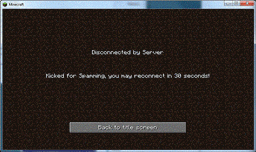
Minecraft కోసం SpamProtect ప్లగిన్
Anti Spam/Flood tool, Protects against bot DDOS attacks.
SpamProtect ప్లగిన్ గురించి
Spam Protect - Bot Prevention system: Version: v0.7 My Website: http://www.modembug.com
This plugin protects bukkit from bot spam attacks that can within minutes bring a server to its knees. You can configure various parameters of this plugin in the config file that is generated the first time you run Bukkit with this plugin enabled. This plugin uses a point system to handle spam. Please refer the the information below on how to adjust Spam Protect to your specifications.
CHECK OUT SPAMPROTECT IN ACTION HERE: http://youtu.be/2tCSrfNlduE
WANT THE ABILITY TO RESPOND TO SERVER PROBLEMS QUICKER THAN EVER? Check out our Server Administration plugin comX! http://www.modembug.com/comx
Cooldown: how quickly points decrease in seconds. Threshold: how many points until the users IP is temp banned. Sentence: how long the IP is banned RepeatSpam: how many points are added for repeated messages. IgnoreOP: if set to 1 will ignore a spammer if they are OP. CommandCheck: if set to 1 will enable command checker. IPFilter: if set to 1 will enable filtering of IP addresses. IPSpam: how many points are added for messages containing IP addresses.
Features:
- Easily configured.
- Light weight.
- Permissions
Permissions:
- regx.* disables all spam protections for players with this permission.
- regx.opChat disables chat protection for players with this permission.
- regx.opCommand disables chat protection for players with this permission.
- regx.opIPfilter disables IP address filter in messages.
Changelog:
- Version 0.7
- Bugfix in IP filtering that would apply points to all messages.
- Version 0.6
- Added IP Address filtering.
- Added scoring based on IP Address found in message.
- Version 0.5
- Added Permissions
- Added ability to turn on/off command checker.
- Removed old commented code.
- Version 0.4
- Added Command spam check.
- Version 0.3
- Corrected player name in bukkit log.
- Added ignore OP as option.
- Added check for repeat spam.
- Version 0.2
- Corrected IP address formatting so that users that are kicked stay kicked for configured amount of time.
- Version 0.1
- Initial public release.
SpamProtect ఎలా ఇన్స్టాల్ చేయాలి
A server on Paper or Spigot
The plugin runs on the server core; players do not need to install anything.
File goes into the plugins folder
Download the file SpamProtect.jar (14 KB) and put it into the server’s plugins folder.
Restart the server
On startup the plugin creates its own settings folder in plugins.
Use the “To server” button
On Millida Hosting, the button at the top of the page uploads the file to your server and restarts it for you.
వెర్షన్లు
డిపెండెన్సీలతో
| Minecraft | లోడర్ | ఫైల్ | తేదీ | చర్యలు |
|---|---|---|---|---|
| — | — | Spam Protect v.0714.2 KB |
FAQ
Do players need to install SpamProtect?
No, the plugin goes only on the server, into the plugins folder: players do not need to download anything.
Where can I download SpamProtect safely?
On this page: the file SpamProtect.jar (14 KB) is stored on Millida’s server, with no link shorteners. SHA-1 checksum: 346469ea754b570710fa03aa2a5bee2a50b0ef61.
సమీక్షలు
SpamProtectకు మొదటి రేటింగ్ ఇవ్వండి


