

Minecraft 1.21.1, 1.21 కోసం NoEmotecraft ప్లగిన్
1.21.x అప్డేట్తో Emotecraft ఫోర్క్
 Bukkit
 Paper
Paper Purpur
 Spigot
 Velocity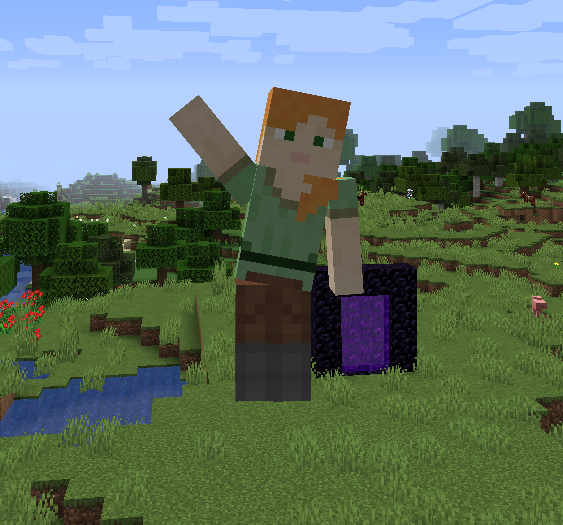
EN: Important Note:
Please be aware that this version of Emotecraft is a fork. This was made for a modern version 1.21 as we wait for official update of Emotecraft by KosmX. There may be bugs and issues that could affect your gameplay. We appreciate your understanding and encourage you to report any problems you encounter.
Emotecraft Mod Description
Emotecraft is an innovative Minecraft mod that introduces a variety of expressive emotions to enhance your gameplay experience. With Emotecraft, you can now communicate your feelings in-game through a diverse range of animations and emotive actions, making interactions with other players more immersive and engaging.
Features:
- Diverse Emotions: Choose from a wide array of emotions such as happiness, sadness, anger, and more.
- Custom Animations: Enjoy unique animations that bring your emotions to life.
- User-Friendly Interface: Easily access and select emotions through an intuitive interface.
- Multiplayer Support: Share your emotions with friends in multiplayer mode.
Installation:
- Download the Emotecraft mod file.
- Place the downloaded file into your Minecraft mods folder.
- If you are using Sodium or Iris, make sure to download and install their respective compatible versions separately.
Custom Emotions:
To use more than just the built-in emotions, you can download additional emotions or create your own. Place these emotion files into the emotes folder in your Minecraft directory. To open the mod menu, press the B key.
NoEmotecraft ఎలా ఇన్స్టాల్ చేయాలి
A server on Paper, Purpur, Spigot, Bukkit, Velocity or BungeeCord
The plugin runs on the server core for Minecraft 1.21–1.21.1; players do not need to install anything.
File goes into the plugins folder
Download the file noemotecraft-bukkit-2.5.2+mc1.21.1.jar (612 KB) and put it into the server’s plugins folder.
Restart the server
On startup the plugin creates its own settings folder in plugins.
Use the “To server” button
On Millida Hosting, the button at the top of the page uploads the file to your server and restarts it for you.
Minecraft 1.21.1 runs on Java 21: with a different Java version the game may close right after launch.
వెర్షన్లు
డిపెండెన్సీలతో
| Minecraft | లోడర్ | ఫైల్ | తేదీ | చర్యలు |
|---|---|---|---|---|
| 1.21.1 | Bukkit, Paper, Purpur, Spigot | 1.21.1612 KB | ||
| 1.21.1 | Velocity | 1.21.1602 KB | ||
| 1.21.1 | BungeeCord | 1.21.1602 KB | ||
| 1.21.1 | Bukkit, Paper, Purpur, Spigot | 1.21.1606 KB | ||
| 1.21 | Velocity | 1.21602 KB | ||
| 1.21 | BungeeCord | 1.21602 KB | ||
| 1.21 | Bukkit, Paper, Purpur, Spigot | 1.21606 KB |
FAQ
Which Minecraft versions does NoEmotecraft work on?
There are files for 1.21.1, 1.21. The newest is 1.21.1.
Which Java does NoEmotecraft need?
Minecraft 1.21.1 runs on Java 21. If the game closes right after launch, the usual cause is the wrong Java version in the profile settings.
Where can I download NoEmotecraft safely?
On this page: the file noemotecraft-bukkit-2.5.2+mc1.21.1.jar (612 KB) is stored on Millida’s server, with no link shorteners. SHA-1 checksum: 871bede738baf7d30a5de8660455ee97f2958ea4.
సమీక్షలు
NoEmotecraftకు మొదటి రేటింగ్ ఇవ్వండి


