

essential menu ప్లగిన్ గురించి
Discontinued
I will be discontinuing essential menu today on the first of July 2017 16:50 (UTC+02:00), i released essential menu 1.9 as a final version for mc 1.12 today. I might come back some time to check on this but that is highly unlikely as i will be moving on to other projects. Thank you for the support on my first plugin. I will be continuing with other, larger projects as my skills have progressed greatly. Thank you for reading. (Hopefully i will have some new plugins up soon!)
Discontinued
old post:
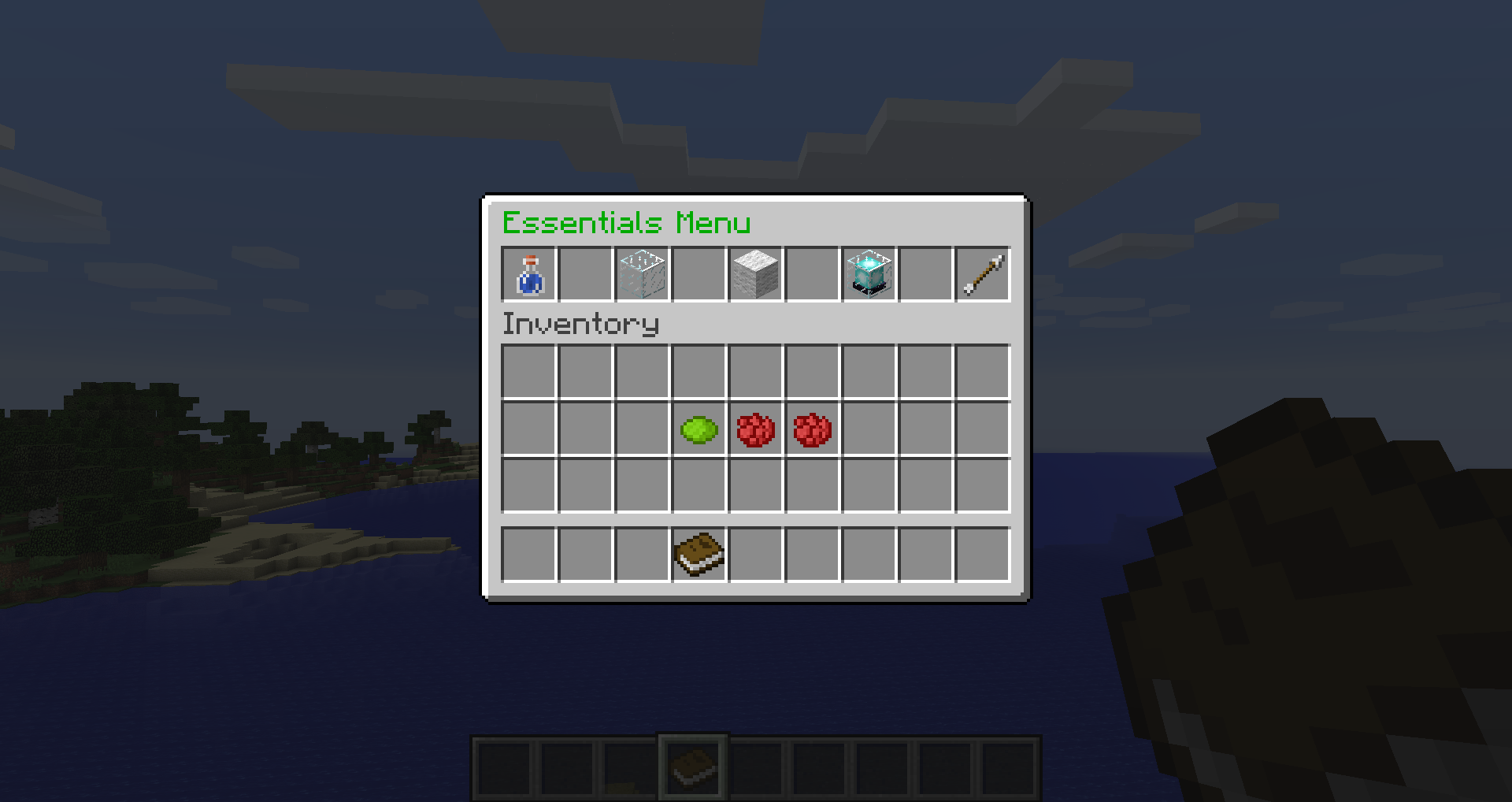
(this plugin i my first released plugin) please give me suggestions on what I should do to the plugin ( add remove something etc). this plugin opens up a menu when you execute a command or by right clicking a book, this menu has a list of commands that can be executed by clicking the item they represent. The plugin also adds in some commands like /heal, /spawn etc . (all of this is done on my free time so pleb donate)
do you like essential menu? if you want to help me out you can donate https://www.patreon.com/KingV
current features:
/heal
/godmode
/suicide
/spawn
/invis
/uninvis
/warp1
/warp2
/warp3
/setwarp1
/setwarp2
/setwarp3
menu when right clicked a book or /em
-------------------- Configuration -------------------
link1: link number 1
link2: link number 2
link1name: link number 1s name in the menu
link2name: link number 2s name in the menu
warp1: disable or enable warp1
warp2: disable or enable warp2
warp3: disable or enable warp3
em_commands: set if commands use /em, like /em heal or /heal
-------------------- Commands -------------------
/heal Heal your self
/godmode go godmode
/suicide kill your self
/spawn go to spawn
/invis be invisible
/uninvis no longer be invisible
/warp1 goto warp 1
/warp2 goto warp 2
/warp3 goto warp 3
/setwarp1 set warp 1
/setwarp2 set warp 2
/setwarp3 set warp 3
------------------- Permissions ---------------------
essentialmenu.heal for /heal this is also needed for the heal item in the menu
essentialsmenu.admin for the admin menu
essentialsmenu.menu2 for page 2
essentialsmenu.menu3 for page 3
essentialsmenu.link1 for link 1
essentialsmenu.link2 for link 2
essentialmenu.kill for /suicide this is also needed for the suicide item in the menu
essentialmenu.spawn use /spawn and in the menu
essentialmenu.invisible use /invis and /uninvis and both in the menu
essentialmenu.God use /godmode and the menu
essentialmenu.warp use warps
essentialmenu.setwarp set warps
------------------- videos ----------------------
coming soon...
------------------- How To Use ----------------------
Use /heal to heal heal your self!
use /suicide to kill your self
use /godmode to go GODMODE
use /spawn to goto spawn
use /invis to be invisible
use /uninvis to no longer be invisible
Right Click a book to view the menu! currently the menu has 4 pages: admin, page1, page2, page3, warps. which currently have heal, spawn, uninvis, invis, godmode, link1, link2, warp1, warp2, warp3, creativemode and suicide, click the items to preform the commands!
to do list:
high priority:
-remove herobrine
medium priority:
-make configuration easier
-add more to the menu!
low priority:
-more configuration
------------------- Servers using e-menu ----------------------
Post yours in the comments

essential menu ఎలా ఇన్స్టాల్ చేయాలి
A server on Paper or Spigot
The plugin runs on the server core for Minecraft 1.9–1.12; players do not need to install anything.
File goes into the plugins folder
Download the file menu.jar (24 KB) and put it into the server’s plugins folder.
Restart the server
On startup the plugin creates its own settings folder in plugins.
Use the “To server” button
On Millida Hosting, the button at the top of the page uploads the file to your server and restarts it for you.
Minecraft 1.12 runs on Java 8: with a different Java version the game may close right after launch.
వెర్షన్లు
డిపెండెన్సీలతో
| Minecraft | లోడర్ | ఫైల్ | తేదీ | చర్యలు |
|---|---|---|---|---|
| 1.9 | — | Essential Menu 1.9.023.9 KB |
FAQ
Which Minecraft versions does essential menu work on?
There are files for 1.12, 1.11, 1.10, 1.9. The newest is 1.12.
Do players need to install essential menu?
No, the plugin goes only on the server, into the plugins folder: players do not need to download anything.
Which Java does essential menu need?
Minecraft 1.12 runs on Java 8. If the game closes right after launch, the usual cause is the wrong Java version in the profile settings.
Where can I download essential menu safely?
On this page: the file menu.jar (24 KB) is stored on Millida’s server, with no link shorteners. SHA-1 checksum: d0ace7c4ccd22c630de4cc7c18403359f1b77843.
సమీక్షలు
essential menuకు మొదటి రేటింగ్ ఇవ్వండి


