

TUTORIALS
WHAT IS IT?
EmeraldMarket is an emerald based economy plugin. You can create shops and add Items and prices. Each user has a bank-account where he can deposit his emeralds for buying itmes from shops.
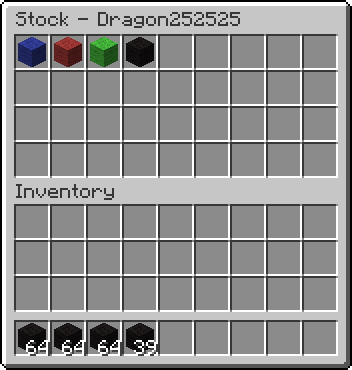
FEATURES:
- Buy and sell whit emeralds
- Bank-account for each user
- Buy and sell items with metadata (like books and fireworks)
- Create infinite shops
- Users can create their own shops to sell their Items with own prices
- Create ATMs
- Scoreboard which displays the balance of now playing players
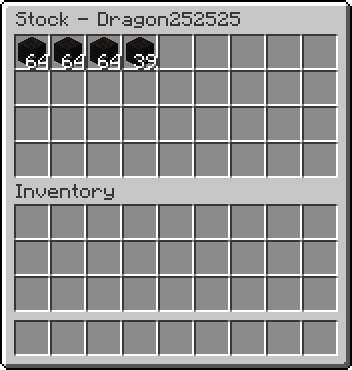
INSTALLATION:
Put the EmeraldMarket.jar into your plugins folder and restart the server.
PRICES:
You've troubles with creating a fair price list for your server? Here's a good tutorial with a downloadable file. A list of prices I created with this sheet for my server can be found HERE (outdated)
CHANGE LANGUAGE:
EmeraldMarket is available in three languages (German, English and Russian). If you want to change the language type in /em setlang <DE|EN|RU|custom>
DE Deutsch German by Dragon252525
EN English English by Dragon252525
RU русский Russian by uaBArt)
custom loads the custom languagefile by you
COMMANDS AND PERMISSIONS:
All permissions
Permission Command Description
emeraldMarket.lang /em setlang Change the language.
emeraldMarket.reload /em reload Reload EmeraldMarket.
emeraldMarket.setowner /setowner Set the owner of a Shop.
emeraldMarket.ignoreGM none Open shops with any gameMode.
emeraldMarket.villagers none Trade with villagers.
emeraldMarket.topten /em topten See a list of the ten players with the hightes balance.
emeraldMarket.scoreboard /em scoreboard Toggle whether you can see the scoreboard or not.
emeraldMarket.balance /em balance Get how much emeralds you have on your account.
emeraldMarket.balance.other /em balance <player> Get how much emeralds any player has on their account.
emeraldMarket.transfer.*
emeraldMarket.transfer /em transfer Transfer some emeralds from your account to another players.
emeraldMarket.transfer.other /em transferother Transfer some emeralds from a players account to another players.
emeraldMarket.give /em give Give some cheatet emeralds to a player.
emeraldMarket.give /em take Remove some emeralds from a player.
emeraldMarket.open.*
emeraldMarket.open.shop none Open shops/private shops.
emeraldMarket.open.atm none Open ATMs.
emeraldMarket.open.sign none Execute commandsigns.
emeraldMarket.list.*
emeraldMarket.list.shop /em list shop View the coordinates of shops.
emeraldMarket.list.private /em list private View the coordinates of private shops.
emeraldMarket.list.atm /em list atm View the coordinates of ATMs.
emeraldMarket.list.sign /em list sign View the coordinates of commandsigns.
emeraldMarket.create.*
emeraldMarket.create.shop /em create shop Create infinite shops.
emeraldMarket.create.private /em create private Create private shops.
emeraldMarket.create.atm /em create atm Create ATMs.
emeraldMarket.create.sign /em create sign Create commandsigns.
emeraldMarket.add /em add Add items to your own shops.
emeraldMarket.add /em set Change items of your own shops.
emeraldMarket.add /em remove Remove items from your own shops.
emeraldMarket.add.other /em add Add items to any shop.
emeraldMarket.add.other /em set Change items of any shop.
emeraldMarket.add.other /em remove Remove items from any shop.
emeraldMarket.destroy.*
emeraldMarket.destroy.shop none Destroy your own shops.
emeraldMarket.destroy.shop.other none Destroy any shop.
emeraldMarket.destroy.private none Destroy your own private shops.
emeraldMarket.destroy.private.other none Destroy any private shop.
emeraldMarket.destroy.atm none Destroy any ATM.
Recommended user permissions
emeraldMarket.user
emeraldMarket.balance
emeraldMarket.transfer
emeraldMarket.add
emeraldMarket.create.private
emeraldMarket.destroy.private
emeraldMarket.open.*
emeraldMarket.scoreboard
VIDEO
Thanks to SirAlexMinecraft for the great video!
KNOWN BUGS:
- sometime you can take an item out of a shop/ATM (seems to bee a bug in bukkit)
REQUEST COMMANDS:
If you have any wish for a command, plz write a comment or send me a PM.
TODO:
- add customizable languagefile
- add more permissions
- make the private-shop-function working
- rewrite the whole code
- upload images
- add more commands
- add more images to the documentation
- add more commands again
- upload a video
- add the ability to change the block ids from shops and ATMs
METRICS
EmeraldMarket sends statistics about the usage to mcstats.org. You can disable this by setting the option opt-out in the YourServerFolder/plugins/PluginMetrics/config.yml to true.
EmeraldMarket ఎలా ఇన్స్టాల్ చేయాలి
A server on Paper or Spigot
The plugin runs on the server core for Minecraft 1.3.1–1.7.2; players do not need to install anything.
File goes into the plugins folder
Download the file EmeraldMarket_v3.8.jar (126 KB) and put it into the server’s plugins folder.
Restart the server
On startup the plugin creates its own settings folder in plugins.
Use the “To server” button
On Millida Hosting, the button at the top of the page uploads the file to your server and restarts it for you.
Minecraft 1.7.2 runs on Java 8: with a different Java version the game may close right after launch.
వెర్షన్లు
డిపెండెన్సీలతో
| Minecraft | లోడర్ | ఫైల్ | తేదీ | చర్యలు |
|---|---|---|---|---|
| 1.7.2 | — | EmeraldMarket_v3.8126 KB | ||
| 1.3.1 | — | EmeraldMarket_v1.2_522.7 KB |
FAQ
Which Minecraft versions does EmeraldMarket work on?
There are files for 1.7.2, 1.4.7, 1.3.2, 1.3.1. The newest is 1.7.2.
Which Java does EmeraldMarket need?
Minecraft 1.7.2 runs on Java 8. If the game closes right after launch, the usual cause is the wrong Java version in the profile settings.
Where can I download EmeraldMarket safely?
On this page: the file EmeraldMarket_v3.8.jar (126 KB) is stored on Millida’s server, with no link shorteners. SHA-1 checksum: 5151da39ae7ef96539aa286aa9d4b499597b5603.
సమీక్షలు
EmeraldMarketకు మొదటి రేటింగ్ ఇవ్వండి


