
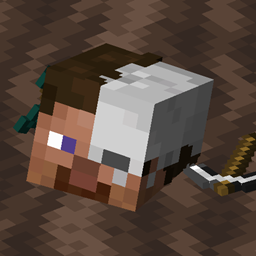
Minecraft 1.18.1 కోసం Universal Graves మోడ్
Fabric కోసం అనుకూలీకరించగల సమాధి మోడ్!
- వ్యూలు
- 10 వ్యూలు
- అప్డేట్ చేయబడింది
- అప్డేట్ చేయబడింది 18.10.2026
- 1.17.1 — 1.18.1
 Fabric
Universal Graves
ఇది సరళమైనది, కానీ నిజంగా అనుకూలీకరించదగిన గ్రేవ్/డెత్ చెస్ట్ మోడ్! మీరు ఇష్టమైన విధంగా అనుకూలీకరించవచ్చు, సందేశం, బ్లాక్లు మరియు హోలోగ్రామ్ టెక్స్ట్లను మార్చడం ద్వారా, ఎంతకాలం రక్షించబడుతుంది, గడువు ముగిసిన తర్వాత వస్తువులు డ్రాప్ అవ్వాలా వంటివి.
ఈ మోడ్ సర్వర్లపై పూర్తిగా పనిచేస్తుంది, కానీ మోడల్ మద్దతు కోసం క్లయింట్లపై మోడ్ అవసరం!
ఈ మోడ్ Fabric మరియు Quilt పై మాత్రమే పనిచేస్తుంది!
మీకు ఏవైనా ప్రశ్నలు ఉంటే, నా Discord లో అడగవచ్చు
నా ఇతర మోడ్లు మరియు ప్రాజెక్ట్లను కూడా చూడండి, అవి మీకు ఉపయోగకరంగా అనిపించవచ్చు!
2.x/1.19.x లేదా పాత వెర్షన్ ఉపయోగిస్తున్నారా?
సరైన readme చూడటానికి ఇక్కడ క్లిక్ చేయండి!
చిత్రాలు
కమాండ్లు (మరియు అనుమతులు):
- /graves - ప్రధాన కమాండ్, ఆటగాడి గ్రేవ్ల జాబితాను చూపిస్తుంది (universalgraves.list, డిఫాల్ట్గా అందుబాటులో ఉంటుంది)
- /graves player <player> - ఎంచుకున్న ఆటగాడి గ్రేవ్ల జాబితాతో gui తెరుస్తుంది (universalgraves.listothers)
- /graves modify <player> - అమలు చేసేవారి గ్రేవ్ల జాబితాతో gui తెరుస్తుంది, వాటిని మార్చే సామర్థ్యంతో (universalgraves.modify)
- /graves reload - కాన్ఫిగరేషన్ మరియు స్టైల్లను రీలోడ్ చేస్తుంది (universalgraves.reload అవసరం)
అదనంగా, universalgraves.teleport అనుమతి ఉంటే, మీరు ఏ గ్రేవ్కైనా టెలిపోర్ట్ చేయవచ్చు.
Universal Graves ఎలా ఇన్స్టాల్ చేయాలి
With Millida Launcher
Install Millida Launcher
The launcher is free: download it at millida.net/launcher and sign in with any nickname.
Click “Install” on this page
The launcher opens and installs the mod for Minecraft 1.17.1–1.18.1 on Fabric automatically.
Launch the game
A profile with it appears in the launcher: click “Play”.
Manually
Install Fabric
The loader must match the game version of the mod file, for example Minecraft 1.18.1. After installing it, a separate profile appears in your launcher.
Download the file for your version
In the version list above, pick the file graves-2.0.0-rc.2+1.18.1.jar (882 KB) for your game version.
Put it in the mods folder
The folder is inside .minecraft (Windows: %appdata%\.minecraft\mods). If it does not exist, create it.
Launch the loader profile
Open “Mods” in the main menu: Universal Graves should be in the list.
Minecraft 1.18.1 runs on Java 17: with a different Java version the game may close right after launch.
వెర్షన్లు
డిపెండెన్సీలతో
| Minecraft | లోడర్ | ఫైల్ | తేదీ | చర్యలు |
|---|---|---|---|---|
| — | Fabric | UniversalGraves 3.13.0+26.3753 KB | ||
| 1.18.1 | Fabric | graves-2.0.0-rc.2+1.18.1.jar882 KB | ||
| 1.18.1 | Fabric | graves-2.0.0-beta.3+1.18.jar844 KB | ||
| 1.17.1 | — | graves-1.1.2+1.17.1.jar466 KB |
సమీక్షలు
Universal Gravesకు మొదటి రేటింగ్ ఇవ్వండి


