
Thaumic Terminal మోడ్ గురించి
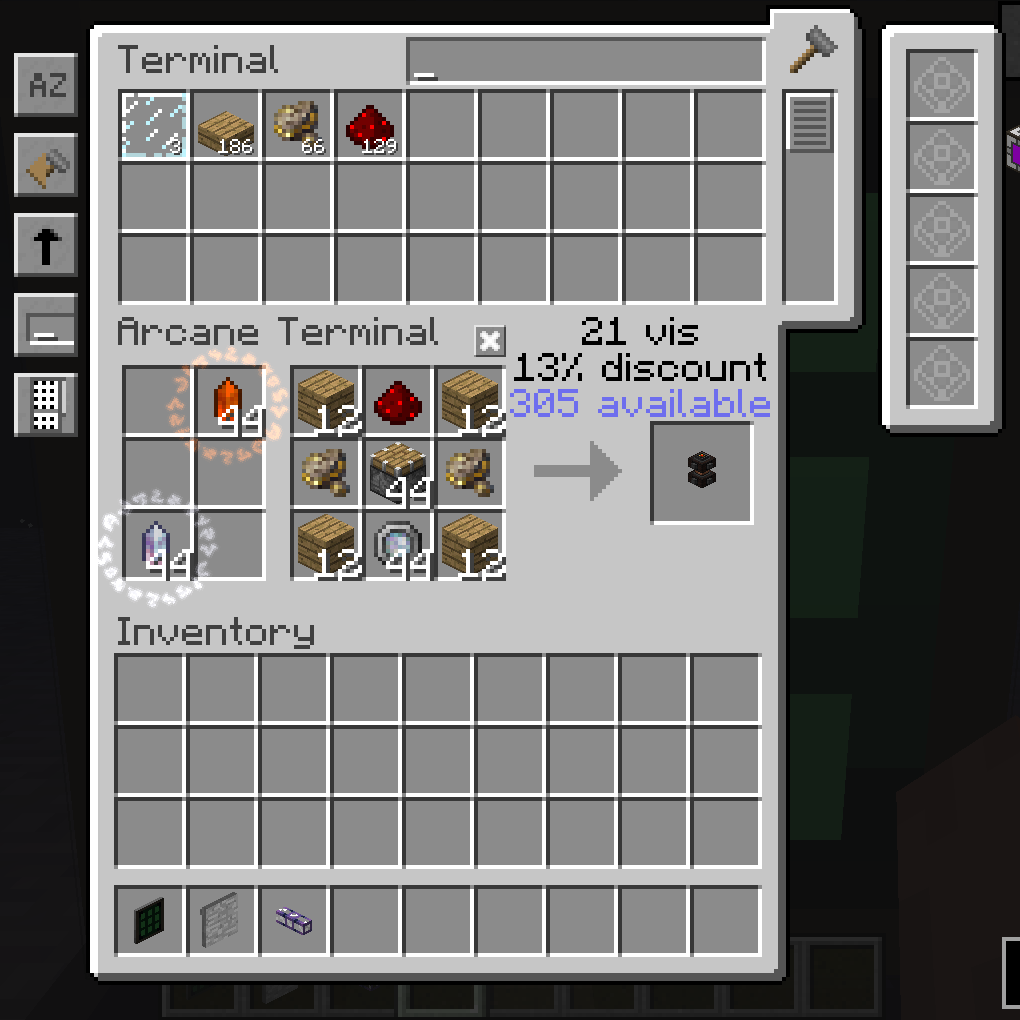
ఈ మోడ్ AE మరియు Thaumcraft మధ్య అనుకూలతను జోడిస్తుంది.
ప్రస్తుతం మోడ్లో Arcane Terminal మాత్రమే ఉంది.
ఏవైనా బగ్లు/ఆలోచనలు/అభ్యర్థనలు
- వాటిని Issues పేజీలో పోస్ట్ చేయండి!
ModPacks గురించి
- మీ మోడ్ప్యాక్లలో ఈ మోడ్ను ఉపయోగించడానికి సంకోచించకండి.
నేను ఈ మోడ్ను అప్డేట్ చేయాలనుకుంటున్నాను. నాకు ఎక్కువ సమయం కావాలి.
మా డిస్కార్డ్లో చేరండి!
Patreon ద్వారా మద్దతు ఇవ్వండి!
Thaumic Terminal ఎలా ఇన్స్టాల్ చేయాలి
With Millida Launcher
Install Millida Launcher
The launcher is free: download it at millida.net/launcher and sign in with any nickname.
Click “Install” on this page
The launcher opens and installs the mod for Minecraft 1.12.2 automatically.
Launch the game
A profile with it appears in the launcher: click “Play”.
Manually
Download the file for your version
In the version list above, pick the file ThaumicTerminal-1.0.12.jar (75 KB) for your game version.
Put it in the mods folder
The folder is inside .minecraft (Windows: %appdata%\.minecraft\mods). If it does not exist, create it.
Launch the loader profile
Open “Mods” in the main menu: Thaumic Terminal should be in the list.
Minecraft 1.12.2 runs on Java 8: with a different Java version the game may close right after launch.
వెర్షన్లు
డిపెండెన్సీలతో
| Minecraft | లోడర్ | ఫైల్ | తేదీ | చర్యలు |
|---|---|---|---|---|
| 1.12.2 | — | ThaumicTerminal-1.0.12 (TC BETA 26 || AE rv6-stable-6)75.4 KB | ||
| 1.12.2 | — | ThaumicTerminal-1.0.9 (TC BETA 23 || AE rv5-stable-11)72.5 KB |
FAQ
Which Minecraft versions does Thaumic Terminal work on?
Only Minecraft 1.12.2: there are no files for other versions.
Which Java does Thaumic Terminal need?
Minecraft 1.12.2 runs on Java 8. If the game closes right after launch, the usual cause is the wrong Java version in the profile settings.
Where can I download Thaumic Terminal safely?
On this page: the file ThaumicTerminal-1.0.12.jar (75 KB) is stored on Millida’s server, with no link shorteners. SHA-1 checksum: b78f45e0aed9c3d17767a23c4d96e0ce1562d6f8.
సమీక్షలు
Thaumic Terminalకు మొదటి రేటింగ్ ఇవ్వండి


