

Minecraft 1.20.1, 1.21.1 కోసం Sun and Moon Celestial Configuration మోడ్
సూర్యుడు మరియు చంద్రుడి పరిమాణాన్ని మార్చండి!
 NeoForge
 Forge
 Fabric
 Quilt
Sun and Moon Celestial Configuration మోడ్ గురించి

సులభంగా ఉపయోగించగల ప్యానెల్ సాధనాలు, అద్భుతమైన కస్టమర్ మద్దతు మరియు తక్షణ సెటప్ కలిగిన Minecraft సర్వర్ కావాలా? పైన ఉన్న బ్యానర్ ద్వారా Wabbanode ను ప్రయత్నించండి, మరియు చెక్అవుట్ సమయంలో NEKO కోడ్ ఉపయోగించి మీ మొదటి నెలకు 25% తగ్గింపు పొందండి!
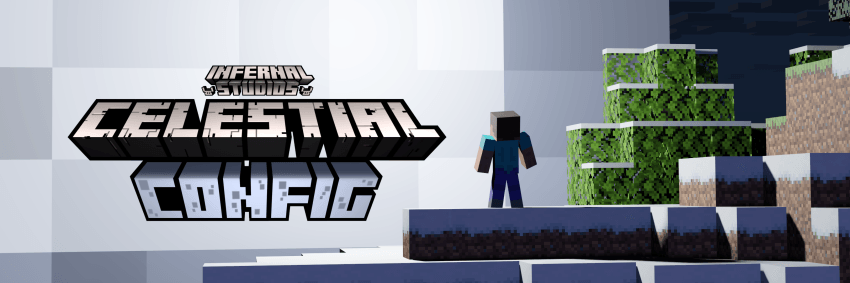
📖 గురించి:
మీ ప్రపంచాన్ని దృశ్యపరంగా ఆసక్తికరంగా, కానీ అడ్డంకి లేకుండా మార్చాలనుకుంటున్నారా? ఇప్పుడు మీరు సూర్యుడు మరియు/లేదా చంద్రుని పరిమాణాలను ఒక చక్కని కాన్ఫిగ్ ద్వారా మార్చడం ద్వారా అది చేయవచ్చు!
✅ లక్షణాలు:
- సూర్యుడు మరియు చంద్రుని పరిమాణాన్ని మార్చండి!
- డిఫాల్ట్ సెట్టింగ్లు పరిమాణాన్ని యథాతథంగా ఉంచుతాయి
- కాన్ఫిగ్ మీకు ఎత్తు మరియు వెడల్పును స్కేల్ చేయడానికి అనుమతిస్తుంది
- సూర్యుడు మరియు చంద్రుడిని విడివిడిగా స్కేల్ చేయవచ్చు
- ప్రస్తుతం Forge, Neoforge, మరియు Fabric పై మద్దతు ఉంది
- Fabric వెర్షన్కు Fabric API మరియు Cloth Config అవసరం
🔧 కాన్ఫిగరేషన్:
- సూర్యుని కోసం ఎత్తు మరియు వెడల్పు గుణకం
- చంద్రుని కోసం ఎత్తు మరియు వెడల్పు గుణకం
🖼️ ప్రివ్యూ:
మాడ్ పనిచేస్తున్న వీడియో ఉదాహరణ, Configured మరియు Better Mods Button ఉపయోగించి సులభతరం చేయబడింది:
Sun and Moon Celestial Configuration ఎలా ఇన్స్టాల్ చేయాలి
With Millida Launcher
Install Millida Launcher
The launcher is free: download it at millida.net/launcher and sign in with any nickname.
Click “Install” on this page
The launcher opens and installs the mod for Minecraft 1.19.2–1.21.1 on Fabric, Forge, NeoForge or Quilt automatically.
Launch the game
A profile with it appears in the launcher: click “Play”.
Manually
Install Fabric, Forge, NeoForge or Quilt
The loader must match the game version of the mod file, for example Minecraft 1.21.1. After installing it, a separate profile appears in your launcher.
Download the file for your version
In the version list above, pick the file celesteconfig-neoforge-1.21.1-1.1.3.jar (22 KB) for your game version and loader.
Put it in the mods folder
The folder is inside .minecraft (Windows: %appdata%\.minecraft\mods). If it does not exist, create it.
Launch the loader profile
Open “Mods” in the main menu: Sun and Moon Celestial Configuration should be in the list.
Minecraft 1.21.1 runs on Java 21: with a different Java version the game may close right after launch.
వెర్షన్లు
డిపెండెన్సీలతో
| Minecraft | లోడర్ | ఫైల్ | తేదీ | చర్యలు |
|---|---|---|---|---|
| 1.21.1 | NeoForge | Celestial Configuration Neoforge 1.21.1 - 1.1.322 KB | ||
| 1.20.1 | Forge | Celestial Configuration Forge 1.20.1 - 1.1.222.3 KB 1 | ||
| 1.20.1 | Fabric | Celestial Configuration Fabric 1.20.1 - 1.1.221.2 KB | ||
| 1.19.2 | Quilt | Celestial Configuration Release 1.0.0 for Minecraft 1.19.2 for Quilt18.4 KB 1 |
FAQ
Which Minecraft versions does Sun and Moon Celestial Configuration work on?
There are files for 1.21.1, 1.20.1, 1.19.2. The newest is 1.21.1.
Is Sun and Moon Celestial Configuration for Forge or Fabric?
There are files for Fabric: 1.20.1, for Forge: 1.20.1, for NeoForge: 1.21.1 and for Quilt: 1.19.2.
Does Sun and Moon Celestial Configuration need other mods?
The author lists no required dependencies: the Fabric, Forge, NeoForge or Quilt loader is enough.
Which Java does Sun and Moon Celestial Configuration need?
Minecraft 1.21.1 runs on Java 21. If the game closes right after launch, the usual cause is the wrong Java version in the profile settings.
Where can I download Sun and Moon Celestial Configuration safely?
On this page: the file celesteconfig-neoforge-1.21.1-1.1.3.jar (22 KB) is stored on Millida’s server, with no link shorteners. SHA-1 checksum: 3cc6110e72c9aa2a64887b54e7b092c53e08a1c3.
సమీక్షలు
Sun and Moon Celestial Configurationకు మొదటి రేటింగ్ ఇవ్వండి


