
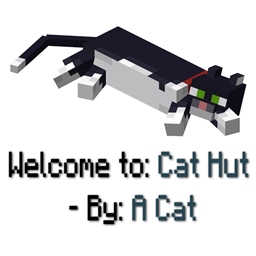
Minecraft 1.20.1, 26.1.2 కోసం Structure Credits మోడ్
ఏదైనా నిర్మాణంలోకి ప్రవేశించినప్పుడు దాని పేరు మరియు మాడ్ మూలాన్ని స్వయంచాలకంగా ప్రదర్శిస్తుంది
 Fabric
 NeoForge
 Forge
Forgeఏదైనా నిర్మాణంలోకి ప్రవేశించినప్పుడు దాని పేరు మరియు మోడ్ మూలాన్ని స్వయంచాలకంగా ప్రదర్శిస్తుంది, సులభ గుర్తింపు మరియు మోడ్ సృష్టికర్తలకు క్రెడిట్ను నిర్ధారిస్తుంది.
ఇతర మోడ్ల నిర్మాణాలతో సజావుగా అనుసంధానమవుతుంది, అనుకూలతను నిర్ధారిస్తుంది.
మీరు సందేశం Minecraft వనిల్లా నిర్మాణాలలో కనిపించాలనుకుంటే, config .json ఫైల్కు వెళ్లి "minecraft:" తో ప్రారంభమయ్యే పంక్తులను తొలగించండి
ఇది చికాకు కలిగిస్తుందా?
లేదు! మీ బేస్ ఒక నిర్మాణం లోపల ఉన్నట్లయితే, చింతించకండి! డిఫాల్ట్గా, నిర్మాణ సందేశాలు ఒక నిర్మాణానికి ఒకసారి మాత్రమే కనిపిస్తాయి.
మీరు నిర్మాణ పేర్లను కూడా మార్చవచ్చు!
"customStructureName": { "minecraft:swamphut": "acat:cathut"
Discord:
FAQ
Q: ఇది చికాకు కలిగిస్తుందా?
A: చికాకు కలగకుండా చేయడానికి నేను చేయగలిగిన గరిష్ఠం చేశాను, కానీ అది మీకు చికాకు కలిగిస్తే: config మరియు keybinds చూసి వాటిని ఉపయోగించండి
లేదా ఒక చాలా మంచి config ఉంది (డిఫాల్ట్గా అది ON/True లో ఉంటుంది) అది నిర్మాణ సందేశాన్ని ఒక నిర్మాణానికి ఒకసారి మాత్రమే చూసేలా చేస్తుంది. నిర్మాణాన్ని మొదటిసారి సందర్శించిన తర్వాత మీరు దానిని మళ్లీ ఎప్పటికీ చూడరు.
కానీ నాకు ఆ సెట్టింగ్ డిజేబుల్ కావాలంటే? చింతించకండి ఎందుకంటే అది డిజేబుల్ అయినప్పుడు మీరు ఒక నిర్మాణం (Structure A) సందేశాన్ని చూసినప్పుడు, ఆ నిర్మాణం నుండి బయటకు వెళ్లి, వేరే నిర్మాణంలోకి (Structure B) ప్రవేశించి, మళ్లీ ఆ నిర్మాణంలోకి (Structure A) ప్రవేశించాలి, అప్పుడే పేరు మళ్లీ కనిపిస్తుంది. కాబట్టి ఇప్పుడు ఎవరైనా ఒక నిర్మాణంలో నివసిస్తే అది ఇబ్బంది పెట్టదు
Q: నేను ఏదైనా సూచించవచ్చా?
A: దయచేసి, అవును.
Q: నేను దీన్ని నా మోడ్ప్యాక్కు జోడించవచ్చా.
A: ముందుకు వెళ్లండి!
configs ఎలా ఉపయోగించాలి:
మీ config ఫోల్డర్కు వెళ్లండి, structurecredits-config.json మరియు మీరు ఇది చూస్తారు:
{ "active": true, "showOnlyOneTime": true, "chatMessage": false, "customStructureName": { "minecraft:swamphut": "acat:cathut" }, "dontShowAll": [ "minecraft:", "dimdungeons:" ], "dontShow": [ "minecraft:plainsvillage", "minecraft:desertvillage" ] }
అదనంగా, అన్ని సందేశాలను నిష్క్రియం చేయడానికి మీరు కేటాయించగల ఇన్-గేమ్ keybind ఒకటి ఉంది
మోడ్ డెవలపర్ల కోసం:
Structure Credits NBT "modname:structurename" తీసుకుని ప్రదర్శన సందేశాన్ని రూపొందిస్తుంది. మీరు మీ టీమ్ నుండి ఒక నిర్దిష్ట బిల్డర్కు క్రెడిట్ ఇవ్వాలనుకుంటే లేదా మంచి పేర్లను ఉపయోగించాలనుకుంటే, మీరు APIని ఉపయోగించవచ్చు. ఇది 1.20.1, 1.21.1, Fabric, మరియు Neo(Forge) వెర్షన్లకు వర్తిస్తుంది.
GitHub: StructureCredits API
డిపెండెన్సీని జోడించడానికి CurseMaven ఉపయోగించండి: curse.maven:structurecredits-978217:6325061 (ఉదాహరణకు NeoForge 1.21.1 కోసం).
ఈ మోడ్ Dimensional Dungeons తో అనుకూలంగా ఉంటుంది - ధన్యవాదాలు Catastrophe - మీరు 'config dontShowAll' లో ఈ కింది సెట్టింగ్ను కాన్ఫిగర్ చేసి ఉంటే మాత్రమే సందేశం కస్టమ్ రూమ్లలో ప్రదర్శించబడుతుంది: "dimdungeons:" (డిఫాల్ట్ కాన్ఫిగరేషన్, మరియు సిఫార్సు చేయబడింది). కొత్త కస్టమ్ రూమ్ను సృష్టించేటప్పుడు, గుర్తుంచుకోండి, ప్యాకేజ్ పేరు "By: X" మరియు నిర్మాణ పేరు "Welcome to: X".
Structure Credits ఎలా ఇన్స్టాల్ చేయాలి
With Millida Launcher
Install Millida Launcher
The launcher is free: download it at millida.net/launcher and sign in with any nickname.
Click “Install” on this page
The launcher opens and installs the mod for Minecraft 1.20.1–26.1.2 on Fabric, Forge or NeoForge automatically.
Launch the game
A profile with it appears in the launcher: click “Play”.
Manually
Install Fabric, Forge or NeoForge
The loader must match the game version of the mod file, for example Minecraft 26.1.2. After installing it, a separate profile appears in your launcher.
Download the file for your version
In the version list above, pick the file structurecredits-fabric-26.1.2-3.0.jar (78 KB) for your game version and loader.
Put it in the mods folder
The folder is inside .minecraft (Windows: %appdata%\.minecraft\mods). If it does not exist, create it.
Launch the loader profile
Open “Mods” in the main menu: Structure Credits should be in the list.
వెర్షన్లు
డిపెండెన్సీలతో
| Minecraft | లోడర్ | ఫైల్ | తేదీ | చర్యలు |
|---|---|---|---|---|
| 26.1.2 | Fabric | structurecredits-fabric-26.1.2-3.0.jar77.8 KB | ||
| 26.1.2 | NeoForge | structurecredits-neoforge-26.1.2-3.0.jar78.3 KB | ||
| 1.20.1 | Forge | structurecredits-1.20.1-4.0-forge.jar85.3 KB |
సమీక్షలు
Structure Creditsకు మొదటి రేటింగ్ ఇవ్వండి


