
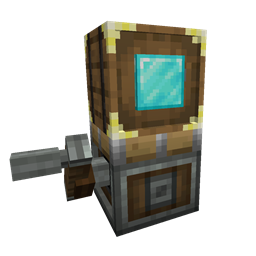
Minecraft 1.20.1, 1.21.1 కోసం Sophisticated Storage Create Integration మోడ్
Create కాంట్రాప్షన్లపై పూర్తి ఫీచర్ సొఫిస్టికేటెడ్ స్టోరేజ్
 NeoForge
 Forge
Sophisticated Storage Create Integration మోడ్ గురించి
Sophisticated Storage Create Integration అనేది Create తో పూర్తి-స్థాయి ఇంటిగ్రేషన్, దీని ద్వారా Sophisticated Storage బ్లాక్లను Create కాంట్రాప్షన్లపై కేవలం సాధారణ నిల్వ బ్లాక్లుగానే కాకుండా, వాటి విస్తృత ఇన్వెంటరీ ఆప్షన్లతో పాటు దాదాపు అన్ని అప్గ్రేడ్లు పూర్తిగా పనిచేసేలా ఉపయోగించవచ్చు. ఈ యాడాన్ మాడ్ Sophisticated Storage యొక్క శక్తిని, వశ్యతను Create యొక్క కదిలే ప్రపంచంలోకి తీసుకువస్తుంది, కాబట్టి మీ నిల్వ బ్లాక్లు ఇప్పుడు రైళ్లు, తిరిగే ప్లాట్ఫారమ్లు, ఎగిరే యంత్రాలు మొదలైనవాటిపై ప్రయాణించగలవు — వాటి ఉన్నత సామర్థ్యాలలో ఏదీ కోల్పోకుండా.
కాంట్రాప్షన్ నిల్వ
అన్ని Sophisticated Storage బ్లాక్లు - బారెల్స్, చెస్ట్లు, షుల్కర్ బాక్స్లు - ఇప్పుడు Create కాంట్రాప్షన్లపై అమర్చవచ్చు మరియు కదలికలో ఉన్నప్పుడు పూర్తి అనుకూలతను నిలుపుకుంటాయి. నిల్వ కంటెంట్ కదలిక అంతటా నిలిచి ఉంటుంది, అలాగే అప్గ్రేడ్లు, అప్గ్రేడ్ సెట్టింగ్లు, ఇన్వెంటరీ సెట్టింగ్లు (జ్ఞాపకం ఉంచిన స్లాట్లు వంటివి) నిలుపుకోబడతాయి.
అప్గ్రేడ్లు
Sophisticated Storage నుండి చాలా అప్గ్రేడ్లు Create కాంట్రాప్షన్లపై సజావుగా పనిచేస్తాయి. Pickup లేదా Magnet వంటి స్థాన-ఆధారిత అప్గ్రేడ్లు కాంట్రాప్షన్ యొక్క డైనమిక్ స్థానాన్ని మరియు అసలు నిల్వ యొక్క స్థానాన్ని ఉపయోగించి సరైన స్థానంలో పనిచేస్తాయి, స్టాక్ అప్గ్రేడ్లు స్లాట్ సామర్థ్యాన్ని పెంచుతాయి, క్రాఫ్టింగ్ అప్గ్రేడ్ నిల్వలోని కంటెంట్తో పనిచేస్తుంది, … వాహన నిల్వకు అప్గ్రేడ్లను ప్రపంచంలోనే నేరుగా కాంట్రాప్షన్పై అమర్చిన నిల్వపై కుడి-క్లిక్ చేయడం ద్వారా జోడించవచ్చు.
టైర్ అప్గ్రేడ్లు
టైర్ అప్గ్రేడ్లను సాధారణ నిల్వలకు ఎలా వర్తింపజేస్తారో అదే విధంగా కాంట్రాప్షన్ నిల్వలకు కూడా నిల్వపై వాటిని కుడి-క్లిక్ చేయడం ద్వారా వర్తింపజేయవచ్చు. కాంట్రాప్షన్ కదలికలో ఉన్నప్పుడు కూడా నిల్వ సామర్థ్యాన్ని సులభంగా విస్తరించడానికి ఇది అనుమతిస్తుంది.
Storage Tool
Storage Tool ను కాంట్రాప్షన్లపై నేరుగా లాక్ సెట్టింగ్లను మరియు టైర్, అప్గ్రేడ్ స్లాట్లు, నింపిన స్థాయిలు వంటి దృశ్య సూచికలను నిర్వహించడానికి ఉపయోగించవచ్చు—ఏదైనా సాధారణ Sophisticated Storage బ్లాక్తో లాగానే.
Paintbrush
Paintbrush సాధారణ నిల్వలపై ఎంత స్థాయి మద్దతు ఇస్తుందో అదే స్థాయిలో కాంట్రాప్షన్ నిల్వలపై కూడా రంగులు వేయగలదు, కాబట్టి Paintbrush తో రెండు టింట్లు అలాగే బారెల్ మెటీరియల్స్ మారడం రెండూ మద్దతు పొందుతాయి.
Sophisticated Storage Create Integration ఎలా ఇన్స్టాల్ చేయాలి
With Millida Launcher
Install Millida Launcher
The launcher is free: download it at millida.net/launcher and sign in with any nickname.
Click “Install” on this page
The launcher opens and installs the mod for Minecraft 1.20.1–1.21.1 on Forge or NeoForge automatically.
Launch the game
A profile with it appears in the launcher: click “Play”.
Manually
Install Forge or NeoForge
The loader must match the game version of the mod file, for example Minecraft 1.21.1. After installing it, a separate profile appears in your launcher.
Download the file for your version
In the version list above, pick the file sophisticatedstoragecreateintegration-1.21.1-0.1.21.209.jar (131 KB) for your game version and loader.
Put it in the mods folder
The folder is inside .minecraft (Windows: %appdata%\.minecraft\mods). If it does not exist, create it.
Launch the loader profile
Open “Mods” in the main menu: Sophisticated Storage Create Integration should be in the list.
Minecraft 1.21.1 runs on Java 21: with a different Java version the game may close right after launch.
వెర్షన్లు
డిపెండెన్సీలతో
| Minecraft | లోడర్ | ఫైల్ | తేదీ | చర్యలు |
|---|---|---|---|---|
| 1.20.1 | Forge, NeoForge | sophisticatedstoragecreateintegration-1.20.1-0.1.24.221.jar127 KB 66 | ||
| 1.21.1 | NeoForge | sophisticatedstoragecreateintegration-1.21.1-0.1.21.209.jar131 KB 98 |
FAQ
Which Minecraft versions does Sophisticated Storage Create Integration work on?
There are files for 1.21.1, 1.20.1. The newest is 1.21.1.
Is Sophisticated Storage Create Integration for Forge or Fabric?
There are files for Forge: 1.20.1 and for NeoForge: 1.20.1–1.21.1. There are no files for Fabric: a mod for another loader will not start.
Does Sophisticated Storage Create Integration need other mods?
The author lists no required dependencies: the Forge or NeoForge loader is enough.
Which Java does Sophisticated Storage Create Integration need?
Minecraft 1.21.1 runs on Java 21. If the game closes right after launch, the usual cause is the wrong Java version in the profile settings.
Where can I download Sophisticated Storage Create Integration safely?
On this page: the file sophisticatedstoragecreateintegration-1.21.1-0.1.21.209.jar (131 KB) is stored on Millida’s server, with no link shorteners. SHA-1 checksum: d8f72f22459750496008a7c2a39dc865152d075c.
సమీక్షలు
Sophisticated Storage Create Integrationకు మొదటి రేటింగ్ ఇవ్వండి


