

Minecraft 1.20.1, 1.21.1 కోసం Potions Master మోడ్
Minecraft పోషన్లను విస్తరించడం
 NeoForge
 Forge
ForgePotions Master మోడ్ గురించి
ఈ మోడ్ కొత్త రకం పోషన్లను జోడిస్తుంది : OreSight, ప్రతి పోషన్ ఆ నిర్దిష్ట ఖనిజం కోసం కొద్దిసేపు xray దృష్టిని పొందడానికి అనుమతిస్తుంది. Regular, Splash మరియు Lingering రకాలతో వస్తుంది.
ప్రస్తుతం Vanilla ఖనిజాలకు మద్దతు ఇస్తుంది(Coal, Iron, Redstone, Lapis, Gold, Diamond, Emerald,Nether Quartz)
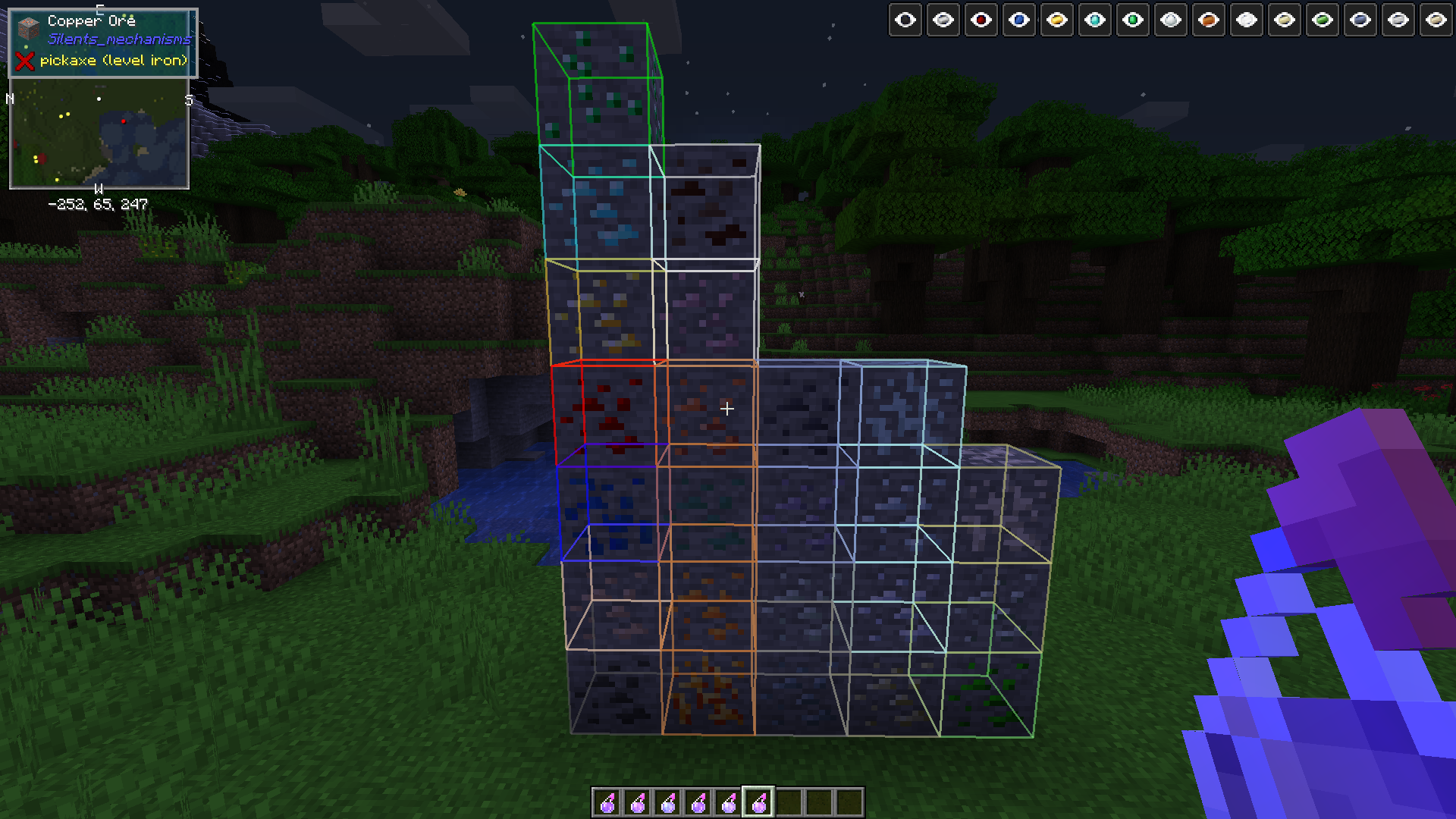
Modded మద్దతు: Aluminium, Copper, Lead, Nickel, Silver, Tin, Uranium, Zinc ( Osmium,Crimson Iron,Bismuth,Platinum,1.15.1+))
ఈ మోడ్ ఈ ఖనిజాలను అందించే మరియు సరైన Forge Tag ను నమోదు చేసే ఏ మోడ్తోనైనా పనిచేయాలి.
మొదట ఒక pestle ను తయారు చేయండి, రెసిపీ కోసం JEI/JER చూడండి
ఒక mortar ను తయారు చేయండి, రెసిపీ కోసం JEI/JER చూడండి
dusts కోసం రెసిపీలు JEI లో ఉన్నాయి
మీకు కావాల్సిన పోషన్ కోసం ingot(లేదా redstone powder/diamond gem లేదా emerald gem) ను crafting table లో pestle మరియు mortar తో కలిపి తయారు చేసి powder పొందండి. లేదా
mortar ను ప్రపంచంలో ఉంచి, మీ offhand లో ingot/gem/coal/redstone/lapis మొదలైనవి పట్టుకుని, main hand లో pestle పట్టుకోండి,. మీ dust పొందడానికి mortar పై right click చేయండి
Calcinated <OreType> Powder పొందడానికి dust ను furnace లో smelt చేయండి
ఆ powder ను 3 mundane potions తో brew చేసి మీ OreSight Potions పొందండి.
powders, pestle మరియు brewing రెసిపీల కోసం రెసిపీలు మీకు ఇష్టమైన రెసిపీ మోడ్(JEI/JER ఏదైనా) ద్వారా కనుగొనవచ్చు
ATM4 modpack తో పరీక్షించబడింది, ఆ ప్యాక్లో చేర్చిన గతంలో పేర్కొన్న Ore Variants కు మద్దతు ఇస్తుంది.(Silents Mechanisms, Tinkers Mechworks,, MysticalWorlds, Blue Power)
వర్తించే చోట UsefulResources కు కూడా మద్దతు ఇస్తుంది
కొన్ని ప్రతికూల స్థితి ప్రభావాలను తొలగించడానికి 3 కొత్త ఐటమ్లను(ఇవి 16 వరకు స్టాక్ అవుతాయి) కూడా జోడిస్తుంది:
Bezoars: Sheep నుండి డ్రాప్ అవుతాయి, తిన్నప్పుడు Poison ను నయం చేస్తాయి
Polar Bear Gall Bladders: Polar Bears నుండి డ్రాప్ అవుతాయి, Mining Fatigue ను నయం చేస్తాయి
Activated Charcoal: Charcoal Powder ను smelt చేయండి(రెసిపీలు మీకు ఇష్టమైన Recipe Viewer లో) మరియు Wither ప్రభావాన్ని తొలగించడానికి దాన్ని తినండి
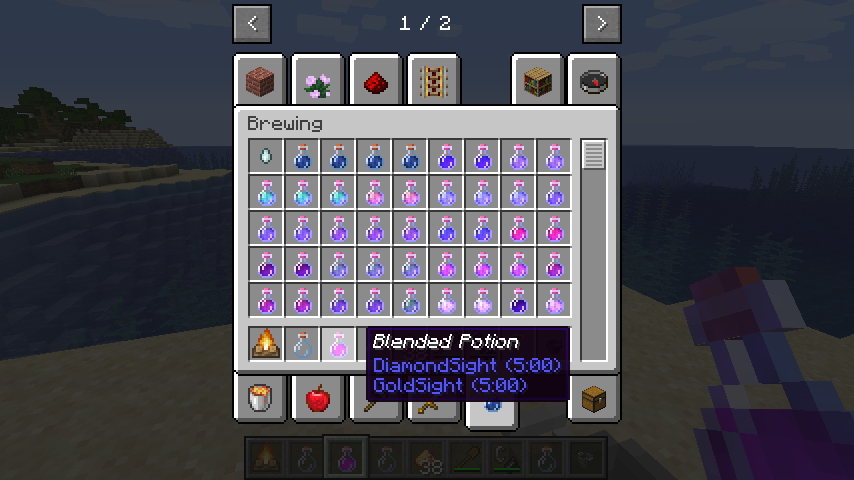
వెర్షన్ 0.1.0 + కొత్త మెకానిక్: Mixing Potions! Cauldron ను campfire పైన ఉంచండి, ఏవైనా 2 potions మరియు ఒక glowstone తో cauldron పై right click చేయండి. అది ఇప్పటికే వెలిగించబడకపోతే campfire ను వెలిగించండి. మిశ్రమం పరిమాణం తగ్గే వరకు వేచి ఉండండి, తర్వాత ఖాళీ బాటిల్తో cauldron పైభాగంలో right click చేయండి. ఫలిత పోషన్ను తిరిగి ఉంచి ఇతర పోషన్లతో కలపవచ్చు.
ఖాళీ చేతితో cauldron పై right click చేస్తే దాని విషయాలు క్లియర్ అవుతాయి మరియు రీసెట్ అవుతుంది. జాగ్రత్తగా ఉపయోగించండి
అదనపు పోషన్ ప్రభావాలపై కూడా పని జరుగుతోంది.
Invisibility మరియు Long Invisibility పోషన్లు ఇకపై particle ప్రభావాలను సృష్టించవు, ఇప్పుడు మీరు నిజంగా అదృశ్యం
ఈ మోడ్ 1.12 లేదా అంతకంటే ముందు వెర్షన్లపై మద్దతు ఇవ్వబడదు, క్షమించండి. ఇది చాలా బగ్గీగా ఉండవచ్చని ఆశించండి, అయితే ఇది ఏ ప్రపంచాలను పాడు చేయకూడదు.
CurseForge పర్యావరణ వ్యవస్థలో మీకు నచ్చిన ఏ modpacks లోనైనా ఈ మోడ్ను ఉపయోగించడానికి సంకోచించకండి, ఇది క్లయింట్ మరియు సర్వర్ రెండింటిపై అవసరం
Potions Master ఎలా ఇన్స్టాల్ చేయాలి
With Millida Launcher
Install Millida Launcher
The launcher is free: download it at millida.net/launcher and sign in with any nickname.
Click “Install” on this page
The launcher opens and installs the mod for Minecraft 1.14.4–26.1.2 on Forge or NeoForge automatically.
Launch the game
A profile with it appears in the launcher: click “Play”.
Manually
Install Forge or NeoForge
The loader must match the game version of the mod file, for example Minecraft 26.1.2. After installing it, a separate profile appears in your launcher.
Download the file for your version
In the version list above, pick the file potionsmaster-26.1.2.100-2.0.0.jar (215 KB) for your game version and loader.
Put it in the mods folder
The folder is inside .minecraft (Windows: %appdata%\.minecraft\mods). If it does not exist, create it.
Launch the loader profile
Open “Mods” in the main menu: Potions Master should be in the list.
వెర్షన్లు
డిపెండెన్సీలతో
| Minecraft | లోడర్ | ఫైల్ | తేదీ | చర్యలు |
|---|---|---|---|---|
| 26.1.2 | NeoForge | potionsmaster-26.1.2.100-2.0.0.jar215 KB | ||
| 1.21.1 | NeoForge | potionsmaster-21.1.113-1.0.1.jar212 KB 1 | ||
| 1.20.1 | NeoForge, Forge | potionsmaster-1.20.1-47.1.70-0.6.0.jar288 KB | ||
| 1.19.2 | Forge | potionsmaster-0.6.0-1.19.2-43.1.1.jar286 KB | ||
| 1.15.2 | — | potionsmaster-0.1.10-1.15.2-31.2.0.jar340 KB | ||
| 1.14.4 | Forge | PotionsMaster 0.0.1 Alpha164 KB |
FAQ
Which Minecraft versions does Potions Master work on?
There are files for 26.1.2, 1.21.1, 1.20.1, 1.19.2, 1.15.2, 1.14.4. The newest is 26.1.2.
Is Potions Master for Forge or Fabric?
There are files for Forge: 1.14.4–1.20.1 and for NeoForge: 1.20.1–26.1.2. There are no files for Fabric: a mod for another loader will not start.
Does Potions Master need other mods?
The author lists no required dependencies: the Forge or NeoForge loader is enough.
Where can I download Potions Master safely?
On this page: the file potionsmaster-26.1.2.100-2.0.0.jar (215 KB) is stored on Millida’s server, with no link shorteners. SHA-1 checksum: 9ee49aad9324a758c3518d299d15ff8bd0db54b2.
సమీక్షలు
Potions Masterకు మొదటి రేటింగ్ ఇవ్వండి


