
Minecraft 1.12.2, 1.19.2 కోసం Player Highlighter మోడ్
ఆటగాళ్లను / జీవులను హైలైట్ చేస్తుంది
 Fabric
 Quilt
Quilt Forge
ForgeAbout
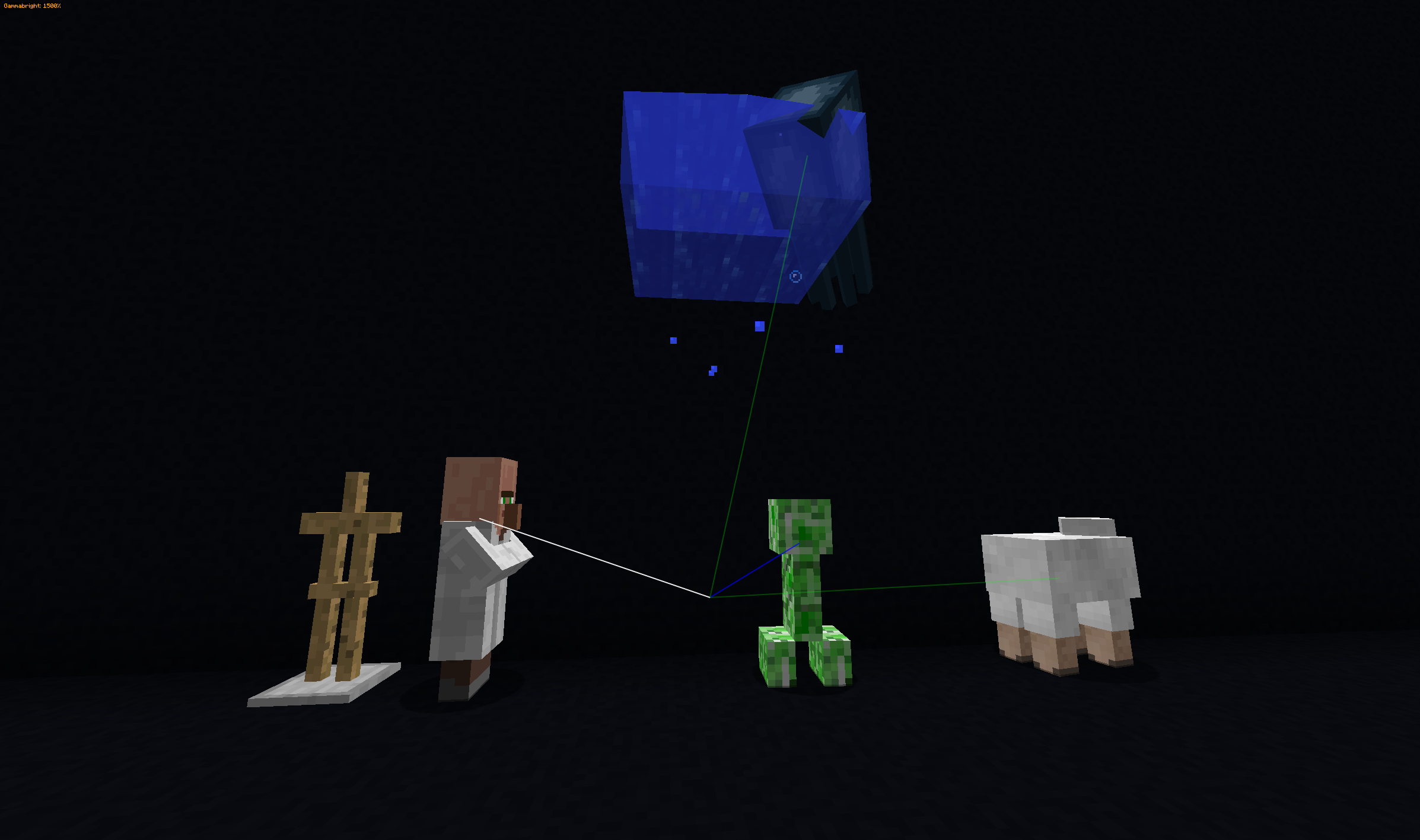
This Fabric only mod aims to trace players and other living entities in the game to highlight their position. It is technically an ESP (extra sensory perception) hack (aka wallhack / "x-ray for players"). This means you will be banned if you use this to get a competitive advantage! The entities are traced by drawing lines from the player/camera towards other players and living entities, highlighting direct path toward them.
Links
- Modrinth mod page
- Source code
- Issue tracker
- CI Pipelines
- Donate ❤️
The "why", and a cheat disclaimer
I originally made this mod as a fun exercise and for use on a non-PVP server for moderation purposes. The workings were inspired by similar feature of many "hacked clients". Beware that on many servers this mod would be considered an illegal cheat/hack and using it would get you banned, as it allows you to see even invisible players, players crouching behind blocks, teams at a glance and similar.
I found out that it's actually a good addition for casual survival as well, as it helps you find your friends easily, locate runaway villagers and find that snowman someone tried to prank you with. Which is why I updated it for 1.18.
The mod is in a decent, feature-full state at the moment (May 2022), but I don't play Minecraft very regularly so you should not rely on me updating this mod.
Screenshots
Tracking different kinds of living entities:
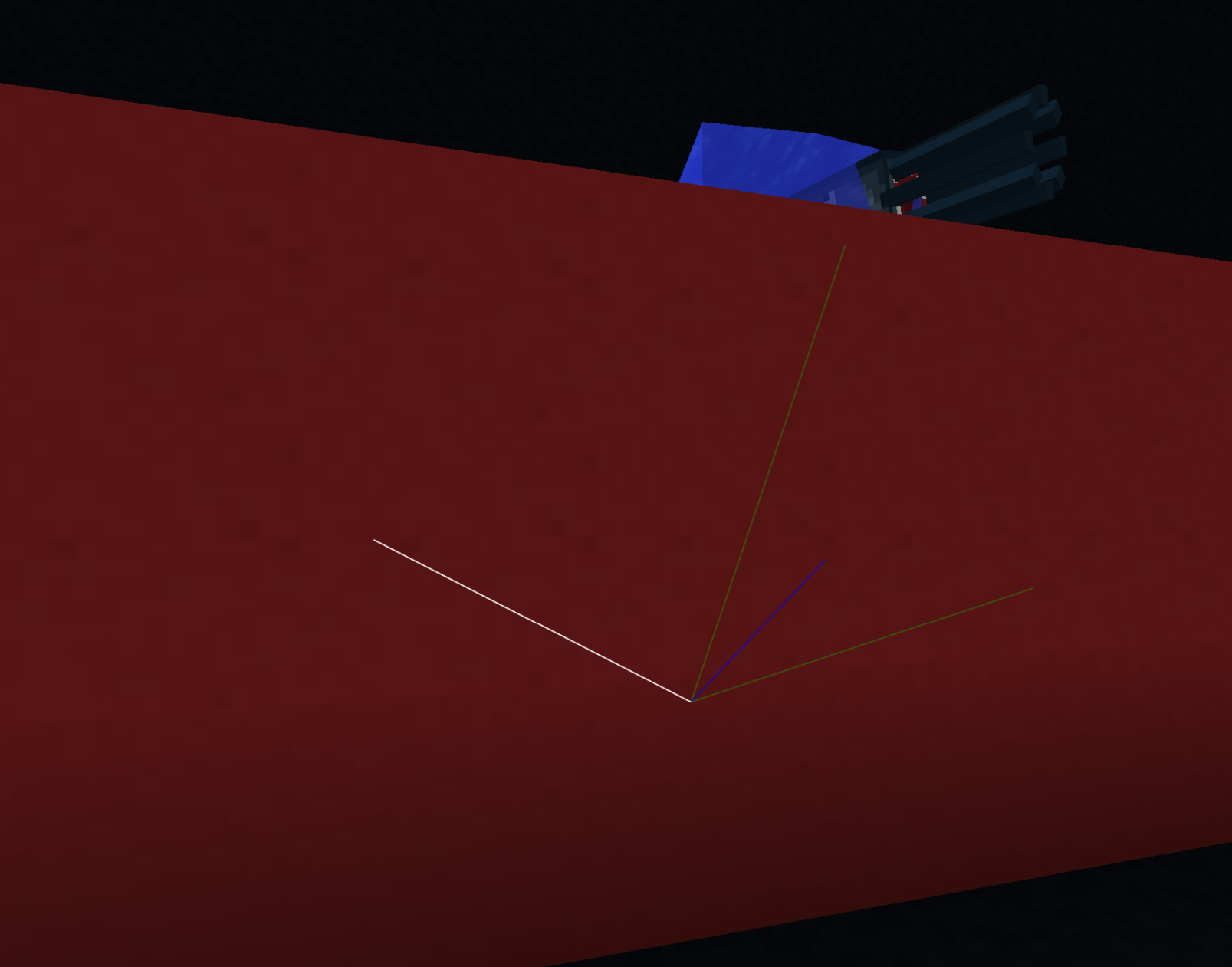
Same situation, with opaque blocks
Tracking players
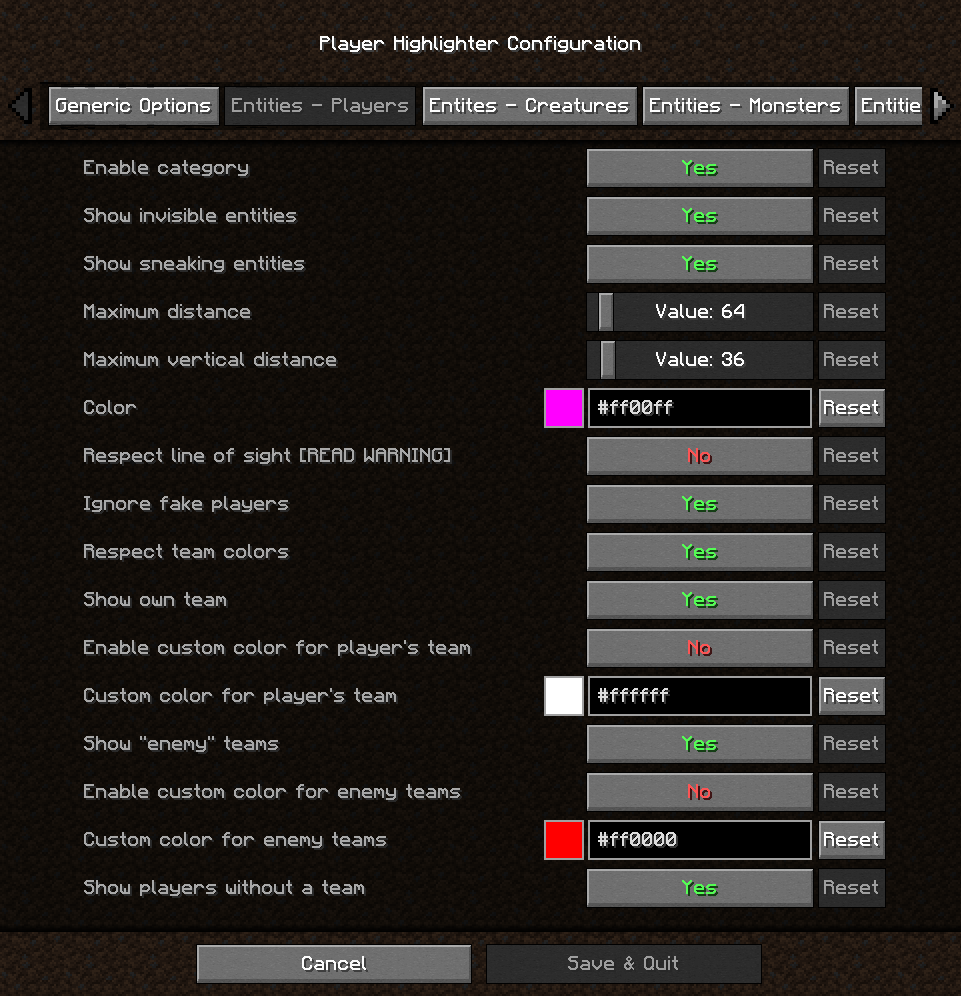
Configuration for tracing players
Installation / Requirements
This is a Fabric mod. You need these dependencies:
- Fabric API
- Complete Config
To access the options menu you also need:
- some kind of Mod Menu
- Cloth Config
Put all the .jar files in your %appdata%/.minecraft/mods folder. You can configure the toggle key in Minecraft Key Bindings menu without any of the optional dependencies, but to configure anything else you either need to edit the config file manually (you probably don't want to do this, especially for changing colors) or install the optional dependencies and use Mod Menu to access the config screen.
Bundled dependencies
The mod contains a few bundled dependencies:
- 0x3C50's Renderer which is used for drawing the lines in the new Minecraft rendering API.
- Shedaniel's Cloth Basic Math for Color support in configuration.
Configuration / Features
- This mod uses Cloth through CompleteConfig for configuration - see the tooltips in the mod's configuration screen for detailed descriptions of which setting does what.
- You can configure various aspects of every entity category (players / hostile mobs / "friendly" creatures): the color of the traces, maximum draw distances, whether to draw that specific category, etc.
- For players you can opt to show their team's colors instead of the configured color, and you may also choose to filter out teammates to see enemies better or the other way around (note that these features use the native Minecraft Teams only; if a server uses some custom system this may not work).
- The mod tries to filter out "fake players", but depending on how it's implemented on the server this might not work (it essentially checks if the target player is in the "player list"; the same list that you see when you press tab in-game).
- You can tone down the "cheat" aspects to a fairer feature set: you can optionally respect invisibility and sneaking entities. Note that any decent competitive server will have anti-cheat that will not show you invisible entities regardless.
- You can configure a key bind to toggle the display on and off quickly (in Minecraft settings). It defaults to Numpad 0.
Player Highlighter ఎలా ఇన్స్టాల్ చేయాలి
With Millida Launcher
Install Millida Launcher
The launcher is free: download it at millida.net/launcher and sign in with any nickname.
Click “Install” on this page
The launcher opens and installs the mod for Minecraft 1.12.2–1.19.3 on Fabric, Forge or Quilt automatically.
Launch the game
A profile with it appears in the launcher: click “Play”.
Manually
Install Fabric, Forge or Quilt
The loader must match the game version of the mod file, for example Minecraft 1.19.3. After installing it, a separate profile appears in your launcher.
Download the file for your version
In the version list above, pick the file playerhighlighter-2.3.1.jar (115 KB) for your game version and loader.
Put it in the mods folder
The folder is inside .minecraft (Windows: %appdata%\.minecraft\mods). If it does not exist, create it.
Launch the loader profile
Open “Mods” in the main menu: Player Highlighter should be in the list.
Minecraft 1.19.3 runs on Java 17: with a different Java version the game may close right after launch.
వెర్షన్లు
డిపెండెన్సీలతో
| Minecraft | లోడర్ | ఫైల్ | తేదీ | చర్యలు |
|---|---|---|---|---|
| 1.19.3 | Fabric, Quilt | 2.3.1115 KB 1 | ||
| 1.18.1 | Fabric | 2.0.0252 KB | ||
| 1.12.2 | Forge | Player-Highlighter-1.12.2-1.1.7.jar26.1 KB | ||
| 1.12.2 | — | Player-Highlighter-1.12.2-1.1.6.jar23 KB |
FAQ
Which Minecraft versions does Player Highlighter work on?
There are files for 1.12.2–1.19.3, 8 versions in total. The newest is 1.19.3.
Is Player Highlighter for Forge or Fabric?
There are files for Fabric: 1.18–1.19.3, for Forge: 1.12.2 and for Quilt: 1.19–1.19.3. There are no files for NeoForge: a mod for another loader will not start.
Does Player Highlighter need other mods?
The author lists no required dependencies: the Fabric, Forge or Quilt loader is enough.
Which Java does Player Highlighter need?
Minecraft 1.19.3 runs on Java 17. If the game closes right after launch, the usual cause is the wrong Java version in the profile settings.
Where can I download Player Highlighter safely?
On this page: the file playerhighlighter-2.3.1.jar (115 KB) is stored on Millida’s server, with no link shorteners. SHA-1 checksum: 096a318be7f15f2994f203b7dde9a8098b555b81.
సమీక్షలు
Player Highlighterకు మొదటి రేటింగ్ ఇవ్వండి


