
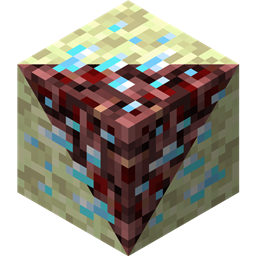
Netherending Ores మోడ్ గురించి
అవలోకనం నెదర్ మరియు ఎండ్కు ఖనిజాలు మరియు ఫర్నేస్ మార్పిడి వంటకాలను జోడించే మరో మాడ్. వెర్షన్ 1.4+ ఫీచర్లు:
- పేలిపోయే ఖనిజాలు
- నెదర్ఫిష్ మాబ్
- నెదర్ఫిష్ మరియు ఎండర్మైట్ కోసం మాన్స్టర్ ఎగ్స్
- ఖనిజాలు ఇప్పుడు అనుభవంతో సహా ఐటమ్లను డ్రాప్ చేయగలవు
- ఖనిజాలు ఇప్పుడు అనుభవంతో సహా నేరుగా ఐటమ్లుగా కరిగించబడతాయి
- తిరిగి రాయబడిన కాన్ఫిగ్
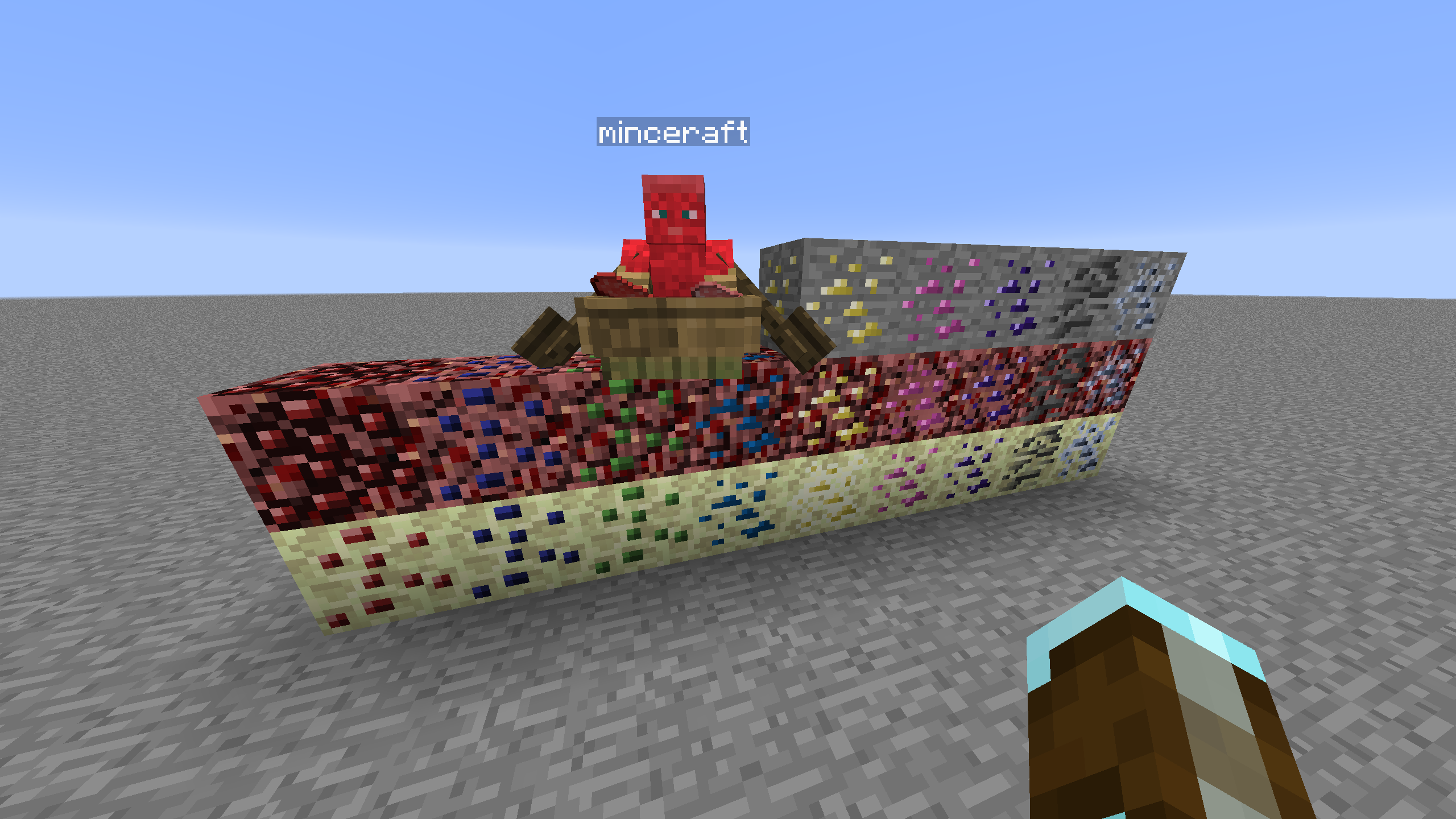
ఖనిజ ఉత్పత్తి ఖనిజ స్పానింగ్ను నియంత్రించడానికి CoFH World వంటి ఇతర మాడ్లు అవసరం. CoFH World కోసం నమూనా కాన్ఫిగ్లు అందించబడ్డాయి, ఇక్కడ చూడండి. వాటిని ఉపయోగించడానికి అందించిన zip ఫైల్ నుండి ఖనిజ ఉత్పత్తి కాన్ఫిగ్లను మీ మాడ్ప్యాక్ ఇన్స్టాన్స్ యొక్క config\cofh\world\ లోకి ఎక్స్ట్రాక్ట్ చేయండి. నెదర్ ఖనిజ ఉత్పత్తి MC 1.7.10 కోసం skyboy026/powercrystals రూపొందించిన Nether Ores మాడ్ చివరి విడుదల కాన్ఫిగ్ సెట్టింగ్లపై ఆధారపడి ఉంటుంది. ఆ మాడ్లో ఎప్పుడూ లేని ఖనిజాలను జోడించడంతో సహా కొన్ని చిన్న మార్పులు ఉన్నాయి. ఎండ్ నెదర్కు సమానమైన సెట్టింగ్లను ఉపయోగిస్తుంది కానీ సహజంగా ఉత్పత్తి అయ్యే End Stone యొక్క ఎత్తు పరిధి చాలా తక్కువగా ఉన్నందున పరిమాణం/సంఖ్య తగ్గించబడింది.
వంటకాలు నెదర్/ఎండ్ ఖనిజాలను దగ్గరగా సరిపోలే ఖనిజ నిఘంటువు ఖనిజానికి కరిగించే ఫర్నేస్ వంటకాలు. కాన్ఫిగ్లోని వంటకం గుణకం ఆధారంగా ఉత్పత్తి అయ్యే ఖనిజ బ్లాక్ పరిమాణం మారుతుంది. ఓవర్వరల్డ్లో పుట్టని ఖనిజాలు, వంటకం పరంగా తమ ఓవర్వరల్డ్ ఖనిజాల సిల్క్ టచ్ చేసిన వెర్షన్లలా ప్రవర్తిస్తాయి, ఇది సమతుల్యత కోసం చేయబడింది కానీ తిరిగి కాన్ఫిగర్ చేయగలిగేది.
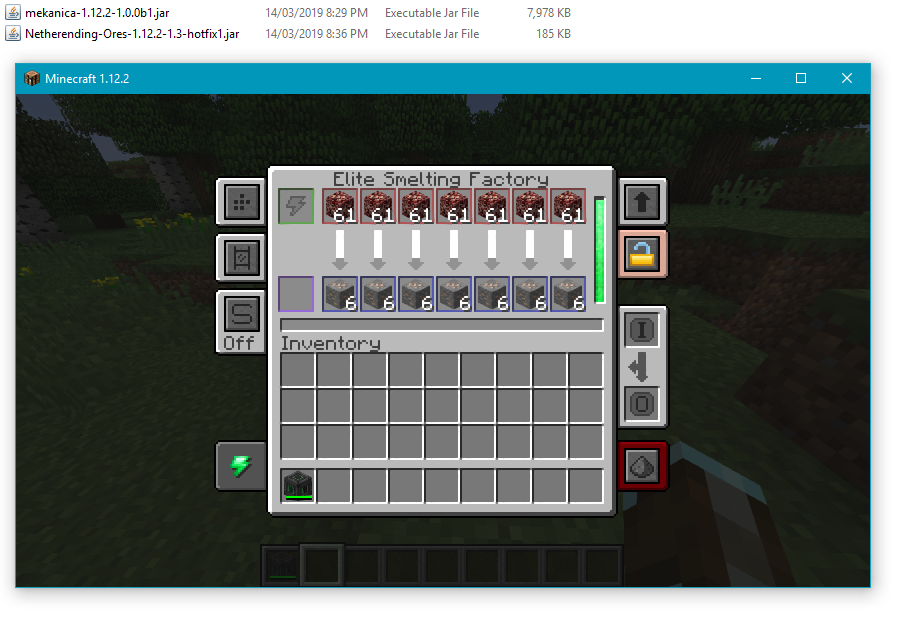
మెషిన్ ప్రాసెసింగ్ ఖనిజాలను నేరుగా ప్రాసెస్ చేయడానికి Tinkers' Construct, Thermal Expansion, IC2, Mekanism మరియు Immersive Engineering కోసం ప్రాథమిక వంటకాలు అందుబాటులో ఉన్నాయి. Thermal Expansion వంటకాలలో సమతుల్యతను మెరుగుపరిచే ఆగ్మెంట్లను భర్తీ చేయగల కాన్ఫిగ్ సెట్టింగ్లు ఉన్నాయి. కావాలనుకోకపోతే కాన్ఫిగ్లో ఇంటిగ్రేషన్ను నిలిపివేయవచ్చు.
బ్లాక్ జాబితా ప్రస్తుతం మద్దతు ఉన్న బ్లాక్లు, డైమెన్షన్లు మరియు ఖనిజ గ్రాఫిక్స్ మూలం జాబితా క్రింద ఉంది.
- Coal | Nether/End | Vanilla
- Diamond | Nether/End | Vanilla
- Emerald | Nether/End | Vanilla
- Gold | Nether/End | Vanilla
- Iron | Nether/End | Vanilla
- Lapis | Nether/End | Vanilla
- Redstone | Nether/End | Vanilla
- Quartz | Overworld/End | Vanilla
- Aluminum | Nether/End | Thermal Foundation
- Copper | Nether/End | Thermal Foundation
- Iridium | Nether/End | Thermal Foundation
- Lead | Nether/End | Thermal Foundation
- Mithril | Nether/End | Thermal Foundation
- Nickel | Nether/End | Thermal Foundation
- Platinum | Nether/End | Thermal Foundation
- Silver | Nether/End | Thermal Foundation
- Tin | Nether/End | Thermal Foundation
- Certus Quartz | Nether/End | Applied Energistics
- Charged Certus Quartz | Nether/End | Applied Energistics
- Osmium | Nether/End | Mekanism
- Uranium | Nether/End | Original art (based off iron)
- Yellorite | Nether/End | Extreme Reactors
- Zinc | Nether/End | Railcraft
- Dilithium | Nether/End | Matter Overdrive
- Tritanium | Nether/End | Matter Overdrive
- Ruby | Nether/End | Project: Red
- Sapphire | Nether/End | Project: Red
- Peridot | Nether/End | Project: Red
- Electrotine | Nether/End | Project: Red
- Ardite | Overworld/End | Tinkers' Construct
- Cobalt | Overworld/End | Tinkers' Construct
- Ambrosium | Overworld/Nether/End | Aether II
- Gravitite | Overworld/Nether/End | Aether II
- Zanite | Overworld/Nether/End | Aether II
- Arkenium | Overworld/Nether/End | Aether II
- Icestone | Overworld/Nether/End | Aether II
- Netherfish Monster Egg | Nether | Vanilla (disguised as Netherrack)
- Endermite Monster Egg | End | Vanilla (disguised as End Stone)
Netherending Ores ఎలా ఇన్స్టాల్ చేయాలి
Install Millida Launcher
The launcher is free: download it at millida.net/launcher and sign in with any nickname.
Click “Install” on this page
The launcher opens and installs the mod for Minecraft 1.12.2 automatically.
Launch the game
A profile with it appears in the launcher: click “Play”.
Minecraft 1.12.2 runs on Java 8: with a different Java version the game may close right after launch.
వెర్షన్లు
డిపెండెన్సీలతో
| Minecraft | లోడర్ | ఫైల్ | తేదీ | చర్యలు |
|---|---|---|---|---|
| 1.12.2 | — | Netherending Ores 1.4.2359 KB | ||
| 1.12.2 | — | Netherending Ores 1.1.2111 KB |
FAQ
Which Minecraft versions does Netherending Ores work on?
Only Minecraft 1.12.2: there are no files for other versions.
Which Java does Netherending Ores need?
Minecraft 1.12.2 runs on Java 8. If the game closes right after launch, the usual cause is the wrong Java version in the profile settings.
How do I download Netherending Ores?
With Millida Launcher: it installs Netherending Ores into a modpack by itself, for the right game version and loader. The launcher is free.
సమీక్షలు
Netherending Oresకు మొదటి రేటింగ్ ఇవ్వండి


