
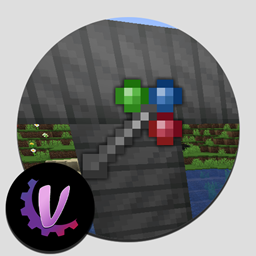
Minecraft 1.20.1, 1.21.1 కోసం Morph-o-Tool మోడ్
అన్ని Wrench లను ముగించే Wrench.
 NeoForge
 Forge
Forgeగురించి
హెచ్చరిక: 1.19.2 వెర్షన్ల కోసం, Morph-o-Tool కు AutoRegLib అవసరం!
Morph-o-Tool అనేది Akashic Tome తో జతకట్టే మోడ్. ఇది జోడించే ఏకైక ఐటమ్ Morphing Tool, ఇది ఇలా తయారవుతుంది.
Morphing Tool మీరు దానిపై విసిరే ఏదైనా wrench, screwdriver, hammer, లేదా కొమ్మలు-రేకులతో-చేసిన wand ను అనుకరించగలదు, దీనివల్ల పెద్ద మోడ్ప్యాక్లకు ఇది సరైన "ఓమ్ని-రెంచ్" అవుతుంది.
- దానికి wrench లాంటి ఐటమ్ను జోడించడానికి, ఆ ఐటమ్తో Morph-o-Tool ను తయారు చేయండి.
- ఆ wrench లాంటి ఐటమ్ ఏ మోడ్దో అదే మోడ్కు చెందిన బ్లాక్ను మీరు చూసినప్పుడల్లా, Morphing Tool దానిగా మారిపోతుంది.
- మీకు ఆ మోడ్ నుండి అసలు ఐటమ్ లభిస్తుంది, అనుకరించిన ఐటమ్ లేదా కంటైనర్ కాదు. ఇది ఆ ఐటమ్ పనితీరుతో 100% అనుకూలతను నిర్ధారిస్తుంది.
- మీరు వేరే వైపు చూసినప్పుడు గేమ్ దాన్ని ఎలా తిరిగి మార్చాలో తెలుసుకోవడానికి ఆ ఐటమ్కు కొంత NBT డేటా జోడించబడుతుంది.
- మార్పు చెందిన Tool ను క్రాఫ్టింగ్ కోసం ఉపయోగించవచ్చు, కానీ మీరు బహుశా ఉపయోగించకూడదు, ఎందుకంటే మీరు జోడించిన మిగతా ఐటమ్లన్నీ పోతాయి.
- ఐటమ్ తిరిగి మారకూడదనుకుంటే, దాన్ని మీ ఆఫ్ హ్యాండ్లో పట్టుకోండి-- ఇది మెయిన్ హ్యాండ్లో మాత్రమే మారుతుంది. (వీటిని కాన్ఫిగ్లో మార్చుకోవచ్చు.)
- వేరే ఏదైనా ఐటమ్గా మారకుండా ఉన్నప్పుడు, forge రొటేషన్ సిస్టమ్ ఉపయోగించి బ్లాక్లను తిప్పడానికి Tool ను ఉపయోగించవచ్చు. ఇది అన్ని వనిల్లా బ్లాక్లను మరియు చాలా మోడెడ్ బ్లాక్లను నిర్వహించగలదు.
- జోడించిన ఐటమ్లను తీసివేయడానికి, మీరు తీసివేయాలనుకునే ఐటమ్గా Tool ను మార్చండి, తర్వాత sneak చేసి మీ "drop" కీని నొక్కండి.
- Tool పట్టుకుని ఉన్నప్పుడు shift నొక్కి స్క్రోల్ వీల్ ఉపయోగించి కూడా దాన్ని మాన్యువల్గా మార్చవచ్చు.
కాన్ఫిగరేషన్
మోడ్ కోసం కాన్ఫిగ్ ఫైల్లో ఇవి ఉంటాయి:
- ప్రతి ఒక్క ఐటమ్ను జోడించడానికి అనుమతించే ఎంపిక. డిఫాల్ట్గా నిలిపివేయబడింది.
- మెయిన్ హ్యాండ్కు బదులుగా ఆఫ్ హ్యాండ్లో Tool మారేలా చేసే ఎంపిక.
- ఐటమ్లు జోడించకూడని మోడ్ల కోసం బ్లాక్లిస్ట్.
- వాటిలో ఉన్న ఐటమ్లను జోడించడానికి అనుమతించాల్సిన పేర్ల కోసం వైట్లిస్ట్ (wrench, screwdriver, hammer... లాంటివి)
- మునుపటి పేర్లు లేని నిర్దిష్ట ఐటమ్లను కూడా జోడించడానికి అనుమతించాల్సిన వైట్లిస్ట్ (Botania Wand of the Forest లాంటివి)
- ఒక అలియాస్ జాబితా. ఒక మోడ్ను మరొకదానికి మళ్లించడానికి అనుమతిస్తుంది. ఉదాహరణకు, RFTools Smart Wrench ను జోడిస్తుంది, మరియు అలియాస్ జాబితాలో "rftoolsdim=rftools" ఉంటుంది, కాబట్టి మీ దగ్గర Smart Wrench ఉన్నప్పుడు మీరు RFTools Dimensions బ్లాక్ను (వేరే మోడ్) చూస్తే, అది దాన్ని తీసుకుంటుంది. ఇతర అలియాస్లలో ఉదాహరణకు Thermal Dynamics నుండి Thermal Expansion ఉంటుంది.
Morph-o-Tool ఎలా ఇన్స్టాల్ చేయాలి
With Millida Launcher
Install Millida Launcher
The launcher is free: download it at millida.net/launcher and sign in with any nickname.
Click “Install” on this page
The launcher opens and installs the mod for Minecraft 1.12.2–1.21.1 on Forge or NeoForge automatically.
Launch the game
A profile with it appears in the launcher: click “Play”.
Manually
Install Forge or NeoForge
The loader must match the game version of the mod file, for example Minecraft 1.21.1. After installing it, a separate profile appears in your launcher.
Download the file for your version
In the version list above, pick the file Morph-o-Tool-1.8-39.jar (39 KB) for your game version and loader.
Put it in the mods folder
The folder is inside .minecraft (Windows: %appdata%\.minecraft\mods). If it does not exist, create it.
Launch the loader profile
Open “Mods” in the main menu: Morph-o-Tool should be in the list.
Minecraft 1.21.1 runs on Java 21: with a different Java version the game may close right after launch.
వెర్షన్లు
డిపెండెన్సీలతో
| Minecraft | లోడర్ | ఫైల్ | తేదీ | చర్యలు |
|---|---|---|---|---|
| 1.21.1 | NeoForge | Morph-o-Tool-1.8-39.jar38.6 KB 2 | ||
| 1.20.1 | Forge | Morph-o-Tool-1.7-38.jar34.3 KB 1 | ||
| 1.12.2 | — | Morph-o-Tool-1.2-21.jar29.9 KB 2 |
FAQ
Which Minecraft versions does Morph-o-Tool work on?
There are files for 1.21.1, 1.20.1, 1.12.2. The newest is 1.21.1.
Is Morph-o-Tool for Forge or Fabric?
There are files for Forge: 1.20.1 and for NeoForge: 1.21.1. There are no files for Fabric: a mod for another loader will not start.
Does Morph-o-Tool need other mods?
The author lists no required dependencies: the Forge or NeoForge loader is enough.
Which Java does Morph-o-Tool need?
Minecraft 1.21.1 runs on Java 21. If the game closes right after launch, the usual cause is the wrong Java version in the profile settings.
Where can I download Morph-o-Tool safely?
On this page: the file Morph-o-Tool-1.8-39.jar (39 KB) is stored on Millida’s server, with no link shorteners. SHA-1 checksum: 4d1d573d758d0711bb8ab16f0b3554dc39cbdee1.
సమీక్షలు
Morph-o-Toolకు మొదటి రేటింగ్ ఇవ్వండి


