

 Fabric
⚙️ IJM's Tweaks
A Fabric mod that tweaks the client side of Minecraft.
📌Description
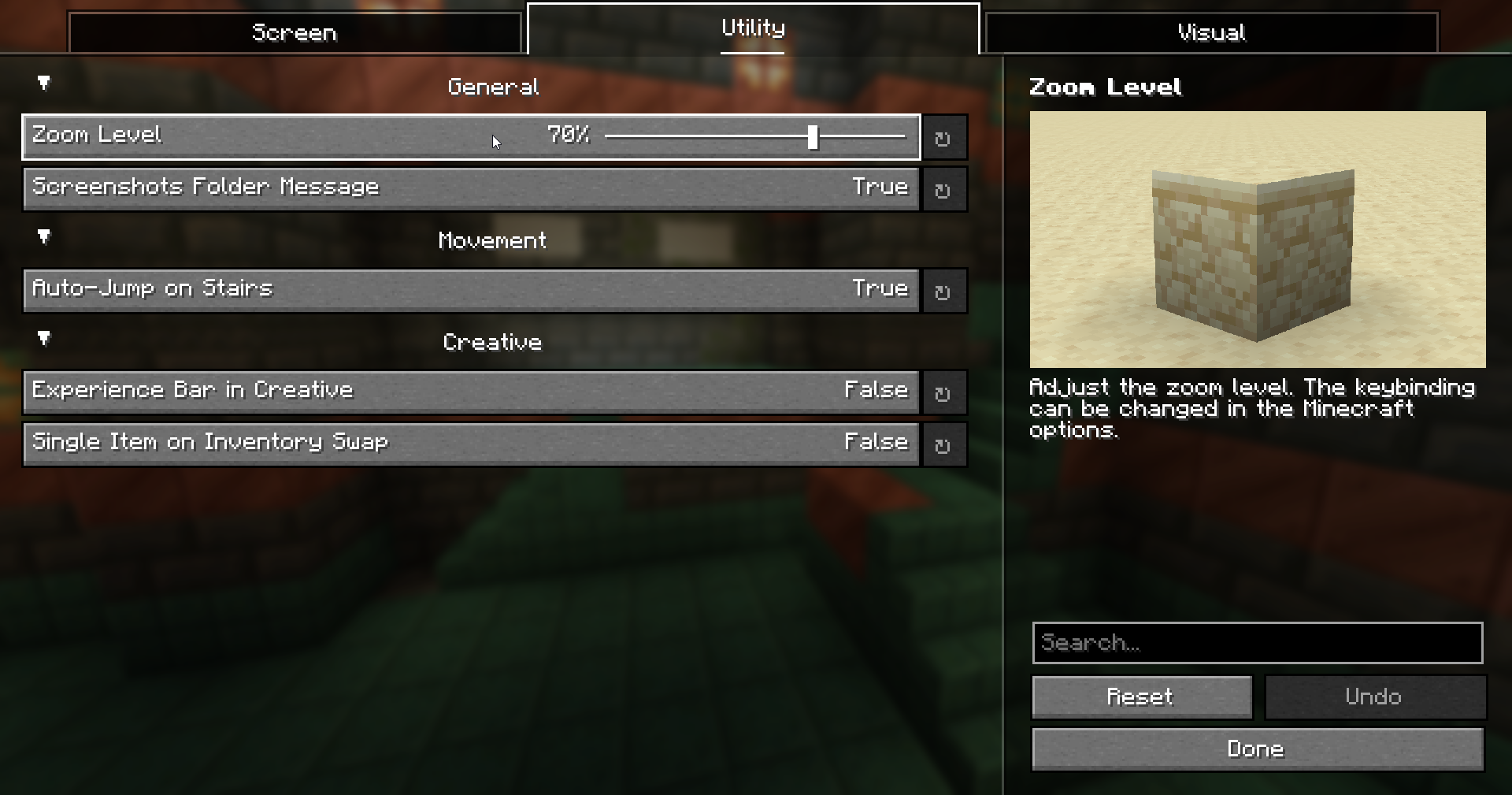
- Force the dark loading overlay (the black monochrome color).
- Automatically enable the auto-jump when you step on stairs.
- Allow the experience bar to show up in creative.
- Reduce the particles when a block is broken.
- Change the opacity of the pumpkin overlay.
- Zoom by holding a keybinding.
- Lower the height of the fire overlay.
- Some tweaks on the creative inventory.
- Add a message to open the screenshots folder after taking a screenshot.
- An option to render the hitboxes of the invisible entities when using F3 + B. Require to be OP and in a non survival-like gamemode on a dedicated server.
- A fullbright option that can be toggled with a keybinding.
Note: Everything is configurable and can be toggled.

🔗 Requirements
- Fabric API
- Yet Another Config Lib

🔗 Recommended
- Mod Menu
🔗 Compatible with
- Fabrishot
📜 License
This project is under the MIT license.
IJM's Tweaks ఎలా ఇన్స్టాల్ చేయాలి
With Millida Launcher
Install Millida Launcher
The launcher is free: download it at millida.net/launcher and sign in with any nickname.
Click “Install” on this page
The launcher opens and installs the mod for Minecraft 1.21.2–26.3 on Fabric automatically, together with its dependencies: YetAnotherConfigLib (YACL), Fabric API.
Launch the game
A profile with it appears in the launcher: click “Play”.
Manually
Install Fabric
The loader must match the game version of the mod file, for example Minecraft 26.3. After installing it, a separate profile appears in your launcher.
Download the file for your version
In the version list above, pick the file ijm-tweaks-1.8.0+26.3.jar (3.5 MB) for your game version.
Put it in the mods folder
The folder is inside .minecraft (Windows: %appdata%\.minecraft\mods). If it does not exist, create it. Required dependencies go there too: YetAnotherConfigLib (YACL), Fabric API.
Launch the loader profile
Open “Mods” in the main menu: IJM's Tweaks should be in the list.
IJM's Tweaks works on the player’s side only: there is no need to install it on a server.
వెర్షన్లు
డిపెండెన్సీలతో
| Minecraft | లోడర్ | ఫైల్ | తేదీ | చర్యలు |
|---|---|---|---|---|
| 26.3 | Fabric | 26.33.5 MB | ||
| 26.2 | Fabric | 26.23.5 MB | ||
| 26.1 | Fabric | 26.13.5 MB | ||
| 1.21.11 | Fabric | 1.21.112.9 MB | ||
| 1.21.11 | Fabric | 1.21.112.9 MB | ||
| 1.21.10 | Fabric | 1.21.102.9 MB | ||
| 1.21.10 | Fabric | 1.21.102.9 MB | ||
| 1.21.8 | Fabric | 1.21.82.9 MB |
ఇది రన్ అవ్వడానికి కావాల్సినవి
- YetAnotherConfigLib (YACL)అవసరం
- Fabric APIఅవసరం
- Mod Menuఐచ్ఛికం
సమీక్షలు
IJM's Tweaksకు మొదటి రేటింగ్ ఇవ్వండి


