
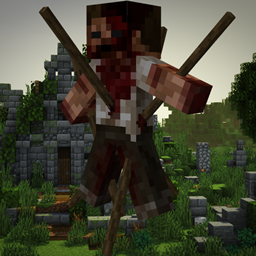
Minecraft 1.20.1, 1.16.5 కోసం Horror Elements mod
మీ హారర్ మ్యాప్ల కోసం అలంకార బ్లాక్లను మరియు మీ సర్వైవల్ ప్రపంచం కోసం భయానక నిర్మాణాలను జోడించే మోడ్
 NeoForge
 Forge
ForgeHorror Elements mod మోడ్ గురించి
ఈ మోడ్ రెడ్స్టోన్ను రక్తానికి ప్రత్యామ్నాయంగా వాడాల్సి వస్తోందని విసిగిపోయిన ఆటగాళ్ల కోసం, వాళ్లే తయారు చేసుకున్నది! ఈ అర్థరహితానికి వ్యతిరేకంగా పోరాడండి, ఇప్పుడే డౌన్లోడ్ చేసుకోండి!
ఈ మోడ్ను మీ మోడ్ప్యాక్లలో లేదా ఇతర ప్రాజెక్టులలో చేర్చుకోవచ్చు, అడగాల్సిన అవసరం లేదు. దయచేసి మీ ప్రాజెక్టులో ఈ పేజీకి లింక్ పెట్టండి, ఇది మీది కాదని పేర్కొనండి. ఈ మోడ్పై ఏ సమీక్ష అయినా చాలా స్వాగతించబడుతుంది, ఈ పేజీలో చూపించబడవచ్చు కూడా. ఆనందించండి!
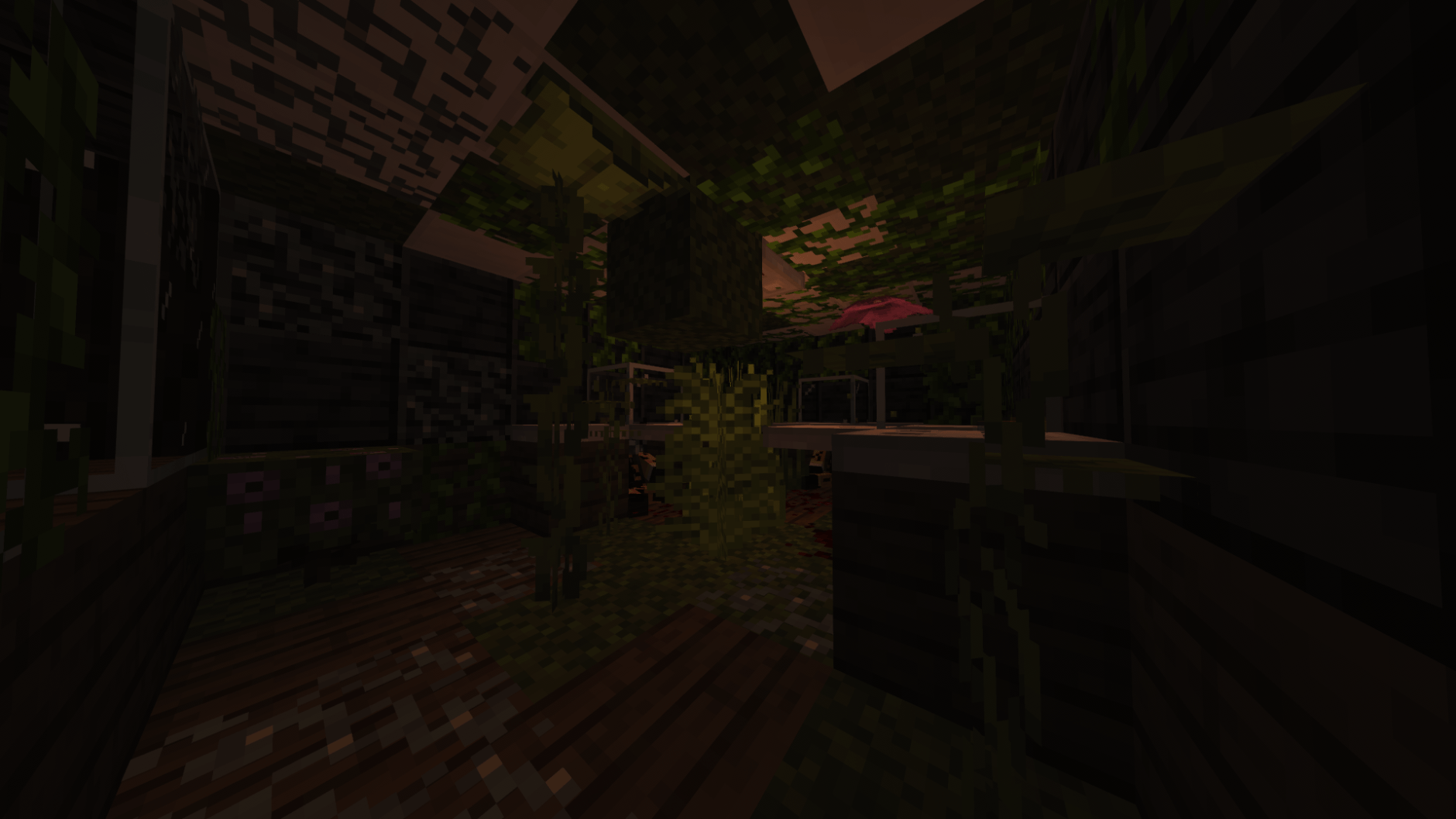
ఇటీవలి 26.2 మరియు 26.1.2 neoforge పోర్ట్లు నేను కాదు, కమ్యూనిటీ సభ్యుడు OliverWalter చేసిన అనధికారిక పోర్ట్లు. ఆ పోర్ట్లు అందించినందుకు ఆయనకు పెద్ద ధన్యవాదాలు!
పాట్రన్ అవ్వడం ద్వారా నా పనికి మద్దతు ఇవ్వండి :

లేదా వార్తలతో అప్డేట్గా ఉండటానికి నా డిస్కార్డ్ సర్వర్లో చేరండి!

ఎప్పుడైనా నిజమైన హారర్ మోడ్ కావాలని అనుకున్నారా? అయితే horror element మీ కోసమే తయారు చేయబడింది!
ఈ మోడ్ను క్రియేటివ్ మరియు సర్వైవల్ రెండు మోడ్లలోనూ వాడవచ్చు. మీ కొన్ని మ్యాప్లకు మరింత వివరాలు జోడించాలనుకుంటే, ఈ మోడ్ అది చేయగలదు. మీ సర్వైవల్ ప్రపంచంలో తిరుగుతూ భయానక అంశాలు మరియు నిర్మాణాలను ఎదుర్కోవాలనుకుంటే, horror elments అది కూడా చేయగలదు!
వాతావరణ బ్లాక్ను నిష్క్రియం చేయాలనుకునే వారి కోసం కమాండ్ : /HMdayreset true/false
ఈ మోడ్ ప్రస్తుతం జోడిస్తుంది :
-మీ సర్వైవల్ ప్రపంచంలో స్పాన్ అయ్యే 60+ కస్టమ్ హారర్ థీమ్ అంశాలు
-మీ ప్రాజెక్టులకు ప్రత్యేక వాతావరణం జోడించడానికి 10+ ప్రత్యేక బ్లాక్లు (మెరిసే లైట్లు, ఎరుపు లాంతర్లు, సౌండ్ బ్లాక్లు...)
-మీ ప్రపంచంలో యాదృచ్ఛికంగా స్పాన్ అయ్యే 7 ప్రత్యేక నిర్మాణాలు
Horror elements కొత్త ఫీచర్లతో తరచుగా అప్డేట్ చేయబడుతుంది...
ఇన్స్టాలేషన్: 1 : మోడ్ వెర్షన్కు సరిపోయే forge వెర్షన్ను డౌన్లోడ్ చేయండి
2 : win+R నొక్కి %appdata% వెతకండి
3 : ''roaming'' పై క్లిక్ చేసి, తర్వాత ".minecraft" ఫోల్డర్పై క్లిక్ చేయండి
4 : మీరు ఇప్పుడే డౌన్లోడ్ చేసిన మోడ్ను ''mods'' అనే ఫోల్డర్లో పెట్టండి
5 : మీ minecraft లాంచర్లో Forge వెర్షన్ను ఎంచుకుని గేమ్ను లాంచ్ చేయండి
6 : భయాన్ని ఆస్వాదించండి
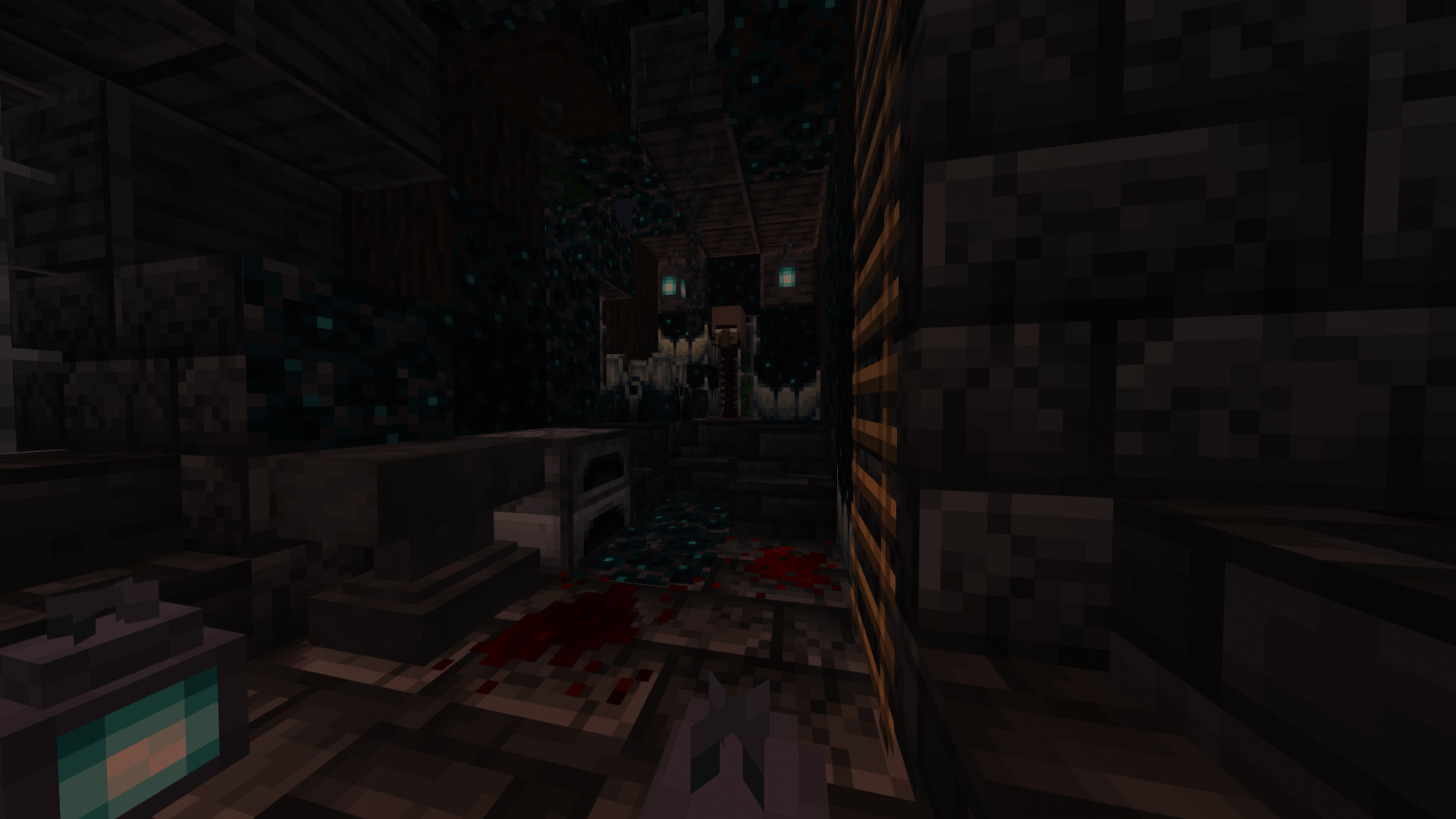
Horror Elements mod ఎలా ఇన్స్టాల్ చేయాలి
With Millida Launcher
Install Millida Launcher
The launcher is free: download it at millida.net/launcher and sign in with any nickname.
Click “Install” on this page
The launcher opens and installs the mod for Minecraft 1.16.5–26.1.2 on Forge or NeoForge automatically.
Launch the game
A profile with it appears in the launcher: click “Play”.
Manually
Install Forge or NeoForge
The loader must match the game version of the mod file, for example Minecraft 26.1.2. After installing it, a separate profile appears in your launcher.
Download the file for your version
In the version list above, pick the file horror_element_mod-1.6.2-neoforge-26.1.2-private-port.jar (20 MB) for your game version and loader.
Put it in the mods folder
The folder is inside .minecraft (Windows: %appdata%\.minecraft\mods). If it does not exist, create it.
Launch the loader profile
Open “Mods” in the main menu: Horror Elements mod should be in the list.
వెర్షన్లు
డిపెండెన్సీలతో
| Minecraft | లోడర్ | ఫైల్ | తేదీ | చర్యలు |
|---|---|---|---|---|
| 26.1.2 | NeoForge | horror_element_mod-1.6.2-neoforge-26.1.2-private-port.jar20.2 MB 3 | ||
| 1.20.1 | Forge | horror_element_mod-1.6.3-forge-1.20.1.jar20.2 MB 74 | ||
| 1.18.2 | — | Horror_elements_mod_1.18.2.jar93.9 MB 19 | ||
| 1.16.5 | — | Horror elements 2.0.jar71.9 KB |
సమీక్షలు
Horror Elements modకు మొదటి రేటింగ్ ఇవ్వండి


