
 NeoForge
FTB Backups 3
Our simple but powerful backups solution for Minecraft 1.21.1+!
Features
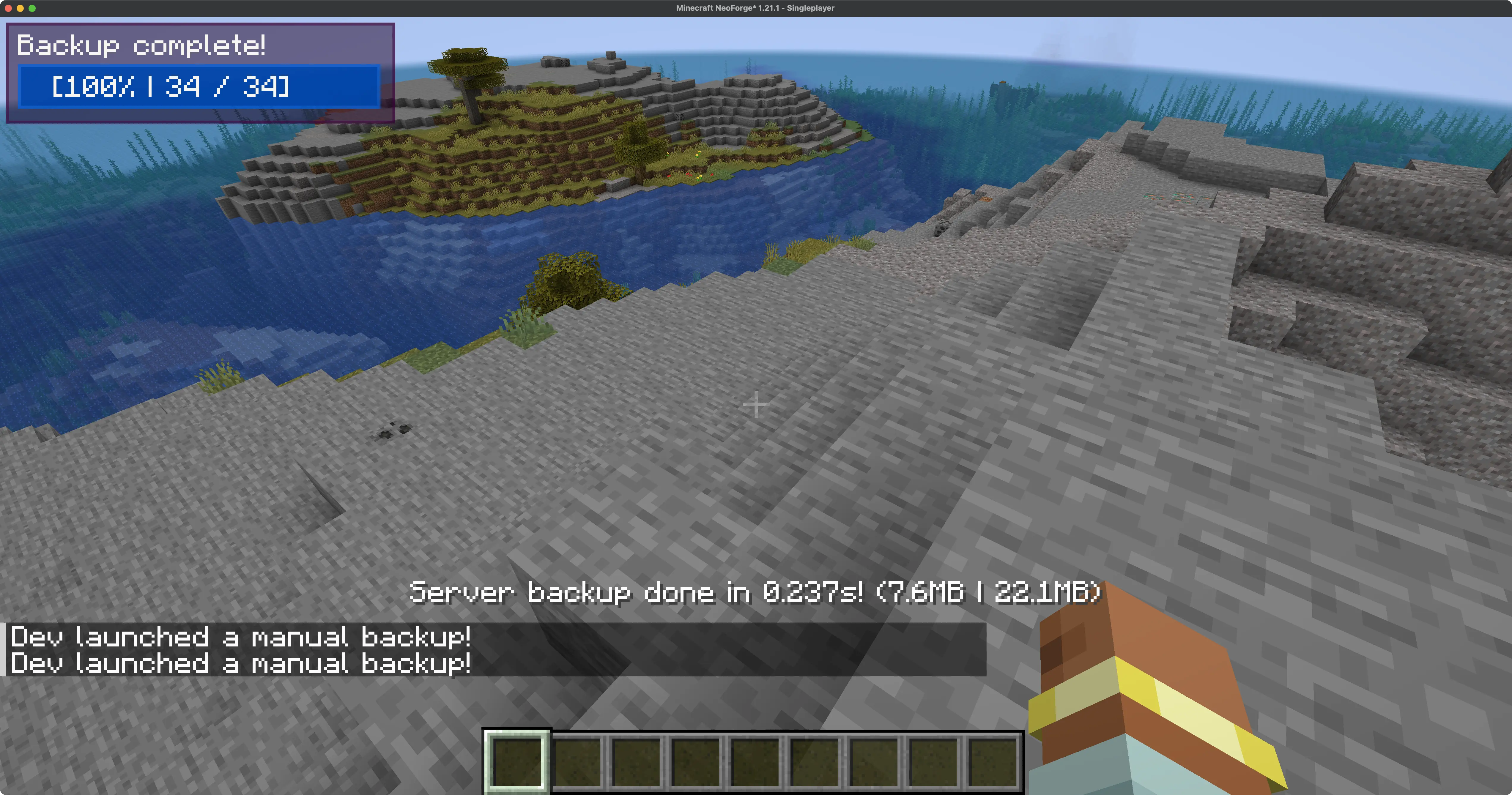
- In-game progress display of backups (configurable to just admins, all players, or not at all)
- Command triggered backups
- Simple, user friendly time config for specify how often to backup
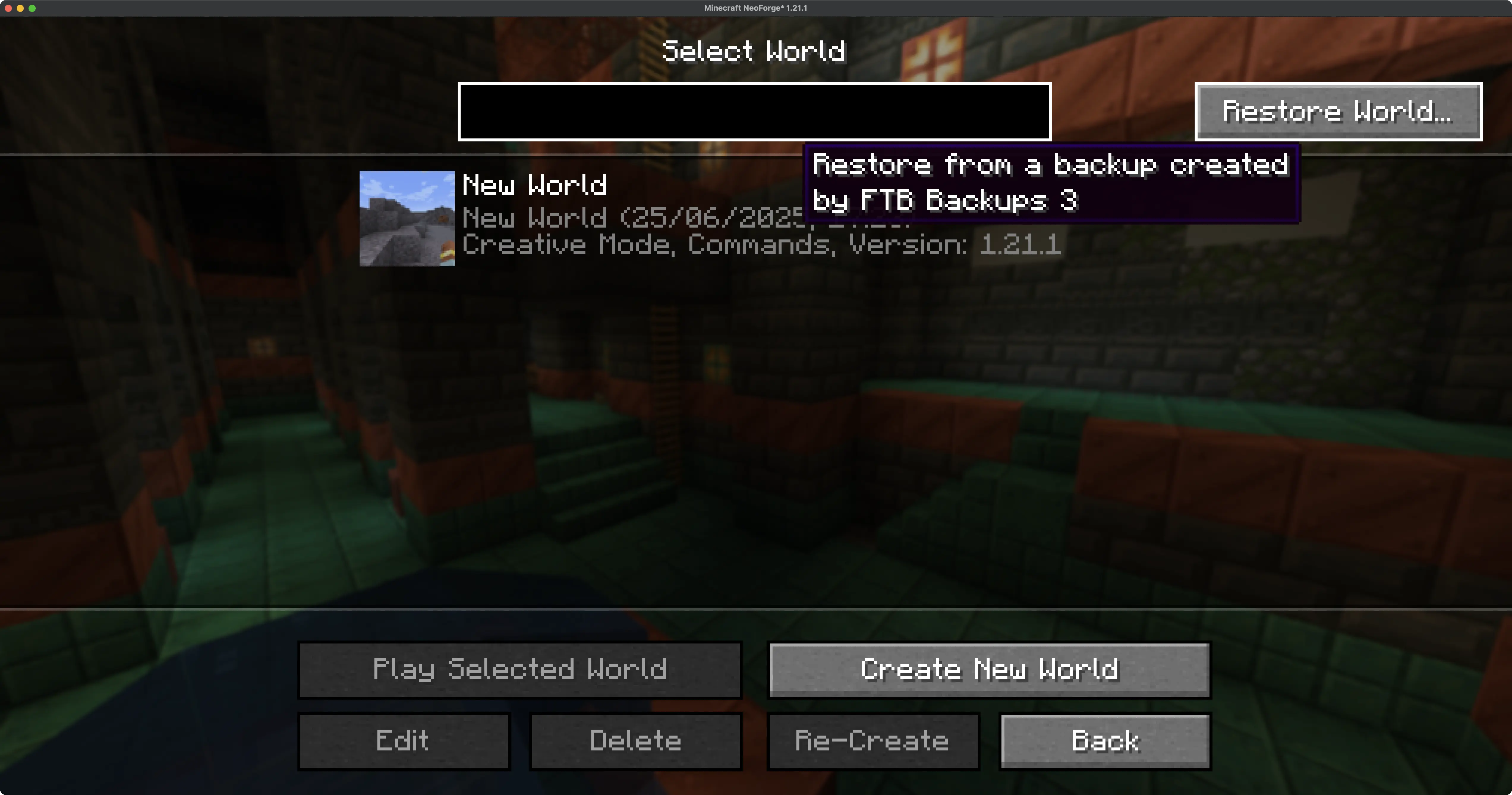
- In-game backup restore & delete functionality (singleplayer only)
- Plugin system built-in for developers to add alternative backup methods (ZIP by default)
Support
- For Modpack issues, please go here: https://go.ftb.team/support-modpack
- For Mod issues, please go here: https://go.ftb.team/support-mod-issues
- Just got a question? Check out our Discord: https://go.ftb.team/discord
Licence
All Rights Reserved to Feed The Beast Ltd. Source code is visible source, please see our LICENSE.md for more information. Any Pull Requests made to this mod must have the CLA (Contributor Licence Agreement) signed and agreed to before the request will be considered.
FTB Backups 3 ఎలా ఇన్స్టాల్ చేయాలి
With Millida Launcher
Install Millida Launcher
The launcher is free: download it at millida.net/launcher and sign in with any nickname.
Click “Install” on this page
The launcher opens and installs the mod for Minecraft 1.21.1–26.1.2 on NeoForge automatically.
Launch the game
A profile with it appears in the launcher: click “Play”.
Manually
Install NeoForge
The loader must match the game version of the mod file, for example Minecraft 26.1.2. After installing it, a separate profile appears in your launcher.
Download the file for your version
In the version list above, pick the file ftb-backups-3-26.1.2.1.jar (89 KB) for your game version.
Put it in the mods folder
The folder is inside .minecraft (Windows: %appdata%\.minecraft\mods). If it does not exist, create it.
Launch the loader profile
Open “Mods” in the main menu: FTB Backups 3 should be in the list.
వెర్షన్లు
డిపెండెన్సీలతో
| Minecraft | లోడర్ | ఫైల్ | తేదీ | చర్యలు |
|---|---|---|---|---|
| 1.21.1 | NeoForge | FTB Backups 3 21.1.589.2 KB 4 | ||
| 26.1 | NeoForge | FTB Backups 3 26.1.2.188.6 KB |
సమీక్షలు
FTB Backups 3కు మొదటి రేటింగ్ ఇవ్వండి


